 StreamLive Pro
Auto captions and subtitle translation: the complete guide
Auto captions and subtitle translation for any video: transcribe, fix, translate into 143 languages, then burn in or export SRT or VTT. Limits and Hebrew included.
To caption and translate a video in StreamLive Pro, you upload it or pick a recording, get word-timed captions from speech in about 100 languages, correct them, and translate them into any of 143 languages. Then you burn them into the picture or export a file such as SRT or VTT. Hebrew reads right to left. This all works on recorded video: captions and translation during a live broadcast are not available to customers yet.
This guide is the map of the whole process. Each stage links to its detailed page.
Words people mix up
| Term | What it means here |
|---|---|
| Transcription | Turning speech into text in the same language. About 100 languages |
| Captions or subtitles | Text on the video, timed to the words |
| Translation | Text in another language. 143 target languages on Pro and Studio; 25 on Creator and the trial |
| Burned-in captions | Part of the picture. They show on every network, and viewers cannot turn them off |
| Closed captions | A separate file that viewers can turn on or off: Open and closed captions: burned in or a separate file |
| SRT file | A subtitle file. Not the SRT streaming protocol: SRT file or SRT protocol? Two different things |
Which output to pick
| Your goal | Choose | Why |
|---|---|---|
| Shorts, Reels, TikTok | Burned in | Many people watch without sound, and short-video networks do not all read files |
| A long YouTube video | SRT or VTT uploaded to YouTube | Viewers choose the language |
| Editing in Premiere, DaVinci Resolve or CapCut | Export a file | You keep the edit in your own software |
| Foreign audience for a Hebrew class or talk | Translated captions, burned in or as a file | One video, more audiences |
Steps
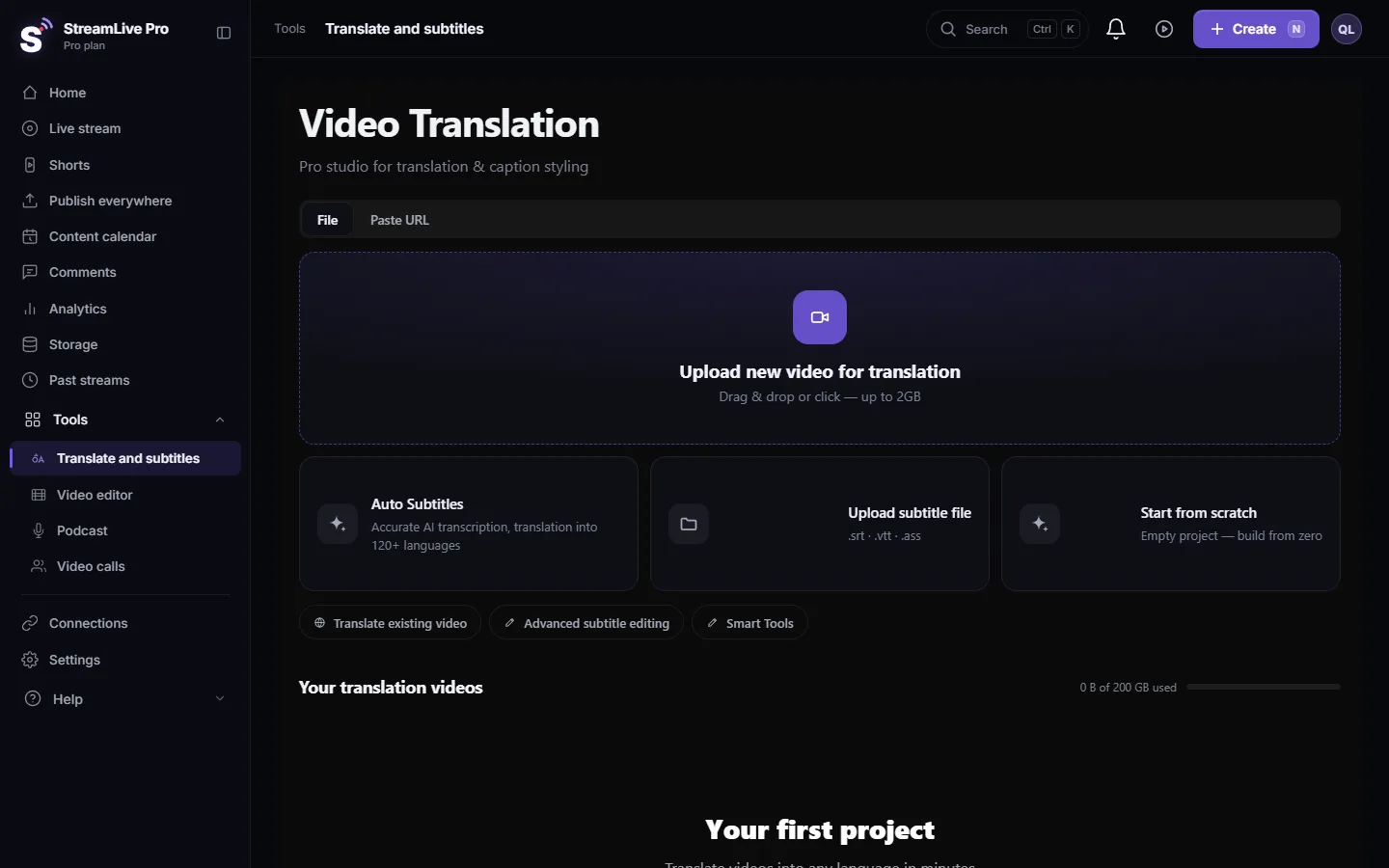
- Open the page. Go to Translate and subtitles and upload a video, or pick one from storage.
- Set the languages. Choose the language spoken in the video and the language for the translation, then press Start translation.
- Read the text. Automatic transcription gets names and rare terms wrong. Fix them on the timeline: Edit captions on the timeline.
- Check the timing. If the words run ahead or behind, fix that before you translate: My captions are out of sync with the video.
- Polish the translation. Translation works sentence by sentence, and you can improve it with AI: AI polish: a second pass over a translated video.
- Pick a design. Burned-in captions come in 89 designs: Caption designs: style gallery, templates and Short looks. Keep them clear of the network's buttons: Caption safe zones for TikTok, Reels, Shorts and more.
- Export. Press Export. Choose a burned-in MP4 or a file: Burn captions into a video (hardcoded subtitles) and Export captions as SRT, VTT or ASS, and which one to use.
Hebrew and other right-to-left languages
Right-to-left text breaks in many tools, mainly in the punctuation, in numbers and in English words in the middle of a sentence. StreamLive Pro lays out Hebrew right to left on burned-in captions, and the Hebrew guides cover the cases that go wrong:
- From speech to captions: Automatic Hebrew subtitles — transcribe, edit, and burn them in.
- On Shorts: Automatic Hebrew captions on Shorts.
- If the order still looks wrong: Hebrew captions reversed or punctuation on the wrong side.
- For an English-speaking audience: English subtitles for a Hebrew video.
- In your editing software: Automatic Hebrew captions for Premiere Pro, step by step.
Exported files go through your editing software, and each program treats right-to-left text its own way, so check them in that program.
Taking captions to other software
| Program | Guide |
|---|---|
| DaVinci Resolve | Import SRT captions into DaVinci Resolve (Hebrew included) |
| Final Cut Pro | Import SRT captions into Final Cut Pro (Hebrew too) |
| CapCut | Import SRT captions into CapCut (desktop and web) |
| Premiere Pro | Automatic Hebrew captions for Premiere Pro, step by step |
SRT, VTT and TXT export on every plan. ASS, JSON and ZIP depend on the plan. Details are in Export captions as SRT, VTT or ASS, and which one to use.
Captions on Shorts and networks
Shorts get burned-in captions when they are made, so there is no separate step. If you want a specific look, set it in the style settings: Short style: set the look of all your Shorts once. For regular videos on social networks, see Add captions to Instagram Reels, burned into the video, Add captions to a Facebook video (SRT or burned in) and Add captions to a LinkedIn video (SRT or burned in).
Limits to know
- Minutes. Each plan has a monthly number of translation minutes, and a limit per video. The trial includes 10 minutes: Out of translation minutes: what counts and what to do. Numbers are on the pricing page.
- Parallel jobs. Your plan sets how many translations run at once, and another one waits until a place is free: Another translation is already running.
- Not during the live. Captions and translation work on the recording. So press Record if you want them: Captions and translation for live streams: what works today and what is coming.
- No dubbing. It translates text. It does not replace the voice.
- Accuracy. No automatic transcription is perfect, and noise and several people speaking together make it worse. Always read the text before you publish.
Common mistakes
- Translating before you fix the source. A wrong word in the transcript becomes a wrong word in every language.
- Publishing without reading it. Check names and numbers above all.
- Mixing up the two kinds of SRT. A subtitle file has nothing to do with the streaming protocol.
- Captions on top of the app's buttons. Each network covers a different part of the screen.
Frequently asked questions
How many languages can it translate into?
143 on Pro and Studio; 25 on Creator and the trial. Transcription from speech works in about 100 languages.
Can I get captions during a live broadcast?
Not yet. Captions and translation work on the recording after the broadcast, so press Record during the live.
Which file formats can I export?
SRT, VTT and TXT on every plan. ASS, JSON and ZIP depend on the plan. You can also export a video with captions burned in.
Does it support Hebrew captions?
Yes. Transcription, translation and burned-in captions that read right to left.
Does it dub the video in another language?
No. It gives translated text as captions or a file. There is no dubbing and no voice cloning.
Can I fix the captions by hand?
Yes. You edit words and timing on the timeline before you export.
Keep reading
Open vs closed captions: burned into the picture or sent as a file the viewer can switch off. What each is good for, which networks take which, and how to make both.
A weekly Torah class online: live, Shorts and a podcastHow to run a weekly Torah class online: a weekday live, scheduling ahead, Shorts with Hebrew captions, translation for students abroad and a podcast episode.
Add captions to a LinkedIn video (SRT or burned in)Add captions to a LinkedIn video: make an SRT in StreamLive Pro and attach it when you post on LinkedIn, or burn the captions in so they show in every feed.
How to translate video subtitles into other languagesTranscription vs translation vs dubbing, SRT vs VTT vs burned-in, a workflow that stops errors multiplying, Netflix line-length rules and Hebrew RTL.
Want to try it? 7-day trial, no credit card.
Start free