 StreamLive Pro
Another translation is already running
Another translation is already running? Your plan's limit on parallel translations is reached. How long to wait, what counts as running, and stuck jobs.
Each plan runs a set number of transcriptions and translations at the same time. When that many are already in progress on your account, a new one is refused with "Another translation is already running" instead of waiting in the background. Nothing is charged for the refused one. Wait until one of the running projects is ready, then start it again. Higher plans run more jobs side by side; see /pricing?lang=en.
Symptom, cause, fix
| What you see | Likely cause | Fix |
|---|---|---|
| "Another translation is already running" when you upload a video or press Start translation | The plan's number of parallel jobs is in use | Wait for one project to be ready, then start again |
| In Hebrew: "כבר רצים N תרגומים, והחבילה שלך מאפשרת M במקביל" | The same, with the numbers | The same |
| The message appears when you press Translate again or translate into more languages | Re-runs and extra languages count as new jobs | Wait, or run them one after another |
| The message appears and nothing seems to be running | A project is still processing in the list, or a job was cut off and is being cleared | Check the list for projects that are not Ready; wait up to half an hour |
| A project says "The translation did not succeed. You can try again, and if it happens again, write to support." | The job stopped, for example after a server restart, and was marked failed | Press Translate again; the reserved minutes were given back |
| "Too many requests in a row. Try again in a minute." | Many requests in a short time, not the parallel limit | Wait a minute |
Steps
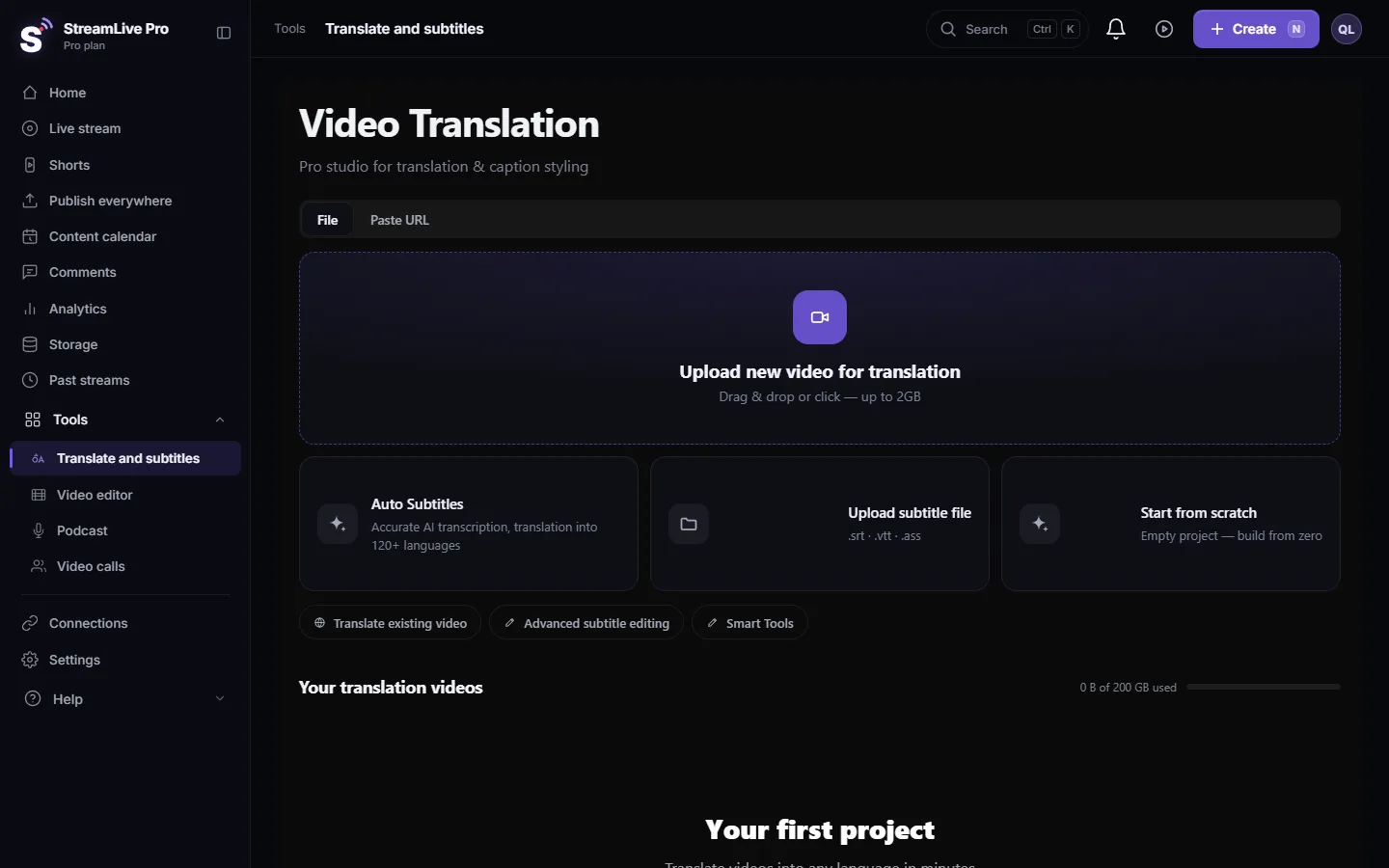
- Look at your project list. Open Translate and subtitles. Projects that still show progress, and are not ready to open, are the ones running.
- Let one finish. Transcription and translation take minutes, depending on the video's length. When a project is done it opens normally and its progress is gone.
- Start the new one again. Upload the video again, or press the action that was refused. Your earlier attempt was not saved as a project, so nothing is duplicated.
- Running several languages? Translating one video into more languages makes a separate project per language, and each one counts as a job. Pick fewer languages at once, or wait between them.
- If a project is stuck. A project that has made no progress for about 30 minutes is marked failed automatically, and the minutes reserved for it are returned. Then the slot is free again.
- Need more in parallel? The number of parallel jobs grows with the plan: Creator runs more than the trial, Pro more than Creator, and Studio the most. See /pricing?lang=en.
What counts as running
| Counts | Does not count |
|---|---|
| A video that was uploaded and is being transcribed | Editing lines, find and replace, choosing a design |
| A translation into another language | Downloading SRT, VTT or TXT |
| Translate again on an existing project | Projects that are ready or failed |
| A project whose captions are being aligned to the speech | Shorts made from a live broadcast |
Some ways of starting a job also count a video export that is still rendering. If you exported a long video a moment ago, it may hold a slot until it finishes.
Why it refuses instead of queueing
A refused job costs nothing and leaves nothing half-done. If every new upload waited in a hidden queue, the minutes for all of them would be reserved at once, and a long list could finish hours later without you knowing which one is next. With the refusal, what you see running is exactly what is running.
When to contact support
Write to [email protected] if the message keeps appearing for more than an hour while no project in your list is processing. Send your account email, the time, the exact message, and a screenshot of your project list.
Related: Out of translation minutes: what counts and what to do, Transcribe a video to text (Hebrew and about 100 languages), Translate a video from English to Hebrew with captions.
Frequently asked questions
How many translations can I run at the same time?
It depends on the plan. Creator runs more at once than the trial, Pro more than Creator, and Studio the most.
Did the refused attempt use my minutes?
No. The refusal happens before anything starts, so no minutes are reserved or used.
My translation looks stuck. Will it block me forever?
No. A job with no progress for about 30 minutes is marked failed, its reserved minutes are returned, and you can start again.
Does translating into three languages count as three?
Yes. Each language becomes its own project and its own job, so three languages need three free slots or have to run one after another.
Keep reading
Source video no longer stored in a subtitle project? What you can still open and download, why it happens, and how to get the captions back onto the video.
My transcript came out in the wrong languageTranscript in the wrong language? Auto-detect decides from the opening of the video and keeps that choice. Set the source language yourself and run it again.
Undo, history and autosave in the video editorHow the StreamLive Pro editor saves your work: autosave status, 100 undo steps, the resume offer after a refresh, and caption versions you can restore.
Out of translation minutes: what counts and what to doOut of translation minutes? How StreamLive Pro counts them (the video's length, per run), when they renew, and how to finish the job with the minutes you have.
Want to try it? 7-day trial, no credit card.
Start free