 StreamLive Pro
Hebrew captions reversed or punctuation on the wrong side
Hebrew captions reversed, or the question mark on the wrong side? Why right-to-left captions break between apps, and the checks that fix each case.
The most common cause is a caption file that lost its direction information on the way. A caption file has no direction of its own, so a Hebrew line that ends with "?" or "." can show the mark at the start of the sentence. Our SRT and VTT files start every Hebrew or Arabic line with an invisible right-to-left mark to prevent this. When that mark is stripped (a text editor re-saved the file, another tool rewrote it) or the app ignores it, the punctuation jumps.
Symptom, cause, fix
| Symptom | Likely cause | Fix |
|---|---|---|
| "?" or "." at the right end of a Hebrew line | The direction mark was stripped, or the file came from a tool that never added it | Download the file again from Translate and subtitles; do not re-save it |
| Right in our editor, wrong in Premiere, Final Cut or CapCut | That app lays out right-to-left captions its own way | Update the app, check its caption text settings, or burn the captions in |
| A number or English word moves, and the words around it swap | Mixed-direction line in a player with weak right-to-left support | Test in the real player; if it stays wrong, burn in or rephrase |
| The letters of each word are reversed (םולש) | The text was stored back to front by an old tool | Retype the lines, or transcribe the video again |
| Boxes or a plain font instead of Hebrew | The font has no Hebrew letters | Pick a font or template that covers Hebrew |
| A two-line caption has its halves swapped | The player wraps the line its own way | Split the long line into two captions |
| An English caption file shows a mixed line left to right | Intended: in a left-to-right file, a line with a Hebrew word stays left to right | Nothing to fix |
Steps
- Check in our editor first. Open the project in Translate and subtitles and look at the line in the preview. If it is wrong here too, fix the text in Subtitles.
- Download a fresh file. Press Export and choose SRT — Subtitles or VTT — WebVTT. Upload that file as is: renaming is fine, opening and saving it in a text editor is not.
- Test in the real player. YouTube, Facebook and each editor display captions differently. Check one line ending in a question mark, one with a number and one with an English word.
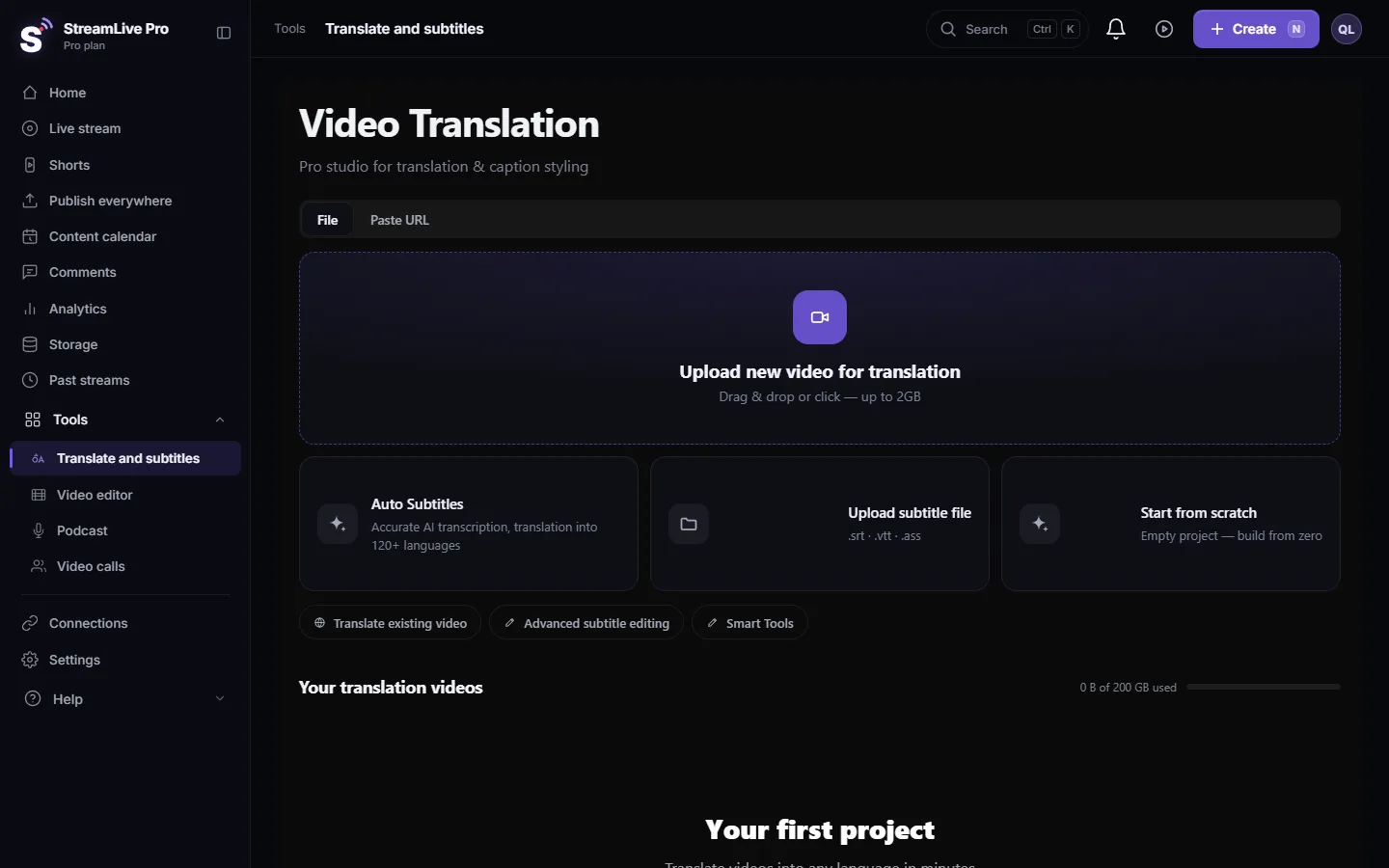
- A file from another tool? Open a project that has the same video, and in its subtitle list choose Upload SRT-VTT (SRT, VTT or ASS), or drag the file onto the list. The Upload subtitle file card on the start page asks for the video, not the caption file. Check the lines and export again. Our SRT and VTT export adds the direction mark to every line with Hebrew letters that does not already have one.
- Still wrong in one app: burn the captions in. In Export choose MP4 — Burned-in subtitles. The render sets the direction of each line explicitly, independent of the font, so no player can re-order it. The cost: viewers cannot switch the captions off.
- Font check. If you uploaded your own font with Upload custom font…, make sure it has Hebrew letters. For a template whose font is Latin-only, the editor substitutes a Hebrew face.
Why this happens at all
Text in a file is stored in reading order. A player runs the Unicode bidirectional algorithm on each line to decide what goes where. Letters have a direction; punctuation, spaces and digits do not, and take their place from what is around them. A line that starts with a Hebrew letter and ends with "?" has no direction at the end, so some players treat the line as left to right and put the mark on the right. The invisible right-to-left mark at the start tells the player the line is right to left. That is why our files carry it, and why stripping it brings the problem back.
The longer guide on this, with the Netflix rules for Hebrew subtitles: How to translate video subtitles into other languages. Per editor: Automatic Hebrew captions for Premiere Pro, step by step, Final Cut Pro, CapCut.
When to contact support
If a line is wrong inside our own editor or in a burned video we rendered, write to [email protected]. Send the project name, the text of the line, the time it appears and a screenshot. For a problem that only appears in another app, include the app's name and version.
Frequently asked questions
Why is the question mark at the start of my Hebrew caption?
The file reached the player without its direction mark, or the player ignores it. Download a fresh SRT from StreamLive Pro and upload it without re-saving it.
Do burned-in captions have this problem?
No. In a burned video the direction is fixed in the picture, and our render sets each Hebrew line's direction explicitly.
Can I fix a reversed SRT that another tool made?
If only punctuation is misplaced, load it into a project with the same video (through the subtitle list) and export it again from StreamLive Pro. If the letters themselves are reversed, the text must be retyped or the video transcribed again.
Does the same apply to Arabic?
Yes. Arabic lines get the same right-to-left mark in files, and burned captions use Arabic fonts on our render server.
Will opening the SRT in Notepad break it?
Viewing it does not. Saving it can, if the editor changes the encoding or strips invisible characters. Download the file again if you saved it.
Keep reading
Could not parse the subtitle file? The editor found no timed lines in your SRT, VTT or ASS. The usual causes, how to check the file in a text editor, and the fix.
My transcript came out in the wrong languageTranscript in the wrong language? Auto-detect decides from the opening of the video and keeps that choice. Set the source language yourself and run it again.
Automatic Hebrew subtitles — transcribe, edit, and burn them inHow to produce accurate Hebrew captions for a video, correct them, choose a style, and burn them in — including what really goes wrong with right-to-left text.
Open and closed captions: burned in or a separate fileOpen vs closed captions: burned into the picture or sent as a file the viewer can switch off. What each is good for, which networks take which, and how to make both.
Want to try it? 7-day trial, no credit card.
Start free