 StreamLive Pro
Import SRT captions into Final Cut Pro (Hebrew too)
Import SRT captions into Final Cut Pro: transcribe in StreamLive Pro, download the SRT, import it as closed captions and check Hebrew text before export.
Final Cut Pro imports SRT caption files into a caption lane above the timeline. The route for Hebrew, or for any language you want transcribed and corrected first: make the captions in Translate and subtitles, download SRT — Subtitles, and in Final Cut Pro choose File, Import, Closed Captions. Then check the right-to-left lines in the viewer before you export.
Before you start
- Final Cut Pro on a Mac, and the project you are captioning.
- Export the cut first. Captions are timed from the first frame of the file you upload to StreamLive Pro. Share the finished project from Final Cut Pro as a file and upload that, so the SRT lines up with the timeline from its start.
- What Final Cut Pro reads. Apple lists CEA-608 (.scc), iTT (.itt) and SRT (.srt) for caption import (Import closed captions into Final Cut Pro). We give you SRT; ASS, which carries our full design, is not on Apple's list.
- Minutes. Transcription uses the plan's translation minutes, listed per plan on the /pricing?lang=en. The trial includes 10 minutes, for videos up to 10 minutes long.
Steps
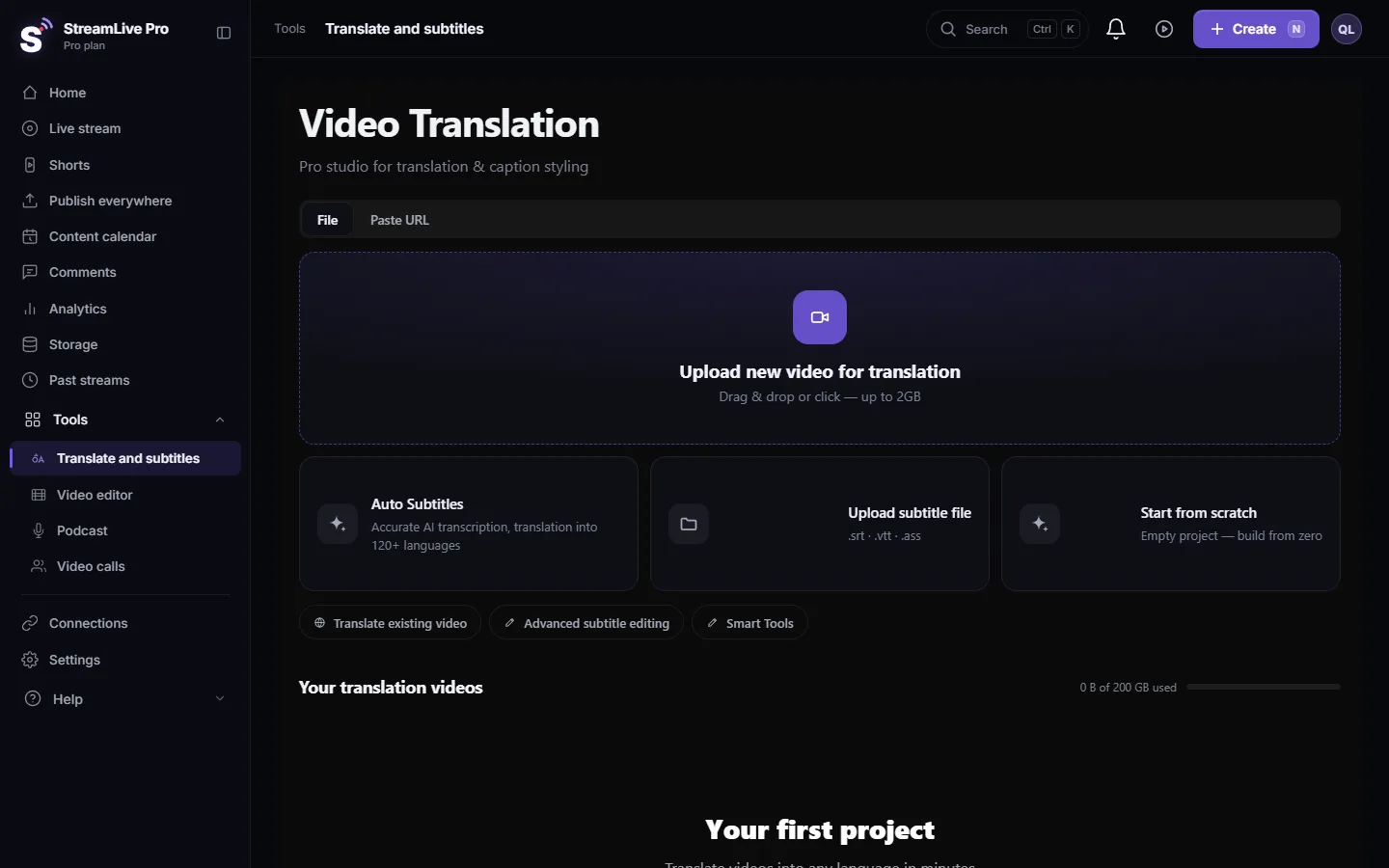
- Upload the cut. Open Translate and subtitles and press Upload new video for translation.
- Choose the languages. Pick the spoken language under Source language. For captions in the same language pick it again under Target language; for translated captions pick the other language. Press Start translation.
- Correct the lines. In Subtitles, fix names, terms and numbers here rather than in Final Cut Pro, so every later export and translation starts from the right text. For recurring names use find and replace.
- Download the SRT. Press Export and choose SRT — Subtitles.
- Import into Final Cut Pro. With the project open in the timeline, choose File, Import, Closed Captions and select the SRT.
- Pick the role and language. In the import dialog, Import as Role sets the caption role and its language subrole. Choose the language of the file, for example Hebrew.
- Choose the insertion time. Apple offers Relative to Timeline (adds the project's start time to each caption) and Absolute (uses each caption's own time). If your project starts at a timecode other than zero, Relative to Timeline is usually the one that lines up. Apple's page above explains both.
- Import and check. The captions appear in a caption lane at the top of the timeline. Play the first and the last caption and the Hebrew checks below in the viewer.
Checking Hebrew lines in Final Cut Pro
Our SRT starts every line with Hebrew or Arabic letters with an invisible right-to-left mark, so punctuation stays where it was typed in players that follow the Unicode standard. How each version of Final Cut Pro lays out right-to-left captions is Apple's side, and we have not tested every version. Check these lines before the full export:
| Line to check | What goes wrong | What it should look like |
|---|---|---|
| Ends with "?" or "." | The mark appears at the start of the sentence | The mark at the left end |
| Contains a number | The number moves or the words around it swap | The number where it was said |
| Contains an English word | Hebrew on both sides reorders | Hebrew right to left, the English word inside it left to right |
| The first and the last caption | The whole lane is offset | Each starts with the speech |
If a line is right in our editor and wrong in Final Cut Pro, the file is fine and the layout comes from the app. Update Final Cut Pro and test a short export. If you need the exact look you saw in our editor, burn the captions in StreamLive Pro instead (MP4 — Burned-in subtitles) and place that video in the project; the text can then no longer be edited in Final Cut Pro.
Several languages
Apple's closed-caption workflow gives each language its own subrole (Closed captions workflow). Translate the corrected transcript in StreamLive Pro, download one SRT per language and import each one into its own language subrole.
What can go wrong
- Every caption is shifted by the same amount. The insertion time option did not match how the project starts, or the cut changed after you uploaded it. Undo, import again with the other option, or upload the final cut.
- Captions drift later in the video. The file you captioned is a different edit. Upload the final one and export again; see Captions out of sync.
- The import refuses the file. It was re-saved in a text editor. Download it again; keep it UTF-8.
- Styling is missing. SRT has no styling. Style in Final Cut Pro, or burn the captions in StreamLive Pro.
Related pages
- Same workflow in Premiere Pro: Automatic Hebrew captions for Premiere Pro, step by step
- In DaVinci Resolve: Import SRT captions into DaVinci Resolve
- Formats explained: Export captions as SRT, VTT or ASS
Frequently asked questions
Which caption file should I import into Final Cut Pro?
SRT. Apple lists SRT, iTT and CEA-608 for import, and StreamLive Pro gives you SRT.
Can Final Cut Pro import an ASS file with my caption design?
ASS is not on Apple's list of caption formats. Burn the captions in StreamLive Pro and use the finished video, or style the SRT captions in Final Cut Pro.
Why are all my captions an hour late?
The project probably starts at a timecode other than zero. Import again and choose the other insertion time option, Relative to Timeline or Absolute.
Do Hebrew captions work in Final Cut Pro?
The SRT carries right-to-left marks for Hebrew lines. How they display depends on the Final Cut Pro version, so check a few lines in the viewer and test a short export.
Can I import captions in two languages?
Yes. Import each SRT into its own language subrole of the caption role.
Keep reading
Open vs closed captions: burned into the picture or sent as a file the viewer can switch off. What each is good for, which networks take which, and how to make both.
My transcript came out in the wrong languageTranscript in the wrong language? Auto-detect decides from the opening of the video and keeps that choice. Set the source language yourself and run it again.
Edit captions on the timelineEdit captions on the StreamLive Pro editor timeline: move a line, drag its edges to retime it, split it, change its text on the video, and shift the lines after it.
A weekly Torah class online: live, Shorts and a podcastHow to run a weekly Torah class online: a weekday live, scheduling ahead, Shorts with Hebrew captions, translation for students abroad and a podcast episode.
Want to try it? 7-day trial, no credit card.
Start free