 StreamLive Pro
Out of translation minutes: what counts and what to do
Out of translation minutes? How StreamLive Pro counts them (the video's length, per run), when they renew, and how to finish the job with the minutes you have.
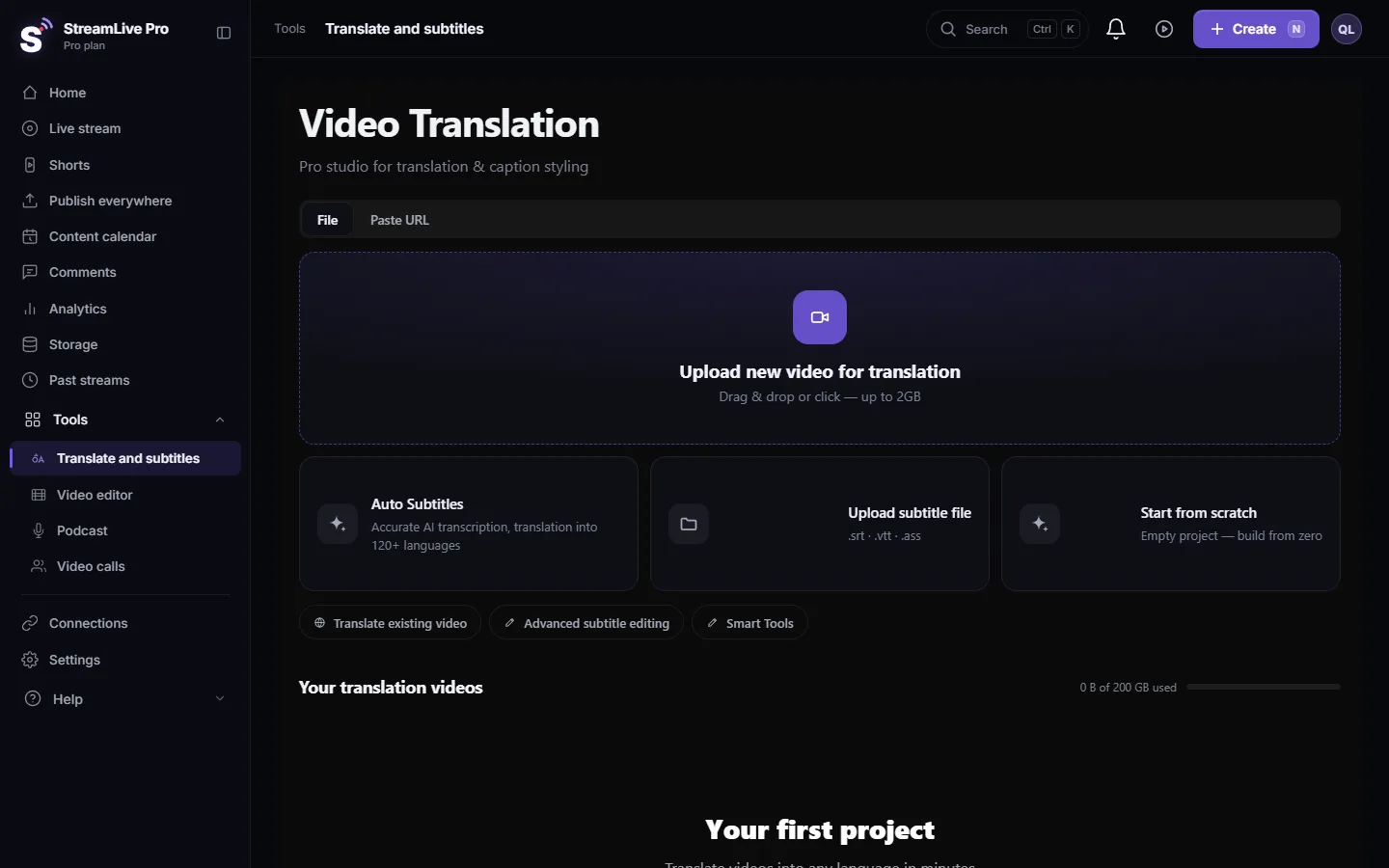
When a transcription or translation will not start and the message says there are not enough translation minutes, the video is longer than what is left in this billing period. Every run, a transcript or a translation, uses minutes equal to the length of the video. The minutes renew at the start of your next billing period, not on the first of the month. You can see what is left in the minutes counter on the Translate and subtitles page.
Symptom, cause, fix
| What you see | Cause | Fix |
|---|---|---|
| "Not enough translation minutes left this billing period: this video needs about N min and M min are left" | The video is longer than the minutes left | Translate a shorter part, wait for the renewal, or move to a plan with more minutes |
| "Videos up to N minutes can be translated" on your plan | A per-video length limit, separate from the minutes | Trim the video into parts, or move to a plan with a higher limit |
| "This language is not included in your plan" | Creator and the trial translate into 25 languages | Choose one of them; see Which languages can I translate to |
| "Another translation is already running" | Your plan runs a set number of jobs at the same time | Wait for one to finish, then start again |
| The counter shows fewer minutes than you expected | Each additional language or re-run used the video's length again | Plan the order: correct first, translate once per language |
How minutes are counted
- One run uses the video's length. A 12-minute video uses 12 minutes whether you transcribe it or translate it in the same run.
- Each new language is a new run. Translating the same 12-minute video into English and then Arabic uses another 12 minutes each time.
- Running a project again counts again. Re-transcribing or creating a new translation of an existing project goes through the same check and uses the length again.
- Editing costs nothing. Correcting lines, find and replace, choosing designs and downloading SRT, VTT or TXT files do not start a transcription.
- Failed or cancelled jobs are given back. Minutes reserved for a job that fails or that you cancel are returned.
- Renewal follows your billing period. Paid plans renew minutes at the start of each billing period. The 7-day trial has 10 minutes for the whole trial, with videos of up to 10 minutes.
Amounts per plan are on the /pricing?lang=en; this page does not repeat them because they can change.
Steps
- Check what is left. Open Translate and subtitles. The counter next to the plan name shows the minutes remaining.
- Compare with the video. The message tells you how many minutes the video needs and how many are left.
- Translate only what you need. If a 40-minute lecture needs captions only for a 6-minute clip, cut that clip first in Video editor or on your computer and upload just that.
- Order the work to avoid re-runs. Correct the transcript once; add terms to the Glossary before translating; translate into each language once. See Fix names and terms in a transcript.
- Use a caption file you already have. If you have an SRT from another source, open a project that already has the video and, in its subtitle list, choose Upload SRT-VTT or drag the file onto the list. Then edit and export it. (The Upload subtitle file card on the start page opens a video picker, not a caption import.)
- Wait for the renewal, or change plan. Minutes come back at the start of the next billing period. For more minutes now, see Billing and the /pricing?lang=en.
Shorts and minutes
Shorts have their own monthly allowance, Shorts per month, shown on the /pricing?lang=en next to the translation minutes. If you need captions for a short moment of a long video, a Short may be the cheaper route than captioning the whole video. How Shorts work: How to create Shorts from any video, no live stream needed.
When to contact support
Write to [email protected] if the counter dropped without a job you started, if a failed job did not return its minutes, or if the counter did not renew at the start of your billing period. Send the account e-mail, the project names and the approximate times.
Frequently asked questions
Do transcription and translation use the same minutes?
Yes. Both come from your translation minutes, and one run uses the length of the video once.
When do my translation minutes renew?
At the start of your next billing period, not on the first of the calendar month. The trial's minutes are for the whole trial.
Does translating into a second language use minutes again?
Yes. Every new language is a new run and uses the video's length again.
Do I lose minutes if a translation fails?
No. Minutes reserved for a job that fails or is cancelled are returned.
Does editing the captions or downloading files use minutes?
No. Correcting lines and downloading SRT, VTT or TXT do not start a transcription and use no minutes.
Keep reading
Another translation is already running? Your plan's limit on parallel translations is reached. How long to wait, what counts as running, and stuck jobs.
The source video of my project is no longer storedSource video no longer stored in a subtitle project? What you can still open and download, why it happens, and how to get the captions back onto the video.
My transcript came out in the wrong languageTranscript in the wrong language? Auto-detect decides from the opening of the video and keeps that choice. Set the source language yourself and run it again.
Undo, history and autosave in the video editorHow the StreamLive Pro editor saves your work: autosave status, 100 undo steps, the resume offer after a refresh, and caption versions you can restore.
Want to try it? 7-day trial, no credit card.
Start free