 StreamLive Pro
Live streaming for small business: a practical guide
Live streaming for a small business: which live formats sell, which networks to pick, a weekly routine, and turning each live into a week of Shorts and posts.
Live streaming works for a small business when each live has one job, for example launching a product, answering customer questions, teaching a short webinar or selling on air, and when the video keeps working after the live ends. StreamLive Pro sends one live from a browser, a phone or streaming software to your Facebook Page, YouTube, Instagram, LinkedIn and other networks at once, then cuts Shorts from it for the days that follow. You can try it for 7 days free without a card; after that it is a paid plan.
This guide helps you choose a format, set up a routine you can keep, and reuse every live. Each format has its own detailed guide, linked below.
Pick one job for each live
| Format | What it does for the business | Typical length | Detailed guide |
|---|---|---|---|
| Product launch | Gets people to see the product the moment it is available | 20 to 40 minutes | How to live stream a product launch |
| Live Q&A | Answers the questions customers ask before they buy | 30 to 45 minutes | How to host a live Q&A session on YouTube and Facebook |
| Webinar | Teaches something useful and shows you know your field | 45 to 60 minutes | Run a webinar on YouTube and Facebook at once |
| Live shopping | Presents products while viewers order | 30 to 60 minutes | How to do live shopping: sell products in a live stream |
| Interview with a customer or partner | Trust from someone other than you | 20 to 30 minutes | How to do a live interview with a remote guest |
| Class or demo | A cooking, fitness or how-to session that brings people back weekly | 30 to 45 minutes | How to live stream a fitness class, How to live stream a cooking show with two cameras |
The lengths are a starting point, not a network rule. A live that tries to do two jobs, for example teach and sell, usually does neither well. Pick one and say it in the title.
Where your customers watch
Go where your buyers already follow you, and add a network only when you can answer its comments.
- Facebook. You go live on a Page you manage, not on a personal profile or in a group: How to go live on a Facebook Page from your computer.
- YouTube. Live must be enabled on the channel, which can take up to 24 hours the first time: How to go live on YouTube from your computer.
- Instagram and TikTok. Live from a computer uses a stream key the network gives you, and it changes each session, so paste a fresh one before every live: Live on Instagram and TikTok with a stream key.
- LinkedIn. Live needs LinkedIn's approval first, then works with a stream key: How to go live on LinkedIn with a custom stream.
- Your own website. Embed the live player on a page of your site: How to embed a live stream on your website.
One upload from you reaches all of them; our servers make the copies. How many networks at once depends on the plan: /pricing?lang=en.
What you need
- A camera. A laptop webcam or a phone is enough to start. A phone can be the camera of the browser studio, scanned with a QR code: Use your phone as an extra camera. Or go live from the phone itself: Go live from your phone.
- Sound you can understand. A simple clip-on or USB microphone does more than a better camera.
- Light on your face, from a window in front of you or a lamp.
- A computer with Chrome or Edge for the browser studio, nothing to install: Which browsers and devices work with StreamLive Pro.
- Streaming software, if you already use it. OBS, vMix and others send to StreamLive Pro on the paid plans; the 7-day trial uses the browser studio only.
Steps
A routine for one business live a week, from the first time to the week after.
- Connect your networks once. Open Connections and sign in to your Facebook Page and YouTube; add Instagram, TikTok or LinkedIn by key when you use them: Connecting your channels — YouTube, Facebook and the rest.
- Schedule the live a week ahead. In Live stream choose Schedule broadcast: a title with the one job, a description with your link, a thumbnail and the networks. Pre-announce on YouTube and Facebook so people can set a reminder: Schedule a live broadcast in advance.
- Announce it everywhere you already talk. Posts with the date and time, scheduled from Publish everywhere: Schedule social media posts to several networks at once.
- Put your brand on screen. Your logo, a lower third with your name and role, a ticker with the offer or the way to order: Add a logo and overlays to your live stream, Add a news ticker to your live stream.
- Invite a guest if there is one. Send the guest link; it works for a few hours, so send it on the day: Talk to a guest off air, then bring them on.
- Go live from the browser studio. Choose Live stream, Browser Studio, check camera and sound, and start. Run The 10-second camera check before you go live first.
- Answer the chat. The chat panel reads YouTube and Facebook with replies. Comments on Instagram and TikTok are not read into it, so keep that app open on a phone: Live chat from YouTube and Facebook in one panel.
- Press Record. Without it the full recording is removed about two hours after the end: Where is my live stream recording?.
A ready-made video can also air as a live at a set time, with nobody at a computer, followed by a normal live for questions. That is Pre-recorded broadcast: on the trial, Pro and Studio, not on Creator (Broadcast a pre-recorded video as a live stream).
After the live: a week of content from one hour
The live is the raw material. What you do in the next days decides whether it pays for the hour you spent.
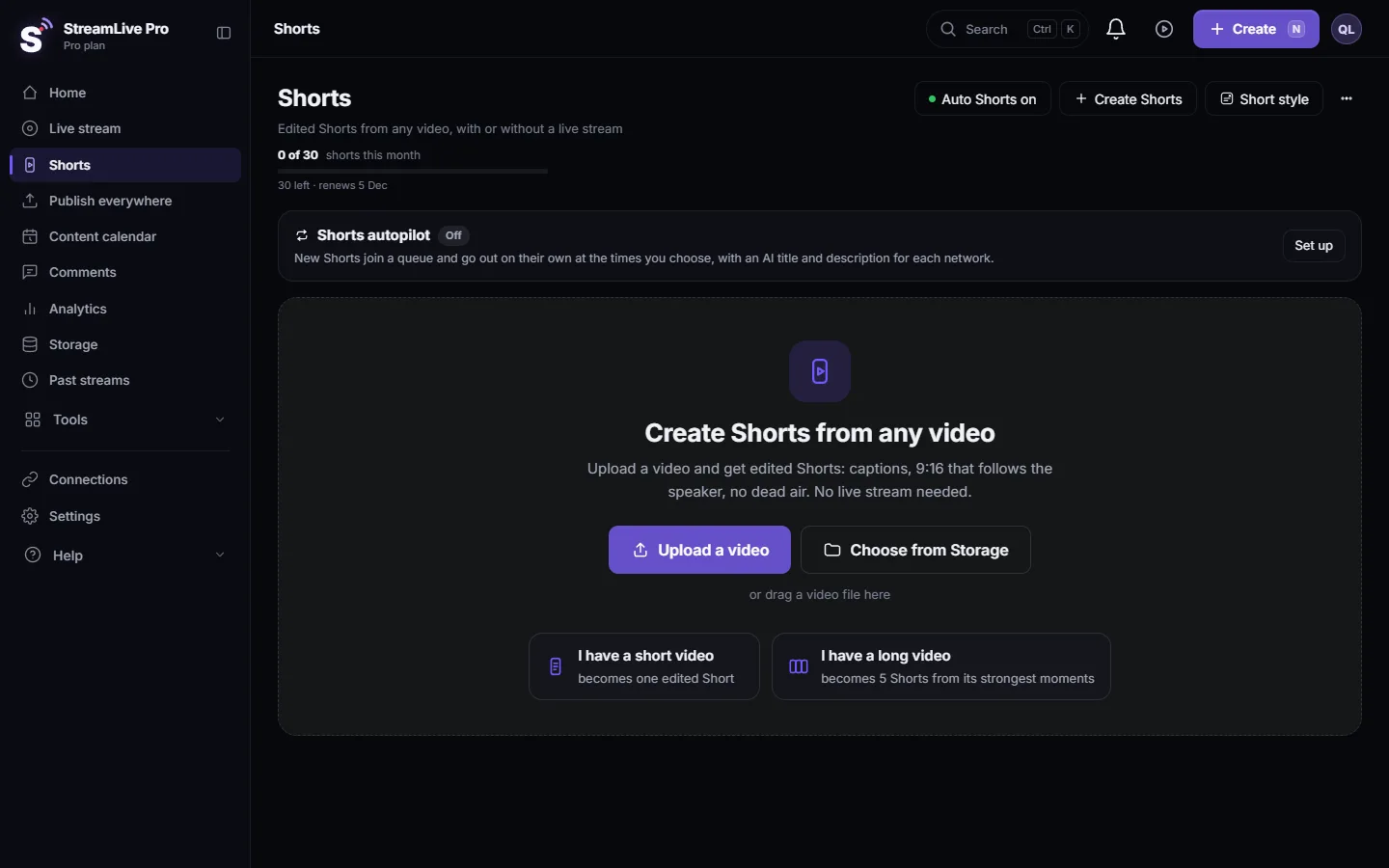
- Shorts. When the live ends, up to 5 vertical Shorts with captions are cut from it. Check them on the Shorts page and publish them one a day: How to turn a live stream into Shorts.
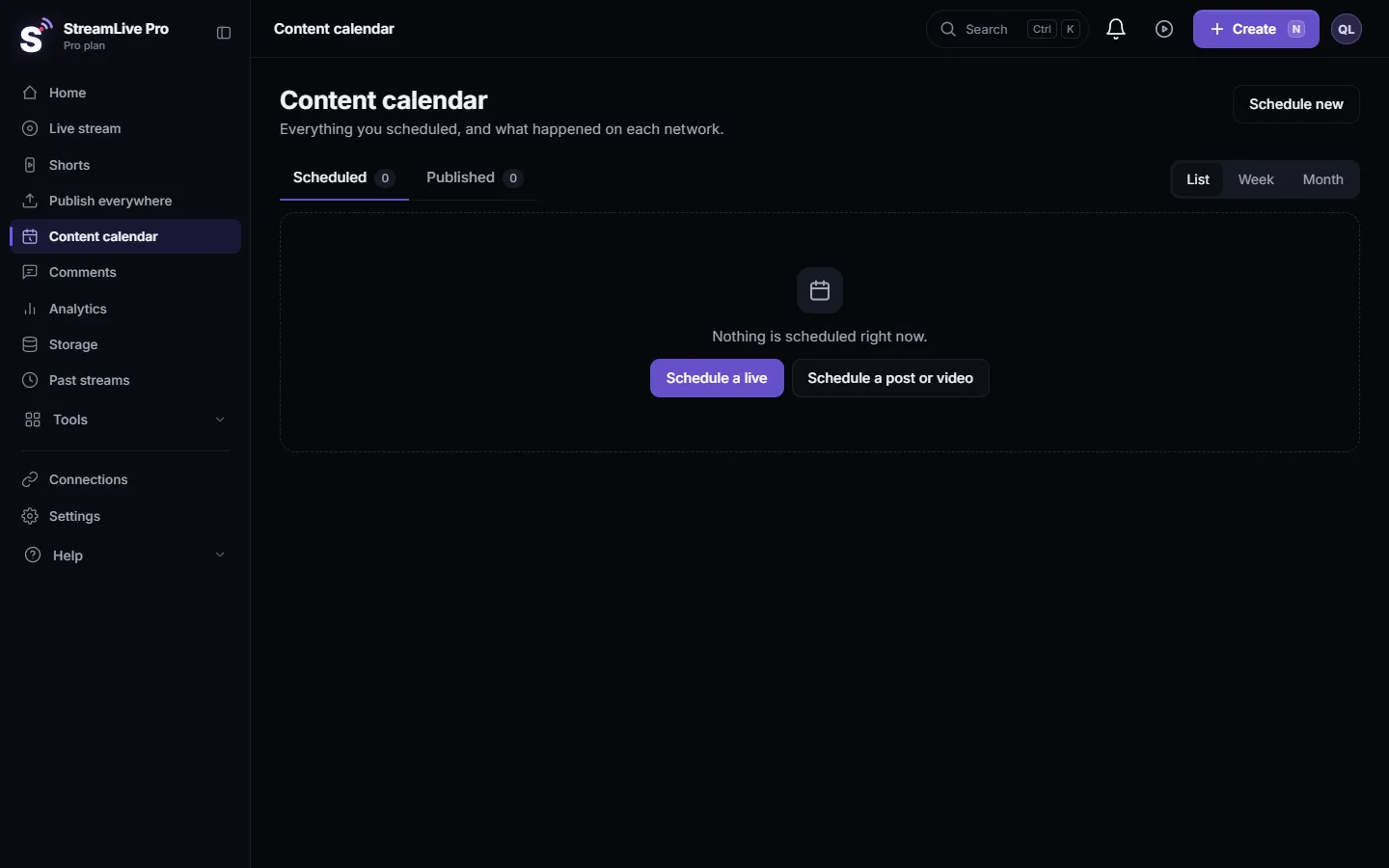
- Posts on every network. One upload to many networks, with the text adjusted for each: Publish a finished video to social networks. Plan the week in Use the Content calendar for posts and lives.
- From your WhatsApp or Telegram group. Send a post to your own group and it is published to the networks you chose for that group, on Pro, Studio and the trial, not Creator: Post to every network from a WhatsApp or Telegram group.
- Comments. The Comments page shows comments on what you published through StreamLive Pro, on the networks whose connection allows it. TikTok comments are not read.
- Numbers. Analytics shows how your posts and lives did and when your audience is active: Read your social media analytics for every account, Find your best time to post from your own results.
Working as a team
A business live is easier with two people: one on camera, one on the chat and the ticker. Team seats depend on the plan; invite colleagues to the same account so they can run the studio, answer the chat or publish the Shorts: Invite team members to your account, Team roles: what Viewer, Editor and Manager can do.
What StreamLive Pro does not do
Be clear about this before you plan a sales live.
- No shop inside the live. There are no product cards, cart or checkout. Orders go through your own shop, a payment link or a phone line, which you show on screen.
- No registration list. A webinar on YouTube and Facebook does not collect attendees' e-mails. Collect them another way if you need them.
- Not every chat is read. Instagram, TikTok, X and LinkedIn comments during the live are answered in their own apps.
- Facebook means Pages. Personal profiles and groups are not live destinations.
- No free plan for the platform. After the 7-day trial, the cloud features need a plan. StreamLive Pro Studio, the desktop app, is free software but not released yet.
Common mistakes
- No date announced. A live nobody knew about gets the viewers who happened to scroll by.
- A vague title. "Live with us" tells no one why to come. "Spring collection: live try-on and questions" does.
- The way to order said once. Viewers arrive in the middle. Keep it on screen and repeat it.
- Unanswered questions. Have the second person answer, or say "answering this right after".
- Stopping at the live. Without Shorts and posts in the next days, most of your audience never sees it.
- A first live on an important day. Run a private test the week before.
Where StreamLive Pro fits
StreamLive Pro Studio is free, professional streaming software for Windows and Mac. It goes live to several networks with your own stream keys. A StreamLive Pro account adds the platform: AI Shorts, scheduling, managed lives through your connected networks, and comments, with a 7-day free trial. For a small business the platform is the part that saves time: one live goes to every network you connected, the Shorts and posts for the following week come from it, and the scheduling and comments sit in the same dashboard. Ideas by audience: How people use StreamLive Pro: creators, news, communities, events and businesses. Plans: /pricing?lang=en.
Frequently asked questions
Is live streaming worth it for a small business?
It is when each live has one clear job, such as a launch, a Q&A or a class, and when you reuse it afterwards as Shorts and posts. A live that is not announced and not reused rarely pays for the time.
Which network should a small business go live on?
The one where your customers already follow you. Many businesses start with a Facebook Page and YouTube together, then add Instagram or LinkedIn when they can answer comments there too.
Can I go live on Facebook, Instagram and YouTube at the same time?
Yes. StreamLive Pro sends one live to a Facebook Page you manage, YouTube and Instagram at once. Instagram needs a fresh stream key for each live.
Do I need expensive equipment?
No. A phone or laptop camera, a simple microphone and light on your face are enough to start. A phone can also be the camera of the browser studio.
Can customers buy inside the live?
Not through StreamLive Pro. It has no cart or checkout. Show your shop link, a payment link or a phone number on screen and repeat it during the live.
Can I try it before paying?
Yes. The 7-day trial is free and needs no card. It uses the browser studio and includes a small number of lives and Shorts, with a watermark.
Keep reading
Run a live Q&A: collect questions before, read YouTube and Facebook chat in one panel, show a question on screen, bring in an expert by link, and reuse the answers.
How to live stream a local or youth sports gameLive stream a youth or amateur sports game with one or two phones: where to stand, sound, the score on screen, the venue's internet, privacy and highlights afterwards.
Schedule live streams and posts: the complete guideSchedule live streams and posts on YouTube, Facebook and more: lives, posts, Shorts, groups and AI, the Content calendar, what runs by itself, and the limits.
What is VOD? The replay of a live streamWhat VOD means: video on demand, the recording people watch after a live ends. Where replays live on each network and in StreamLive Pro, and how to keep yours.
Want to try it? 7-day trial, no credit card.
Start free