 StreamLive Pro
What is VOD? The replay of a live stream
What VOD means: video on demand, the recording people watch after a live ends. Where replays live on each network and in StreamLive Pro, and how to keep yours.
VOD stands for video on demand: video that a viewer starts whenever they want, as opposed to live video that plays only as it happens. In live streaming, "the VOD" usually means the replay of a broadcast, the recording that stays available after the live ends so people who missed it can watch.
A live broadcast to several networks can end up with several VODs: one on each network that keeps replays, and possibly one in your own account. They are separate copies with separate rules, and that is where most confusion starts.
Live, VOD and recording
| Term | Meaning |
|---|---|
| Live | The broadcast as it happens; viewers watch at the same time |
| VOD / replay | The broadcast after it ended, watched on demand |
| Recording | The file of the broadcast; the VOD is made from it |
| Archive | A network keeping the replay on your channel after the live |
| Highlight / clip | A short part of the VOD, such as a Short |
| Download | Taking a copy of the recording to your computer |
Where the VODs of one broadcast live
| Place | Who decides if a replay is kept | What to check |
|---|---|---|
| YouTube | YouTube, under its own rules | YouTube archives a live automatically if it is under 12 hours long, and says longer streams may not be captured (YouTube Help: Archive live streams, checked 5 November 2026) |
| Facebook, Instagram, TikTok, Twitch, Kick and others | Each network, under its own settings | The network's own help pages and your channel settings |
| StreamLive Pro | You: kept when you press Record, or choose to keep it afterwards | Past streams and Storage |
| Your own encoder (OBS, vMix) | You, if you record locally as well | The encoder's recording folder |
A replay on YouTube does not mean StreamLive Pro kept a copy, and the other way round. If the full recording matters to you, keep it in StreamLive Pro or record locally too.
VOD in StreamLive Pro
Every broadcast is held on our servers for a short time after it ends, because the preview and the automatic Shorts need it. Whether it stays is your choice:
- Press Record during the broadcast. In the browser studio, Record sits in the bottom bar next to Go Live. The full recording is then kept until you delete it.
- Or keep it afterwards. In Past streams open the broadcast's card menu and choose Keep recording, within about two hours of the end.
- Otherwise it is removed about two hours after the broadcast. The card stays, with the date, length and viewers, but without the video.
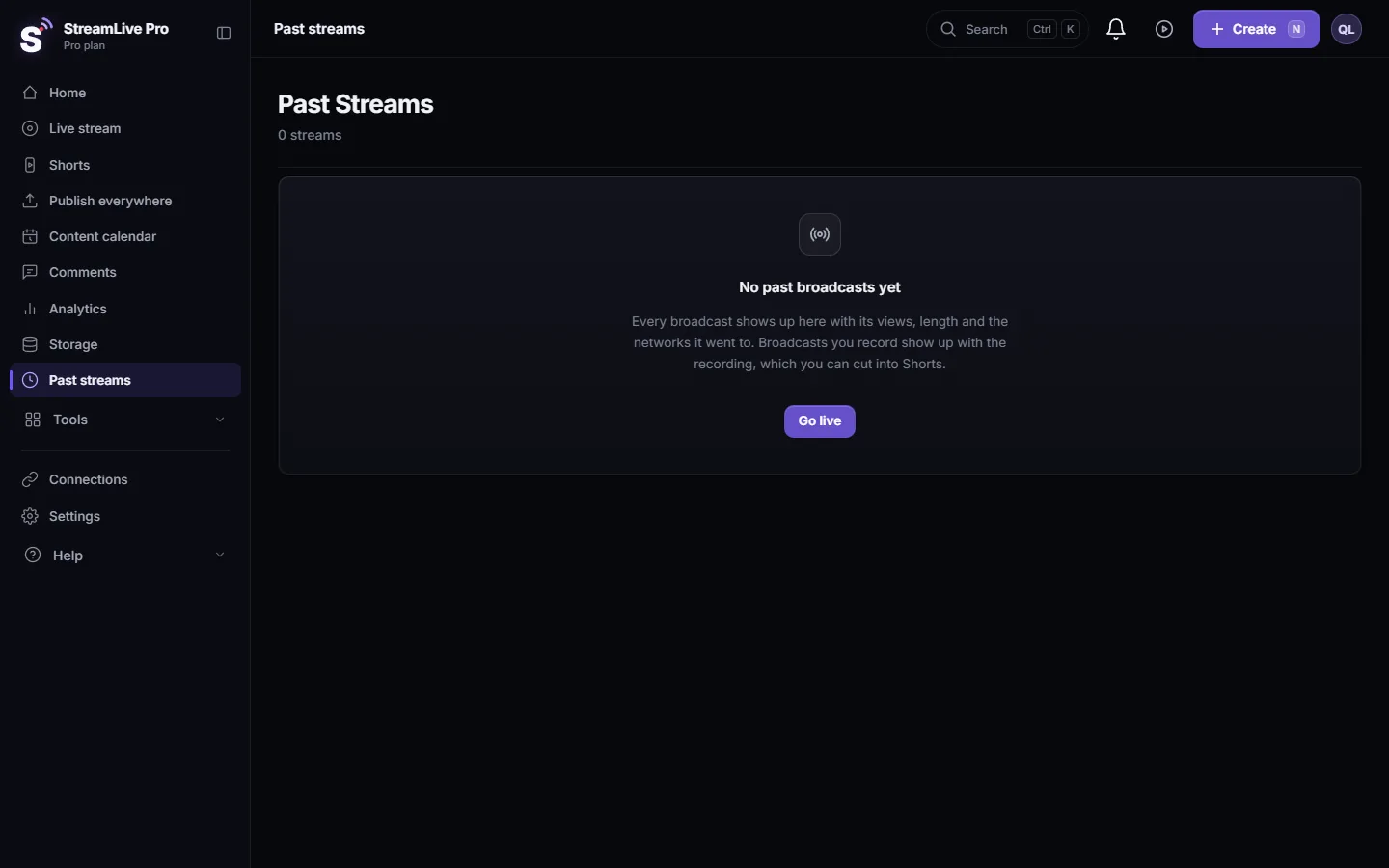
Broadcasts sent from OBS, vMix or a hardware encoder have no Record button in our studio, so use Keep recording on the card. Step by step and what to do when a recording is missing: Where is my live stream recording?. Storage, the upload limit and full storage: Recordings and storage — what is kept and for how long.
What you can do with a kept VOD
- Watch it and download it from the Past streams card menu.
- Cut Shorts from it. Automatic Shorts come from the broadcast when it ends; you can also make more from the recording later: How to make Shorts from a live stream automatically.
- Add captions or translate it, then export a captioned video or SRT files for YouTube: Transcribe a live stream after the broadcast.
- Turn it into a podcast episode. The audio of a broadcast can become an episode in your podcast feed: Add an episode to your podcast RSS feed.
- Broadcast it again. A video in Storage, such as a studio recording, can go out later as a pre-recorded broadcast, on Pro, Studio and the trial: Broadcast a pre-recorded video as a live stream.
Storage and quality
A kept recording counts toward your plan's storage, which you can see in Storage. A long weekly broadcast fills storage faster than people expect, so download older recordings you want to archive and delete them from the account. 4K recording is available on Pro and Studio; see /pricing?lang=en.
Live audience and VOD audience
The replay reaches people who could not be free at the hour of the live, sometimes weeks later. That calls for a few habits:
- Give the replay a real title and description, not "Live 14:00". People find replays through search, weeks later.
- Trim the waiting time at the start. If the first minutes are a holding screen, the replay loses viewers there. Cut it in the editor, or start the live closer to the real start.
- Add chapters or a short summary in the description on networks that support them, so a viewer can jump to the part they need.
- Point viewers to the Shorts. A one-minute highlight is often how someone discovers the full replay.
Planning your VODs
- Decide before the broadcast whether you want the full recording. If yes, press Record at the start.
- Check each network's replay setting if you rely on the replay there, especially for a broadcast longer than a few hours.
- Keep one master copy in your own hands: download it from StreamLive Pro or record locally in your encoder.
- Clean up storage monthly. Keep what you will reuse; download and delete the rest.
Common mistakes
- Assuming the recording is saved because the broadcast appears in Past streams. The card stays even when the video is gone.
- Relying on a network's replay for a very long broadcast without checking its limits.
- Pressing Record late, so the first minutes are missing from the kept copy.
- Filling storage with recordings nobody will watch again, then finding uploads blocked.
Frequently asked questions
What does VOD mean in streaming?
Video on demand. In live streaming it means the replay: the recording of a broadcast that people can watch after it ended.
Is every StreamLive Pro broadcast saved as a VOD?
No. A broadcast is kept only if you press Record during it or choose Keep recording within about two hours after it ends. Otherwise the video is removed.
Does YouTube keep my live after it ends?
YouTube's help page says it archives a live automatically when it is under 12 hours. That copy is separate from any copy in StreamLive Pro.
Can I download the replay of my live?
Yes, if it was kept. Open the broadcast's card in Past streams and choose Download recording.
Keep reading
Run a live Q&A: collect questions before, read YouTube and Facebook chat in one panel, show a question on screen, bring in an expert by link, and reuse the answers.
How to live stream a local or youth sports gameLive stream a youth or amateur sports game with one or two phones: where to stand, sound, the score on screen, the venue's internet, privacy and highlights afterwards.
Live streaming for small business: a practical guideLive streaming for a small business: which live formats sell, which networks to pick, a weekly routine, and turning each live into a week of Shorts and posts.
Live streaming glossary: the terms you will meetA live streaming glossary in plain words: stream key, RTMP, SRT, bitrate, multistream, Preview and Program, ISO, captions, reframe. Where each shows up in StreamLive Pro.
Want to try it? 7-day trial, no credit card.
Start free