 StreamLive Pro
Translate subtitles to Spanish, from Hebrew or English
Translate subtitles to Spanish in StreamLive Pro: choose Spanish as the target, check length, opening marks and names, then burn the captions or export an SRT.
To get Spanish subtitles for a video, upload it in Translate and subtitles, choose the spoken language as the source and Spanish as the target, and start. The speech is transcribed, translated a whole sentence at a time, and timed back to the speech. Spanish is one of the 25 languages included on every plan, the trial and Creator included. For example, a product video in Hebrew or English with Spanish captions for viewers in Latin America or Spain. Have someone who reads Spanish check the result before it goes out.
Before you start
- Spanish is on every plan. Creator and the trial translate into 25 languages, Spanish among them; Pro and Studio into all 143. Minutes per plan are on the /pricing?lang=en; the trial includes 10 translation minutes, for videos up to 10 minutes long.
- Correct the source first. Every misheard Hebrew or English word becomes a wrong Spanish word. Fix the transcript before translating: Fix names and terms in a transcript.
- A native reader. Machine translation reads fluently even where it is wrong. Someone who reads Spanish should watch the video with the captions on.
- Names and terms. Decide how names, places and Hebrew terms are written in Spanish (for example, transliterated or translated), and put them in the project glossary so every line uses the same form.
Steps
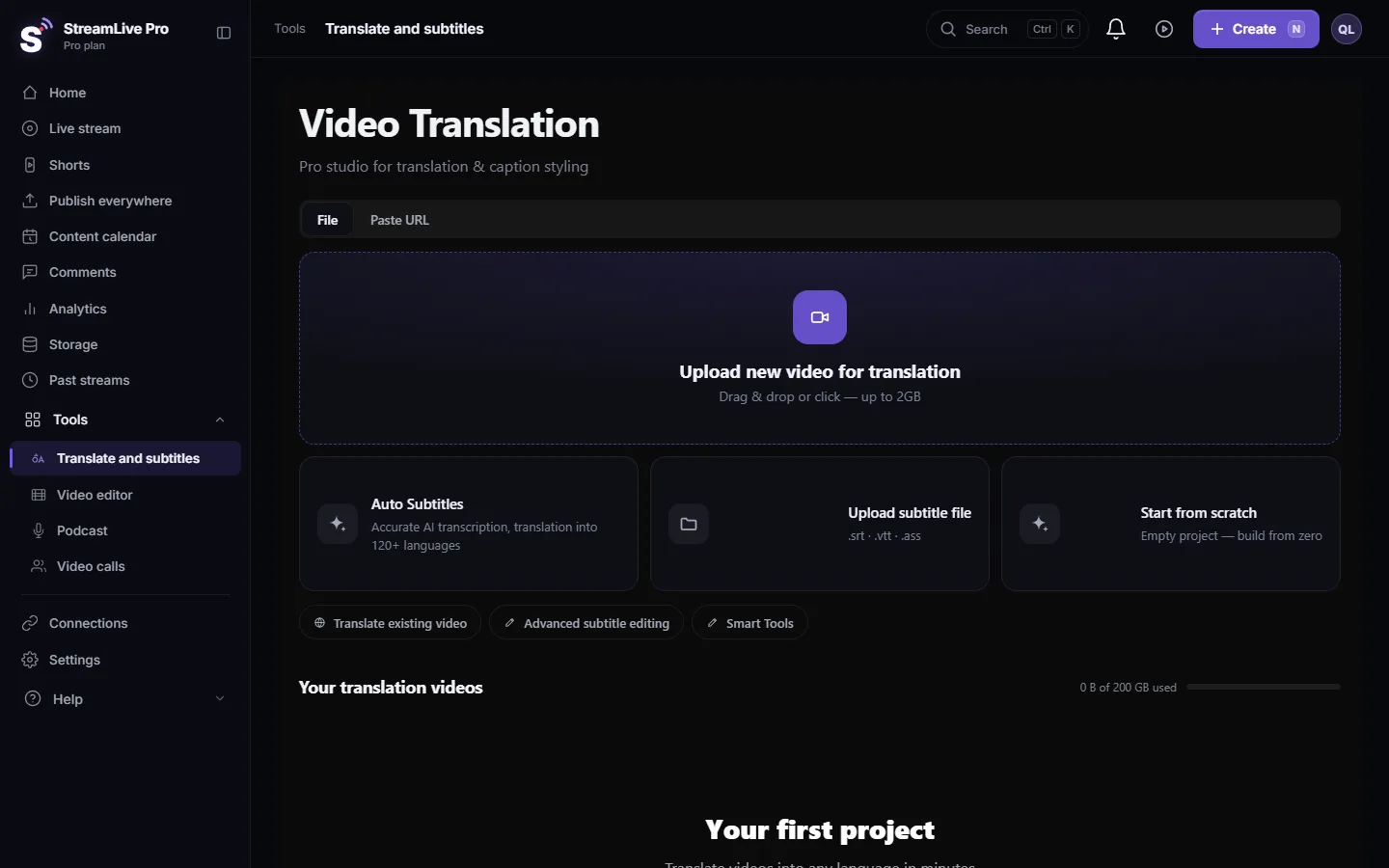
- Upload the video. Open Translate and subtitles and press Upload new video for translation, or use Translate existing video for a video already in your account.
- Set the languages. In Translation settings choose the spoken language under Source language (or Auto-detect) and Spanish under Target language.
- Pick a caption look. Choose a Caption style whose font shows Spanish accented letters and ñ. You can change it later in Templates.
- Start. Press Start translation. Whole sentences are translated and then split back into timed lines, so the Spanish keeps Spanish word order.
- Review the Spanish lines. In Subtitles, click a line to hear the original and correct the Spanish. If a line is wrong, look at Transcript first: the cause is often in the source.
- Lock recurring terms. Add names and terms to the project Glossary so the next translation keeps them the same.
- Export. Press Export: MP4 — Burned-in subtitles for networks that show only the picture, or SRT — Subtitles for YouTube and editors.
What to check in Spanish captions
| Check | What goes wrong | What to do |
|---|---|---|
| Line length | Spanish is often longer than the Hebrew or English it comes from, so a line stays on screen too short to read | Split long lines, or shorten the wording |
| Opening marks | A question or exclamation lacks the opening ¿ or ¡, or the mark lands on another line after you split | Check every question when you split lines |
| Which Spanish | The target is one language, Spanish; your audience may expect the words of Spain or of Latin America | The reader adjusts words and forms such as "vosotros" or "ustedes" |
| Accents and ñ | Letters such as ñ, á or é show as boxes in some fonts | Pick a template or font that contains them; a font you upload must contain them too |
| Hebrew names and terms | The same name is spelled two ways in one video | Fix it once with find and replace and add it to the Glossary |
Spanish reads left to right, so the direction problems of Hebrew do not apply. If a Spanish line contains a Hebrew word, check that line once in the player you use.
From Hebrew to Spanish, and to more languages
From a Hebrew video you can make Spanish captions directly. For a video in several languages, correct the Hebrew once, then translate into Spanish, English and the others one by one; each target is its own version and its own file. On YouTube each file becomes its own language track: Upload SRT captions to YouTube. Which languages your plan includes: Which languages can I translate to. Captions in Russian as well: Translate subtitles to Russian, from Hebrew or English.
What can go wrong
- "This language is not included in your plan." Spanish is in the 25 included languages, so this appears for other targets on Creator and the trial. Choose another language or see the /pricing?lang=en.
- Not enough minutes. Each run uses minutes equal to the video's length; see Out of translation minutes.
- Captions under the network's buttons. In a vertical video, move them up using the safe-zone guide: Caption safe zones for TikTok, Reels, Shorts and more.
- A name translated as a word. Fix it with find and replace and add it to the Glossary.
- Wording that reads stiffly. Run the AI polish on the translation, then read it again: AI polish: a second pass over a translated video.
Frequently asked questions
Can I translate subtitles to Spanish on the trial?
Yes. Spanish is one of the 25 languages included on the trial and on Creator. The trial includes 10 translation minutes, for videos up to 10 minutes long.
Can I translate a Hebrew video straight into Spanish?
Yes. Choose Hebrew as the source and Spanish as the target. Correct the Hebrew transcript first, so errors are not carried into the Spanish.
Can the video be in Spanish and the captions in Hebrew?
Yes. Choose Spanish as the source and Hebrew as the target. Spanish is among the spoken languages the system transcribes.
Does StreamLive Pro dub the video into Spanish?
No. It makes Spanish captions; the speaker's voice stays. There is no dubbing or voice cloning.
Can viewers see Spanish captions during my live broadcast?
No. Live captions and translation are not available. Translate the recording after the broadcast.
Keep reading
Open vs closed captions: burned into the picture or sent as a file the viewer can switch off. What each is good for, which networks take which, and how to make both.
My transcript came out in the wrong languageTranscript in the wrong language? Auto-detect decides from the opening of the video and keeps that choice. Set the source language yourself and run it again.
Edit captions on the timelineEdit captions on the StreamLive Pro editor timeline: move a line, drag its edges to retime it, split it, change its text on the video, and shift the lines after it.
A weekly Torah class online: live, Shorts and a podcastHow to run a weekly Torah class online: a weekday live, scheduling ahead, Shorts with Hebrew captions, translation for students abroad and a podcast episode.
Want to try it? 7-day trial, no credit card.
Start free