 StreamLive Pro
Which languages can I translate captions to?
Which languages StreamLive Pro translates captions into: 143 targets, the 25 included on Creator and the trial, about 100 spoken languages for transcription.
StreamLive Pro translates captions into 143 languages, the targets you see in the language lists of Translate and subtitles. Pro and Studio can use all 143. Creator and the 7-day trial translate into 25 of them, listed below. Transcription, turning speech into text, works in about 100 spoken languages, so the language spoken in your video must be one of those.
Three different numbers
| What | How many | On which plans |
|---|---|---|
| Spoken languages the system can transcribe (source) | About 100 | Every plan, the trial too |
| Caption languages you can translate into (target) | 143 | Pro and Studio |
| Caption languages included on Creator and the trial | 25 | Creator, trial (and every other plan) |
The source list and the target list are different lists. A language can be a target without being a language the system can hear: you can translate captions into it, but a video spoken in it may not transcribe.
The 25 languages on every plan
| Feature | ||||
|---|---|---|---|---|
| English | Hebrew | Arabic | Russian | Spanish |
| French | German | Italian | Portuguese | Dutch |
| Polish | Ukrainian | Greek | Czech | Romanian |
| Hungarian | Swedish | Turkish | Chinese | Japanese |
| Korean | Hindi | Vietnamese | Thai | Indonesian |
On Pro and Studio every language in the target list is open, for example Persian, Amharic or Pashto. Plans and minutes: /pricing?lang=en.
How to choose the languages
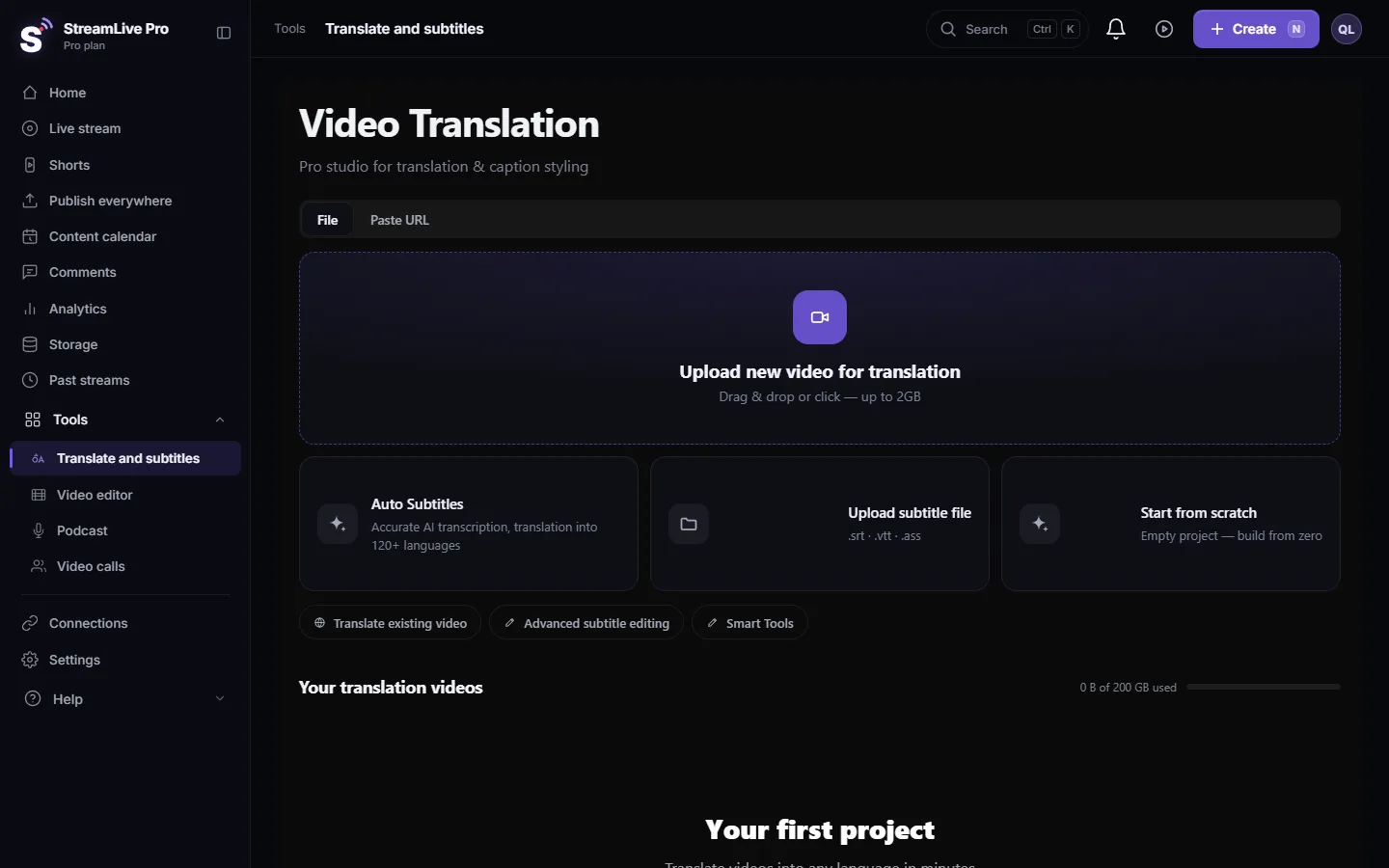
- Open the settings. In Translate and subtitles press Upload new video for translation; the Translation settings window opens.
- Source. Under Source language choose the language spoken in the video, or Auto-detect. When you know the language, choosing it is the safer option, especially for a short video or one that opens with music.
- Target. Under Target language choose the caption language. The same language as the source gives a transcript; any other gives a translation.
- More languages later. Each target is its own version of the captions. To add another, open Translate in the project and pick the next language. Each run uses minutes equal to the video's length.
If a language is not in your plan
On Creator and the trial, choosing a target outside the 25 returns the message "This language is not included in your plan. Choose another language, or upgrade your plan." Nothing is charged. Choose one of the 25, or see the /pricing?lang=en for Pro and Studio.
Right-to-left languages
Hebrew, Arabic and other languages written right to left need direction handling that left-to-right languages do not. In SRT and VTT files every line with right-to-left letters starts with an invisible right-to-left mark; in burned captions the render sets the direction of each line explicitly; the render server has Hebrew and Arabic fonts. Details: Hebrew captions in the wrong direction and Translate subtitles to Arabic.
Picking languages for your audience
Start from the people who will watch, not from the list. A class followed, for example, by Russian and French speakers needs those two languages, made well, more than ten languages nobody checks. For each language ask one question: is there a person who reads it natively and can watch the result before it goes out? If not, consider waiting. On YouTube, captions in several languages live on one video as separate tracks, so you can add a language later without uploading the video again.
What the language count does not mean
- Not equal quality in every language. Widely spoken languages with plenty of written text usually translate better than rare ones. For any language you publish, have a native reader check.
- Not live. Captions and translation that viewers see during a live broadcast are not available. Translation works on recordings and uploaded videos.
- Not dubbing. Translation produces captions. There is no dubbing and no voice cloning.
Related pages
- How to translate step by step: Translate a video from English to Hebrew
- The reverse direction: English subtitles for a Hebrew video
- A workflow for many languages: How to translate video subtitles into other languages
- Minutes: Out of translation minutes
Frequently asked questions
How many languages can StreamLive Pro translate into?
143 caption languages in the dashboard lists. Pro and Studio can use all of them; Creator and the trial translate into 25.
Is Hebrew included on every plan?
Yes. Hebrew, English, Arabic and Russian are among the 25 languages included on every plan, the trial too.
How many spoken languages can it transcribe?
About 100. The language spoken in the video must be one of them; the 143 figure is for caption translation.
What happens if I pick a language my plan does not include?
The system says the language is not included in your plan and nothing is charged. Choose one of the 25, or move to Pro or Studio.
Can I translate one video into several languages?
Yes. Each target language is its own version of the captions, made one after another, and each run uses minutes equal to the video's length.
Keep reading
Open vs closed captions: burned into the picture or sent as a file the viewer can switch off. What each is good for, which networks take which, and how to make both.
My transcript came out in the wrong languageTranscript in the wrong language? Auto-detect decides from the opening of the video and keeps that choice. Set the source language yourself and run it again.
Edit captions on the timelineEdit captions on the StreamLive Pro editor timeline: move a line, drag its edges to retime it, split it, change its text on the video, and shift the lines after it.
A weekly Torah class online: live, Shorts and a podcastHow to run a weekly Torah class online: a weekday live, scheduling ahead, Shorts with Hebrew captions, translation for students abroad and a podcast episode.
Want to try it? 7-day trial, no credit card.
Start free