 StreamLive Pro
My post failed on one network
A post went out on some networks and failed on one. How to read the reason, fix the usual causes, and send it again only to the network that failed.
When a post fails on one network, the most likely cause is an expired connection: the network stopped accepting StreamLive Pro's sign-in, so nothing was posted there. The other networks are not affected. Reconnect that network in Connections, then press Retry. Only the networks that failed are sent again; the ones that worked are not posted twice.
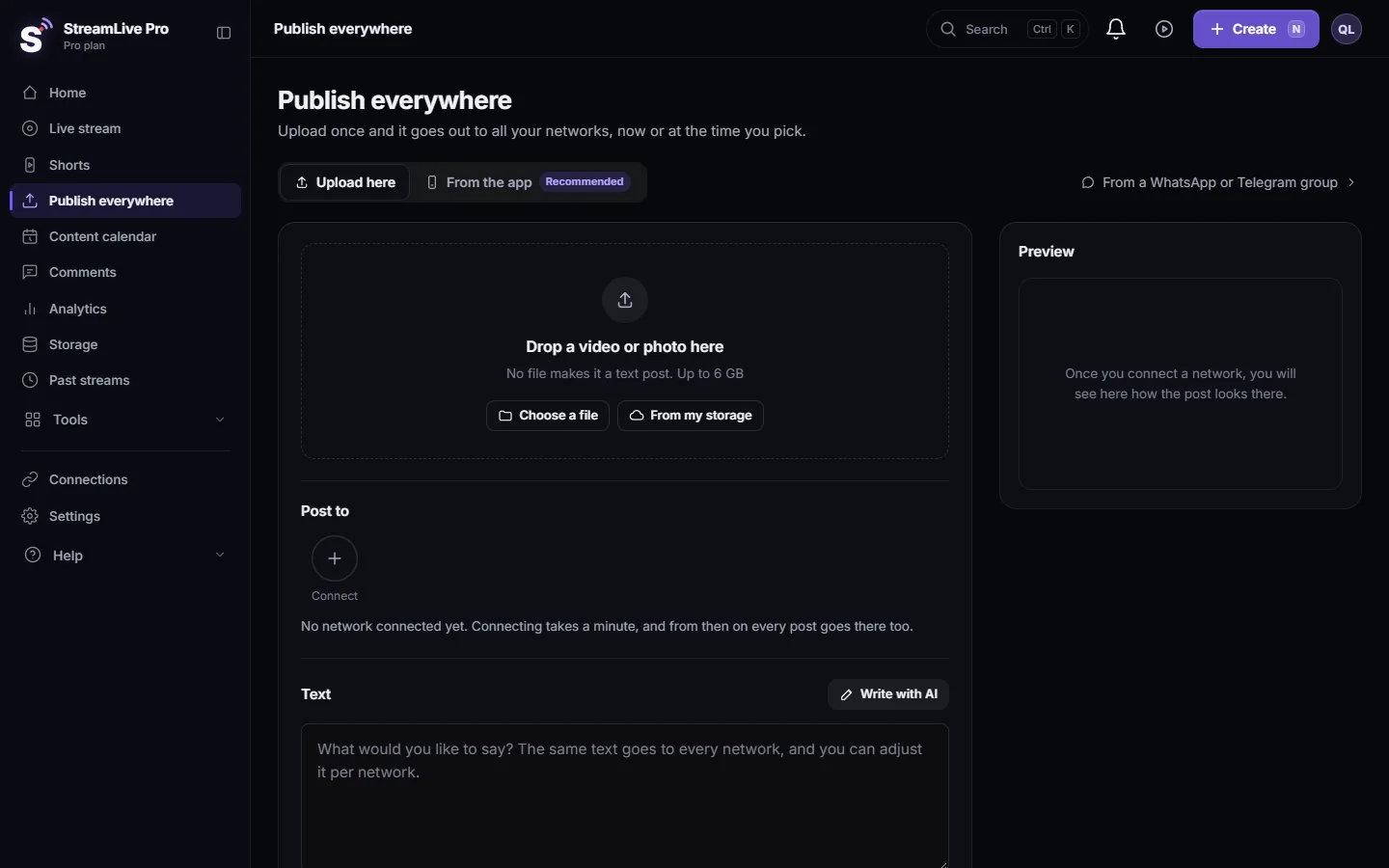
Each network gets its own result. On Publish everywhere, a post that failed somewhere shows Partly published or Not published, a red mark on the network, and the reason under it in plain words.
Symptom, cause and fix
| Symptom | Likely cause | Fix |
|---|---|---|
| A message about signing in, a token, or "reconnect" | The connection expired or its rights were removed | Reconnect in Connections, then Retry |
| The network shows Needs reconnecting before you post | Same, caught early | Click Reconnect next to it before publishing |
| "More uploads go out tomorrow" on YouTube | Your plan's YouTube uploads for today are used | Nothing to do; it goes out tomorrow |
| "YouTube daily API quota is used up" | YouTube's shared daily quota ran out | Queued; starts after midnight Pacific time |
| "Facebook personal profiles cannot receive uploads" | A profile, not a Page, was picked | Pick a Page; see Post a video, photo or text to a Facebook Page |
| Instagram "needs a video or an image" | A text-only post | Add a file or untick Instagram |
| A file type or size refusal (LinkedIn, Discord, Mastodon) | The network does not accept that file | Export as MP4, shorten the video, or post a link |
| TikTok failed on a retry or a schedule | TikTok accepts only posts you publish yourself | Post TikTok by hand; see Post a video to TikTok from your computer |
| The item shows "Waiting: the trial ended" | Your trial ended before the scheduled time | The post is held, not lost; plans are on /pricing?lang=en |
| The item shows "Delayed, not out yet" | The time passed more than 5 minutes ago and it has not started | Wait a few minutes; if it stays, contact support |
Temporary problems on the network side, such as a short outage or a rate limit, are retried automatically a few times before a network is marked failed. So a failure you see is usually one that needs you.
Steps
- Find the post. On Publish everywhere scroll down to Activity; the Needs attention filter shows only posts that failed somewhere. Scheduled posts are also in the Content calendar, where failed ones from the last three days are grouped under "Needs attention".
- Read the reason. The line under the post names the network and the reason. In the Content calendar, open the post to see each network's status and message.
- Fix the cause. Usually: reconnect the network in Connections. Otherwise follow the table above.
- Send again. Click Retry on the post, or Retry what failed after a publish with several failures. In the Content calendar the button is Try again.
- Check the result. The red mark turns green with a link. If it fails again with the same reason, the cause is still there.
What a retry does and does not do
- Only failed networks. A retry sends the post to the networks that failed. A network where the post already went out is skipped, so nothing is posted twice.
- The same post. Text, file and per-network settings stay as they were. To change the text, publish it again as a new post.
- Not TikTok. TikTok is never retried automatically. Post it yourself from the TikTok form.
- Not while it is running. If the post is still being published, the retry waits: "This post is still being published."
When to contact support
Write to [email protected] if the same network keeps failing after you reconnected it, or a post stays "Delayed, not out yet" for more than a few minutes. Send:
- the network and the account name,
- the exact message under the post (a screenshot is best),
- the time you published or scheduled it, and your time zone.
Related pages
- Reconnect a channel whose connection expired: why connections expire and how to renew them.
- Notifications: what the bell tells you, and how often: the bell notices that warn you early.
- Schedule social media posts to several networks at once
- Publish a finished video to social networks
Frequently asked questions
Will a retry post twice on the networks that worked?
No. A retry sends only to the networks that failed. Networks where the post already went out are skipped.
Why did my scheduled post fail when it worked last week?
Usually the network's sign-in expired between the two posts. Reconnect it and press Retry. Nothing was posted the first time.
Does StreamLive Pro retry by itself?
Yes, for temporary problems such as a short outage or a rate limit, a few times. Failures that need you, like an expired connection, wait for you.
Can I change the text before retrying?
Not in a retry; it sends the same post. To change the text, publish it again as a new post to that network.
Why is TikTok not retried?
TikTok accepts only posts that a person publishes, so automatic and retried posts to TikTok are refused. Publish the TikTok version yourself.
Keep reading
Analytics shows no data, no views or old numbers: accounts not switched on, missing permissions, Waiting for Meta approval, networks that give nothing, and the fix.
Delete a published post from every networkRemove a post you published from YouTube, Facebook, LinkedIn and X in one step with Delete everywhere, and what to do on Instagram, TikTok and the others.
My Instagram account is not in the listYour Instagram account does not appear after connecting, or says it has no linked Page: professional accounts, the linked Facebook Page, ticking both, and the fix.
Short or regular video: how each network gets your videoHow StreamLive Pro decides if your video goes out as a YouTube Short, a Reel or a regular video: shape and length per network, and how to get the other one.
Want to try it? 7-day trial, no credit card.
Start free