 StreamLive Pro
Post to Threads, Bluesky and Telegram at the same time
Post to Threads, Bluesky and a Telegram channel at once from StreamLive Pro: how each one connects, what each accepts, and what happens to long text.
Threads, Bluesky and Telegram each connect differently, but once they are connected they are ordinary tick boxes on Publish everywhere, next to YouTube, Facebook and the rest. You write the post once, tick all three, and publish now or on a schedule. Each network gets its own result and link.
Before you start
Each network connects in its own way, in Connections:
- Threads: sign in with the Threads profile (a Meta sign-in window). The connection shows as Threads profile.
- Bluesky: your handle (for example name.bsky.social) and a Bluesky App Password, never your main password. Create one in Bluesky under Settings, Privacy and security, App passwords. It looks like xxxx-xxxx-xxxx-xxxx. If you type your main password by mistake, StreamLive Pro does not keep it and asks for an App Password.
- Telegram: a channel or group you administer, through the StreamLive Pro bot (@Stream_Live_Pro_bot). Your own Telegram account must be an admin or the creator of that channel, so nobody can point the bot at a channel that is not theirs.
Steps
- Connect Threads. In Connections choose Threads, sign in and approve. The profile appears with its picture.
- Connect Bluesky. Choose Bluesky, type your handle and paste the App Password. The account appears as Bluesky account.
- Open the Telegram bot. Choose Telegram. The page opens the bot in Telegram with a one-time code; press Start there. This proves which Telegram account is yours.
- Add the bot. In your channel, add the bot as an admin with the "Post messages" right. In a group it is enough to add the bot as a member. The channel then appears on the page by itself; press Connect.
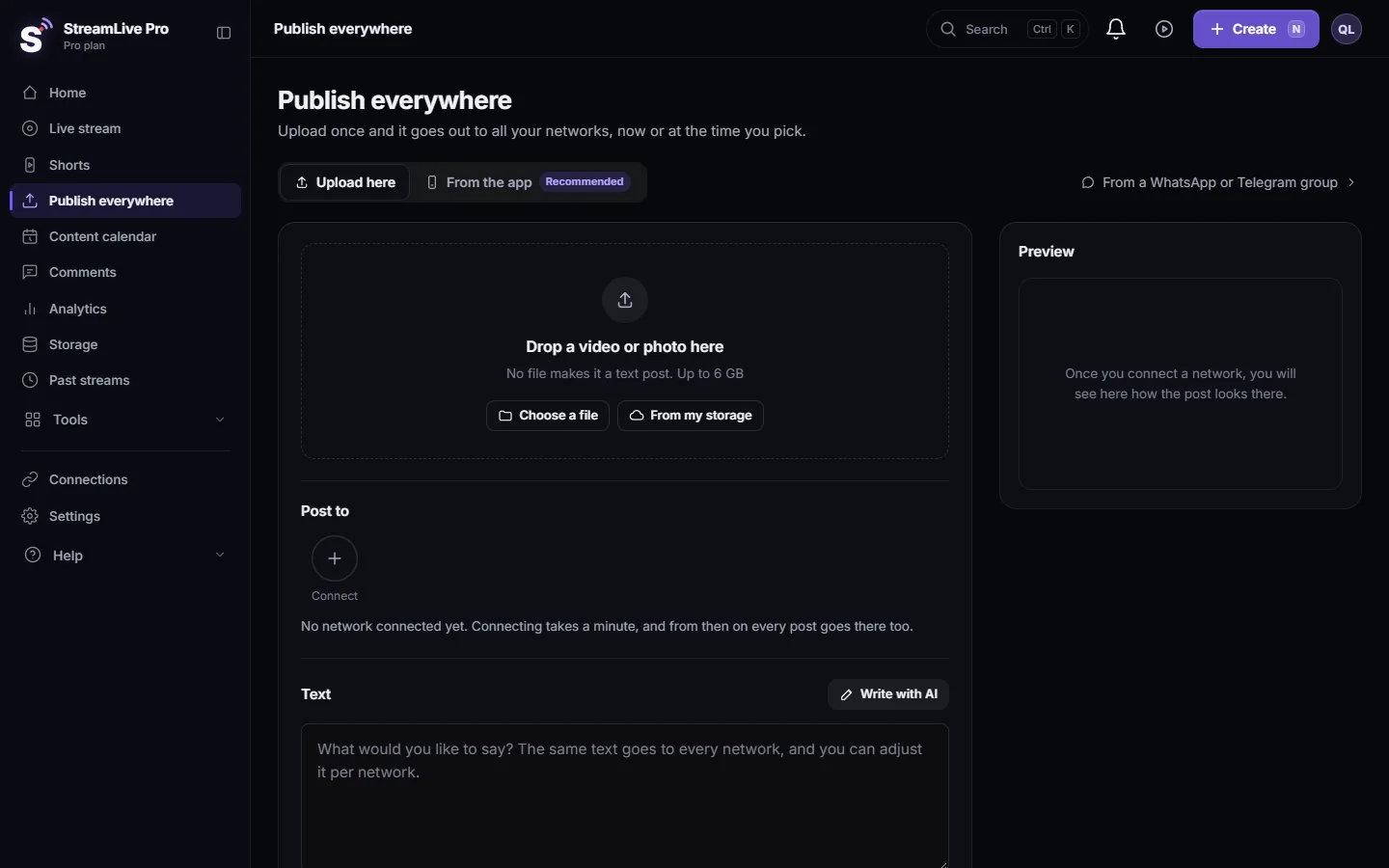
- Write the post. Open Publish everywhere, add a photo or video if you have one on Drop a video or photo here, and write the text in the Text box.
- Pick the three networks. Under Post to click the Threads profile, the Bluesky account and the Telegram channel. Several Telegram channels can be picked in one post.
- Shorten where needed. If the text is too long for one network, open Adjust per network and give that network its own shorter text. The list there also shows what each network accepts.
- Publish or schedule. Under When choose Now or Schedule, then click the button at the bottom. Results appear per network in Activity, lower on the same page.
What each network accepts
| Feature | Threads | Bluesky | Telegram |
|---|---|---|---|
| How it connects | Sign in | Handle + App Password | Bot as admin of your channel, or as a member of your group |
| Text only | Yes | Yes | Yes |
| Photo | JPG or PNG | Yes | Yes, also several in one post |
| Video | MP4 or MOV | Yes | Yes |
| Text that is too long | Cut, with a note in the result | Shortened to Bluesky's limit, with a note | Split into several messages |
Numbers that belong to the networks:
- Threads limits a text post to 500 characters (Threads API overview). A longer text is cut and the result says so. Threads also processes a video before it can be posted; that can take a few minutes.
- On Bluesky, links, hashtags and @mentions in the text are made clickable, Hebrew included.
- On Telegram, a caption that is too long for a photo or video is not cut: the media goes first and the full text follows as a reply. A video too large for the bot to send goes out as a post with its cover and a "Watch the video" button that opens the hosted file.
To give Bluesky a short version and Threads a longer one, use Adjust per network: see Adjust the post for each network.
What can go wrong
- "That is not a Bluesky App Password". You pasted your main password or something else. Create an App Password in Bluesky and paste that.
- "We could not find the Bluesky handle". Check the spelling, including the domain part (for example .bsky.social).
- The Telegram channel does not appear. In a channel, the bot is not an admin yet or it lacks "Post messages"; in a group, the bot was not added. Fix the right in Telegram and wait a few seconds.
- "Your Telegram account is not an admin there". The Telegram account that pressed Start is not an admin of the channel. Use the account that manages it.
- The Telegram channel is marked broken. The bot was removed or lost its rights, or the chat was deleted. You also get a notice in the bell. Add the bot back (as an admin in a channel, as a member in a group).
- "The Threads connection has expired". Reconnect Threads in Connections and publish again. Nothing was posted.
Related pages
- Publish a finished video to social networks
- Schedule social media posts to several networks at once
- Post to every network from a WhatsApp or Telegram group: the opposite direction, a Telegram channel as the source that posts everywhere.
- How to live stream to a Telegram channel or group: going live on Telegram, which uses a stream key instead.
Frequently asked questions
Is it safe to give StreamLive Pro my Bluesky password?
Do not give your main password. Use a Bluesky App Password, which you can revoke in Bluesky at any time. If you type the main password, it is not kept.
Can I post to a personal Telegram chat?
No. Publishing goes to channels and groups you manage, where the bot is an admin (in a channel) or a member (in a group).
Does the same text go to all three networks?
Yes, unless you change it. In Per-network adjustments you can give any network its own text.
Can I schedule a post to Threads, Bluesky and Telegram?
Yes. All three can be scheduled like any other network, and the post goes out at the time you set even if your computer is off.
Why was my Threads text cut?
Threads accepts up to 500 characters in a post. Give Threads its own shorter text in Per-network adjustments.
Keep reading
Find your best time to post from your own posts: the heatmap by day and 3-hour block, how many posts it needs, and how scheduling and Publish all use it.
My video upload failedVideo upload failed in StreamLive Pro? The file may be over 6 GB, bigger than your free storage, or the upload was cut off. What each message means and the fix.
My YouTube upload is waiting in a queueYour YouTube upload says it is queued? Why it waits for midnight Pacific time, how to check when it starts, and what to do when it cannot wait.
Use the Content calendar for posts and livesThe Content calendar shows every scheduled post and live and what happened on each network: list, week and month views, filters, statuses and what to do next.
Want to try it? 7-day trial, no credit card.
Start free