 StreamLive Pro
My video upload failed
Video upload failed in StreamLive Pro? The file may be over 6 GB, bigger than your free storage, or the upload was cut off. What each message means and the fix.
The most likely cause is size. One upload can be up to 6 GB, and it also has to fit in the free space of your plan's storage. The message names the case and the numbers: a file over 6 GB, a file bigger than the plan's whole storage, not enough free space right now, or storage that is already full. The other common cause is an upload that was cut off, by a dropped connection or a closed tab, which has to be started again.
Symptom, cause and fix
| Message you see | Likely cause | Fix |
|---|---|---|
| "You can upload videos up to 6 GB. This file is larger - please compress or trim it." | The file is over 6 GB | Export it smaller or shorter (see below) |
| "This file is larger than your plan's storage: it is ... and your plan holds ..." | The file is bigger than all the storage of the plan | Compress or shorten it, or see /pricing?lang=en |
| "This file is too large for the free trial" | The trial's storage is small | Use a shorter or smaller file for the trial |
| "Not enough free space for this file: it is ... and ... is free" | Storage has room, but not enough for this file | Delete files in Storage, or compress the file |
| The same message, adding "another ... is held by uploads that are still running" | Other uploads still in progress reserve space | Let them finish, then try again |
| "Your storage is full: ... of ... used" | No free space at all | My storage is full |
| "Unknown or expired upload. Start the upload again." | The upload stopped too long ago to resume | Start it again |
| The progress stops and does not move | The connection dropped or the computer went to sleep | Keep the tab open, use a stable connection, start again |
Steps
- Read the whole message. It gives the file size and the space in your plan. That tells you which row above applies.
- Check the file size. On Windows, right-click the file and choose Properties; on a Mac, select it and press Command-I. Compare it with 6 GB.
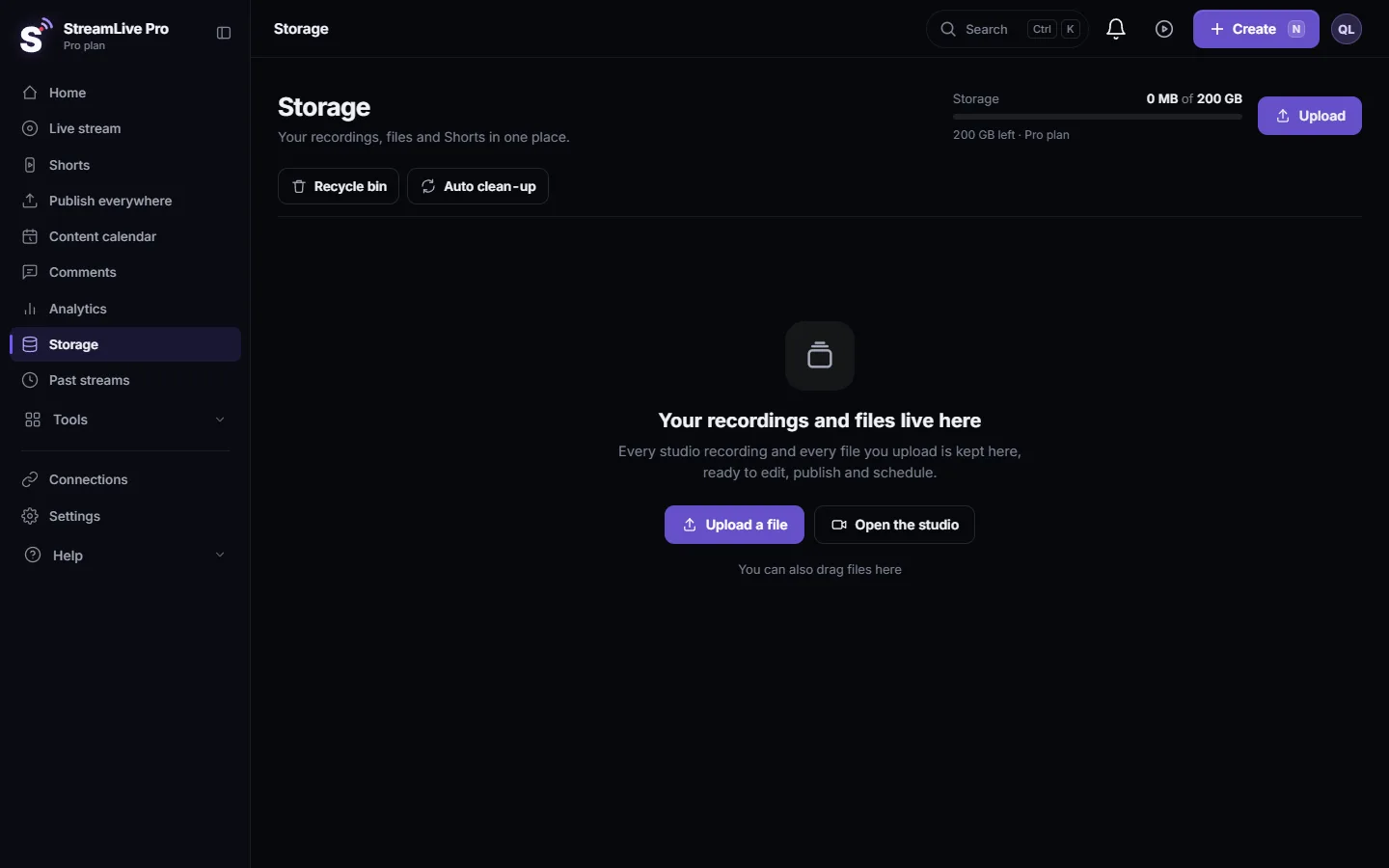
- Check your storage. Open Storage. The meter at the top shows how much of the plan's storage is in use.
- Free space if needed. Download what you want to keep, then delete large old recordings and exports. Details: My storage is full.
- Make the file smaller if needed. Export it again at a lower bitrate or cut the parts you do not need (see the arithmetic below).
- Upload again with the tab open. Keep the page open and the computer awake until the upload finishes, on a wired or steady Wi-Fi connection.
How big will my file be
File size is bitrate times length, so you can estimate it before you export:
- 1 hour at 8 Mbps: 8 x 3,600 = 28,800 megabits, divided by 8 = 3,600 MB, about 3.6 GB. That fits.
- 2 hours at 8 Mbps: about 7.2 GB. That is over 6 GB.
- 2 hours at 5 Mbps: 5 x 7,200 / 8 = 4,500 MB, about 4.5 GB. That fits.
So a long lecture or a full event usually fits once it is exported at a moderate bitrate, without changing the resolution. Audio adds a little on top. For a recording that will mainly become Shorts, you can also cut it into parts and upload each one.
Why the limit is 6 GB
Files heavier than that upload slowly and play back poorly in the browser, so StreamLive Pro refuses them up front with a clear message instead of failing halfway. Recordings of your own broadcasts do not need to be uploaded: if you pressed Record, they are already in Storage. See Recordings and storage — what is kept and for how long.
When to contact support
Write to [email protected] if the file is under 6 GB, the storage meter shows enough free space, and the upload still fails twice on a steady connection. Send the file's name, size and type, where you uploaded it (Storage, Create Shorts or Publish everywhere), the exact message, your browser, and a screenshot of the storage meter.
Related: How to create Shorts from any video, no live stream needed, Publish a finished video to social networks.
Frequently asked questions
What is the largest video I can upload?
6 GB per file. It must also fit in the free space of your plan's storage.
Why does it say the file is too large when it is under 6 GB?
Because it does not fit in your free storage. The message shows the file size and the free space; delete old files or compress the file.
Can I upload a two-hour video?
Yes, if the file is under 6 GB. Two hours exported at about 5 Mbps is roughly 4.5 GB.
Do I need to upload my live recordings?
No. A broadcast you recorded with the Record button is already in Storage. Uploading is for videos made elsewhere.
My upload stopped halfway. Do I start over?
If the message says the upload is unknown or expired, yes. Keep the tab open and the computer awake until it finishes.
Keep reading
Your YouTube upload says it is queued? Why it waits for midnight Pacific time, how to check when it starts, and what to do when it cannot wait.
Connect Bluesky with an App PasswordConnect Bluesky to StreamLive Pro with an App Password, never your main password: how to create one, which handle to type, what each error means, and how to revoke it.
Find your best time to post from your own resultsFind your best time to post from your own posts: the heatmap by day and 3-hour block, how many posts it needs, and how scheduling and Publish all use it.
My storage is fullStorage full in StreamLive Pro? What uses the space, what stops working, which files to delete first, and how to keep a recording from being cut short.
Want to try it? 7-day trial, no credit card.
Start free