 StreamLive Pro
Which networks give numbers to Analytics
Which networks give numbers to StreamLive Pro Analytics: YouTube, Instagram, Facebook Pages, Threads and Twitch, and why TikTok, LinkedIn and X differ.
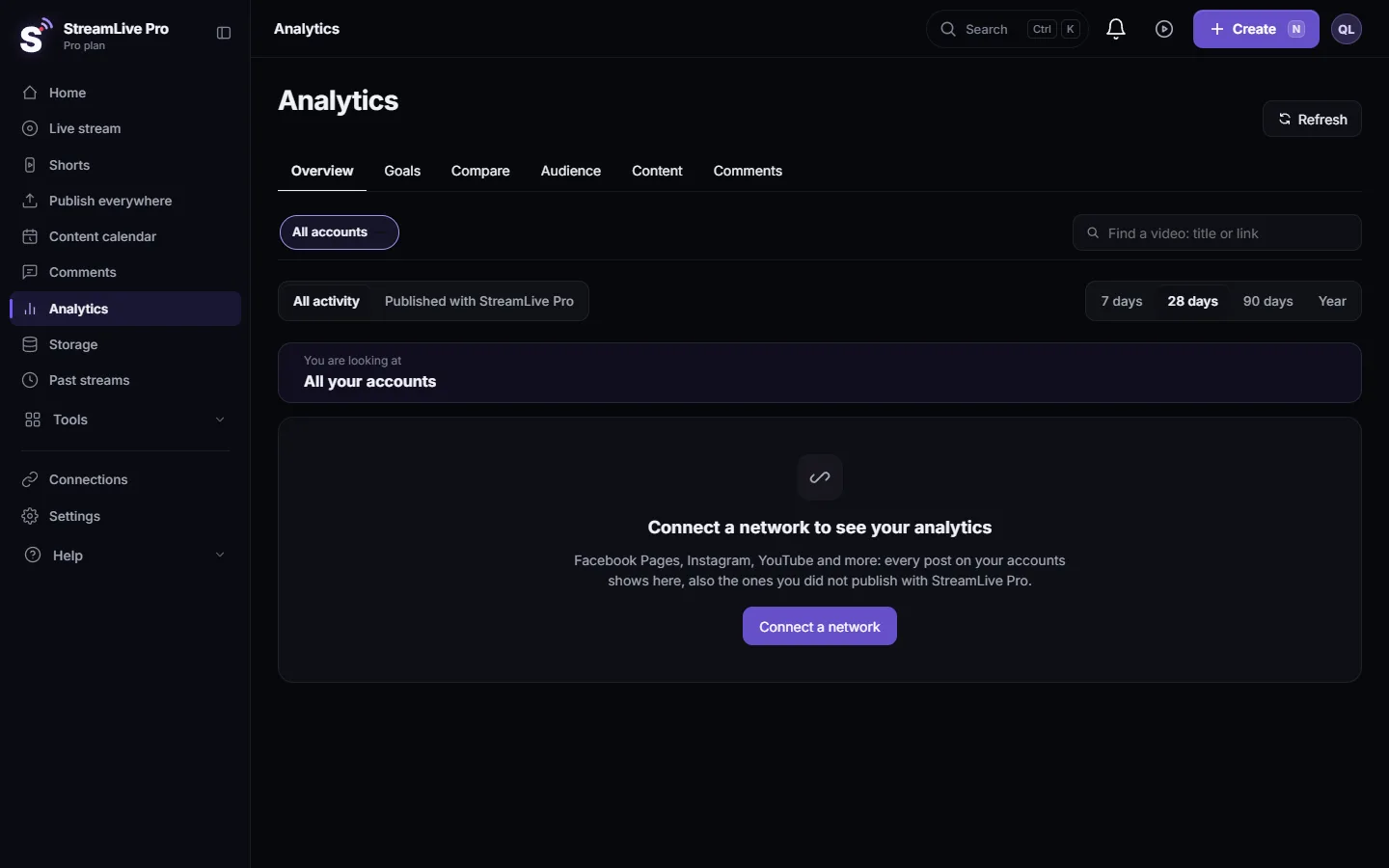
Analytics shows what each network agrees to give an app, nothing more and nothing estimated. Today it reads every post, video and live of YouTube channels, Instagram accounts, Facebook Pages, Threads profiles and Twitch channels you switch on, including posts you did not publish with StreamLive Pro. TikTok gives numbers only once its extra permission is on for your account. LinkedIn, X, Pinterest (for the whole account) and Kick give no post numbers to Analytics today, and their accounts say why in one sentence.
The table below is what you get per network. When a number is missing, the page writes the reason instead of a dash.
Network by network
| Network | What Analytics shows | What is missing, and why |
|---|---|---|
| YouTube | Views, watch time, average watch, likes, comments, retention, traffic sources, audience | Watch time arrives about 48 hours after publishing |
| Likes and comments on every post | Views, reach and saves need the Instagram insights permission: reconnect Instagram and allow it | |
| Facebook Pages | Reactions, comments and shares | Views and reach need the "read insights" permission, which is waiting for approval by Meta; they show by themselves once approved |
| Facebook personal profile | Nothing | Meta gives numbers for Pages only |
| Threads | The posts are listed | Views and likes after Meta approves the threads_manage_insights permission |
| Twitch | Your videos and their numbers | Live viewers are not counted; live chat shows in the live chat panel, read only |
| TikTok | Views, likes, comments and shares, once TikTok's permission is on for your account | Otherwise: "TikTok shares post numbers only after it approves the video.list permission"; when it is on, reconnect TikTok once |
| No post numbers | LinkedIn gives them only with its Community Management approval, which StreamLive Pro does not have yet | |
| X | No post numbers | X charges for every read of post numbers, so StreamLive Pro does not read them |
| Pins you publish with StreamLive Pro show their numbers | Numbers for the whole account are coming | |
| Kick | No past videos | Kick has no way for apps to read past videos |
Numbers during a live
Separate from the table above, the live screen counts concurrent viewers from YouTube and Facebook while you are on air. Other networks report nothing during a live. See See live viewers from YouTube and Facebook together.
Comparing numbers across networks
Each network counts a view its own way: YouTube, Instagram and Facebook each have their own definition, and a text post on Threads has no watch time at all. So the All accounts total is a sum of what each network reports, useful for your own trend over time, not a fair contest between networks. To compare accounts fairly, use the per-follower view: Compare two accounts in Analytics, per follower. To check one post against your usual on the same account, open its page: Analytics for one post: reach, engagement and audience.
Followers are recorded once a day for every connected account, so follower change appears after a few days even on networks that do not report it day by day.
Where the network's rules come from
Each network decides which numbers an app may read and which permissions it needs. StreamLive Pro asks for those permissions when you connect, and a few of them wait for the network's own review: for Facebook Pages and Threads that is Meta's review, for TikTok it is TikTok's. Nothing changes on your side when a review is approved, except where the account card asks you to reconnect once.
How to check one account
- Open Analytics. Click Analytics.
- Open the account list. Click Choose what Analytics shows. Each account has a state: Up to date, Bringing in its posts, Waiting for Meta approval, Missing a permission, Connection stopped: reconnect, or This network gives no numbers.
- Fix what you can. Missing a permission and Connection stopped have a Reconnect button: Reconnect a channel whose connection expired. Waiting for Meta approval needs nothing from you.
- Use the network's own dashboard for networks that give no numbers, for example LinkedIn or X.
Related pages
- Read your social media analytics for every account
- Analytics: every account, every post, your audience
- The Audience tab: age, countries, devices and hours
Frequently asked questions
Does StreamLive Pro show TikTok analytics?
Only once TikTok's extra permission is on for your account; then views, likes, comments and shares appear after you reconnect TikTok. Until then the TikTok account says so, and TikTok's own analytics is the place to look.
Why do I see likes but no views on Instagram?
Instagram gives views, reach and saves only with its insights permission. Reconnect Instagram and allow every permission.
Why does my Facebook Page show reactions but no views?
Views and reach need Facebook's "read insights" permission, which is waiting for Meta's approval. They appear by themselves once it is approved.
Can I see LinkedIn or X numbers?
Not today. LinkedIn requires an approval StreamLive Pro does not have yet, and X charges for every read of post numbers.
Do I need to publish with StreamLive Pro to see numbers?
No. Analytics reads every post on the accounts you switch on, wherever it was published from.
Keep reading
Read and answer YouTube, Facebook Page, Instagram and Threads comments on the Comments page: which networks work, filters, replies, likes and hiding, and limits.
Export your analytics to CSV or a PDF reportExport social media analytics from StreamLive Pro: a CSV of numbers per day, a CSV of every post, or a PDF report of the account and period on screen.
Compare two accounts in Analytics, per followerCompare your social accounts side by side in Analytics: a ranking, 2 to 4 accounts in columns, and account vs account per follower, fair to small Pages.
The Audience tab: age, countries, devices and hoursThe Audience tab in Analytics shows who follows or watches one account: age and gender, countries and cities, devices, subscribers, and when followers are online.
Want to try it? 7-day trial, no credit card.
Start free