 StreamLive Pro
Analytics: every account, every post, your audience
How Analytics works: one account switcher on every view, a deep page for one post (overview, reach, engagement, audience), comparing accounts, and why a number is sometimes missing.
Analytics shows what happens on your accounts, wherever a post came from: Pages, channels and profiles from YouTube, Facebook, Instagram, Threads and Twitch, in one place. TikTok numbers appear only when the extra TikTok statistics permission is switched on for your account.
One account switcher
At the top of every Analytics view (Overview, Goals, Compare, Content, a single post) there is one switcher: All accounts, All of Facebook, and then every Page, channel and profile with its picture, name, network and a status dot. List shows all of them grouped by network.
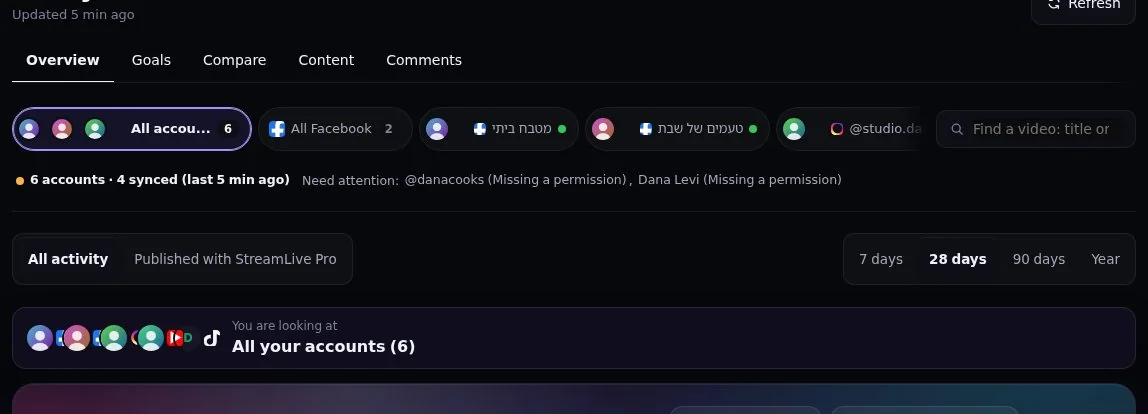
Under the switcher the state is in plain words: "Synced 10 min ago", "Missing a permission: read insights. Reconnect Facebook" with a button, "Last read failed, trying again". Two accounts with the same name show their followers and the end of their id, so you can tell them apart.
Find a post
Type words of the title in any order, or paste the link of a post (YouTube, Facebook, Instagram, Threads). The search covers every post of every account in Analytics, every date. Click a post's picture to open the original on its network; click the row to open our page for it.
The page of one post
Four tabs:
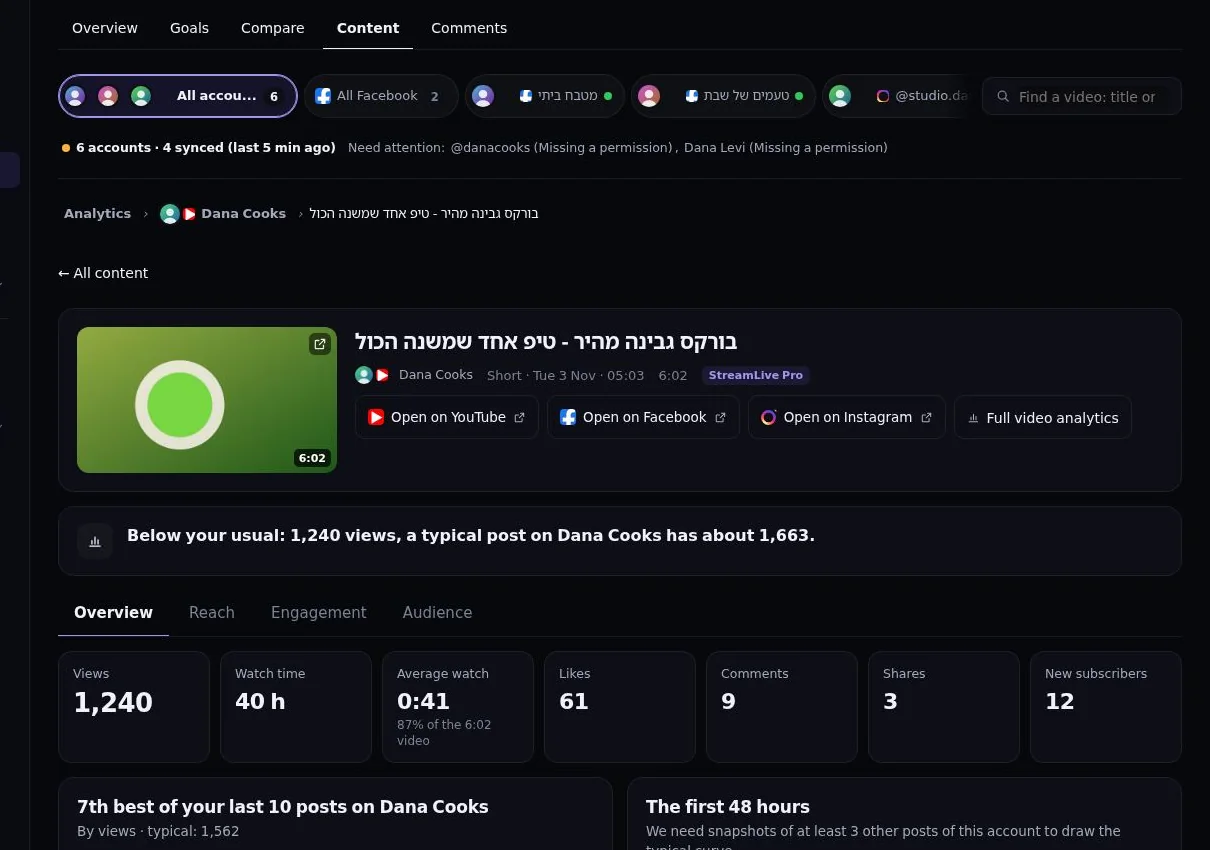
- Overview: views, watch time, average watch (and what share of the video that is), likes, comments, shares, saves, reach and new followers. Where it ranks among your last 10 posts on that account, its first 48 hours against your typical post, and the same content on every network you published it to.
- Reach: where people found it, for example YouTube traffic sources (Shorts feed, search, suggested), or how a Facebook video spread.
- Engagement: the retention curve (how many are still watching at each moment) and reactions per 100 views against your typical post.
- Audience: age and gender, countries and devices, when the network gives them for one post.
For a live broadcast you also get the peak number of viewers at once and when it happened, viewers minute by minute and chat per minute.
Compare and Goals
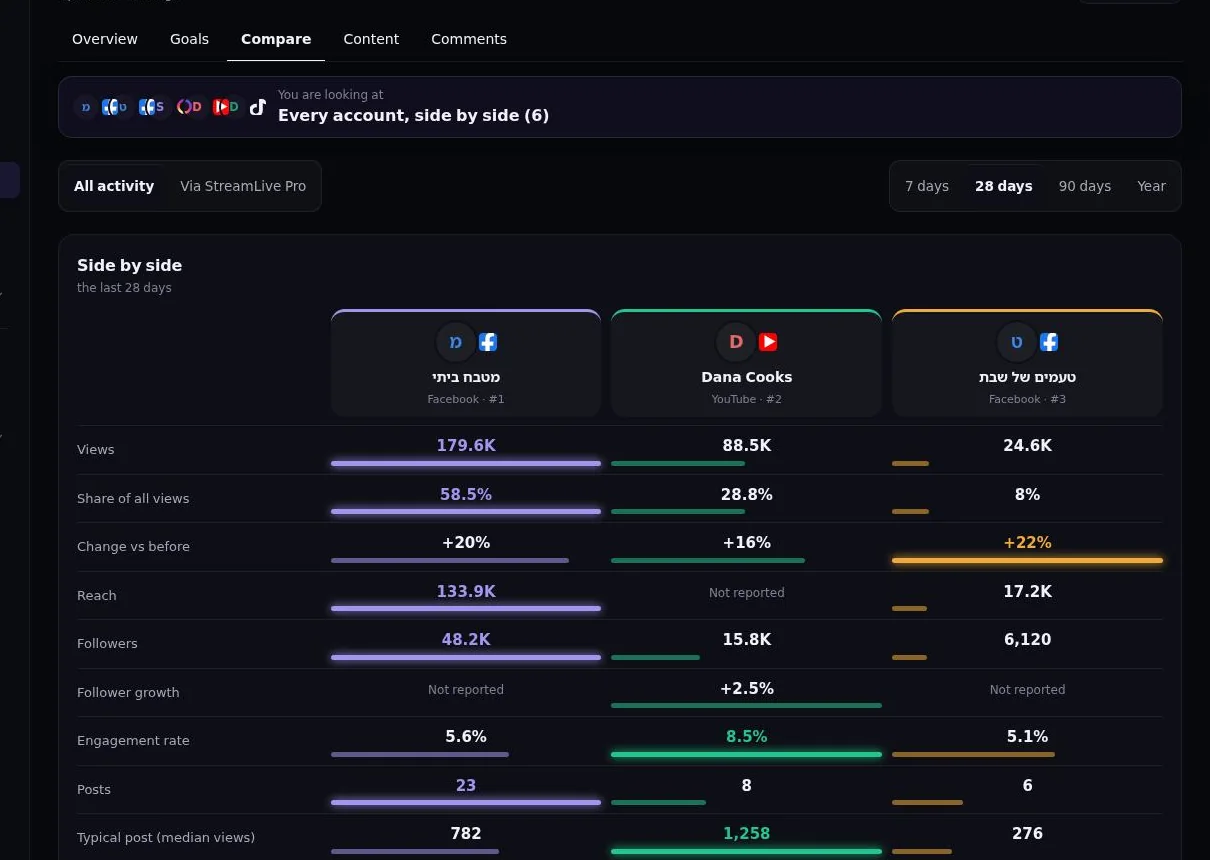
Compare puts accounts side by side: views, share of all views, change against the previous period, reach, followers and engagement. Goals shows progress rings for what you aim for.
Why a number is missing
Analytics never shows a bare dash. A missing number says why, in one sentence: "Not in yet: YouTube gives it within 48 hours", "Waiting for Meta approval", "Instagram gives age, gender and country for the whole account, not for one post", "TikTok gives this only inside TikTok Studio", or "Reconnect YouTube". A personal Facebook profile gives no numbers to apps, so it shows as not available.
Frequently asked questions
Does Analytics include posts I did not publish with StreamLive Pro?
Yes. Choose "All activity" to see everything on your accounts, or "Published with StreamLive Pro" for only what went out from here.
Watch time is missing on a new YouTube video.
YouTube gives watch time and average watch about 48 hours after publishing. The page says how long is left.
Why does a Facebook account say "not available"?
It is a personal profile. Meta gives numbers only for Pages, not for personal profiles.
Keep reading
What is measured, where the figures come from, and why YouTube's or Facebook's own dashboard may show a different number than ours.
Export your analytics to CSV or a PDF reportExport social media analytics from StreamLive Pro: a CSV of numbers per day, a CSV of every post, or a PDF report of the account and period on screen.
Compare two accounts in Analytics, per followerCompare your social accounts side by side in Analytics: a ranking, 2 to 4 accounts in columns, and account vs account per follower, fair to small Pages.
The Audience tab: age, countries, devices and hoursThe Audience tab in Analytics shows who follows or watches one account: age and gender, countries and cities, devices, subscribers, and when followers are online.
Want to try it? 7-day trial, no credit card.
Start free