 StreamLive Pro
Could not parse the subtitle file: fixing an SRT import
Could not parse the subtitle file? The editor found no timed lines in your SRT, VTT or ASS. The usual causes, how to check the file in a text editor, and the fix.
"Could not parse the subtitle file" means the editor read the file and found no line it could use: no start time and end time joined by an arrow, or, in an ASS file, no Dialogue lines. It usually happens with a file that is not really a subtitle file (a transcript, a Word document renamed to .srt), with times written in another form, or with an empty export. A Hebrew file that imports but shows gibberish is a different problem: the file is not saved as UTF-8.
Symptom, cause, fix
| What you see | Likely cause | Fix |
|---|---|---|
| "Could not parse the subtitle file" | The file has no timed lines in a form the editor reads | Open it in a text editor and check the time lines (below) |
| The same, with a .txt or .docx file | A plain transcript or a document, not subtitles | Export SRT from the tool that made it, or write captions in the editor |
| The same, with an ASS or SSA file | No lines starting with "Dialogue:" | Export again as SRT |
| The file picker does not let you choose the file | The picker shows .srt, .vtt and .ass only | Rename a real subtitle file to .srt, or export it as SRT |
| Hebrew or Arabic letters come out as gibberish | The file is saved in an old encoding, not UTF-8 | Save it again as UTF-8 (steps below) |
| "This project already has subtitles. The imported file will replace them all. Continue?" | Importing replaces every existing line | Continue only if you want the file's lines instead of the current ones |
What a readable file looks like
An SRT that imports looks like this:
1
00:00:01,000 --> 00:00:03,500
The first line of the caption

2
00:00:03,600 --> 00:00:06,000
The second line
The editor is forgiving about the details: the hours can be left out (00:01,000), a dot works instead of the comma, and one to three digits after it are fine. What it needs on every caption is a start time, the arrow -->, and an end time on one line, with the text under it. VTT files are read the same way; the WEBVTT header and cue names are skipped.
Steps
- Open the file in a text editor. On Windows, right-click it and open it with Notepad; on a Mac, use TextEdit. Do not use Word, which adds formatting.
- Look for time lines. Each caption needs a line like 00:00:01,000 --> 00:00:03,500. If there are none, this is a transcript, not subtitles.
- Check the times. Times like 1.5 --> 3.0, or frame numbers like 00:00:01:12, are not read. Export from the original tool as SRT instead.
- Check the encoding for Hebrew. In Notepad choose File, Save as, set Encoding to UTF-8 and save. In TextEdit choose Format, Make Plain Text, then save with UTF-8.
- Name it .srt, .vtt or .ass. The picker shows these three types.
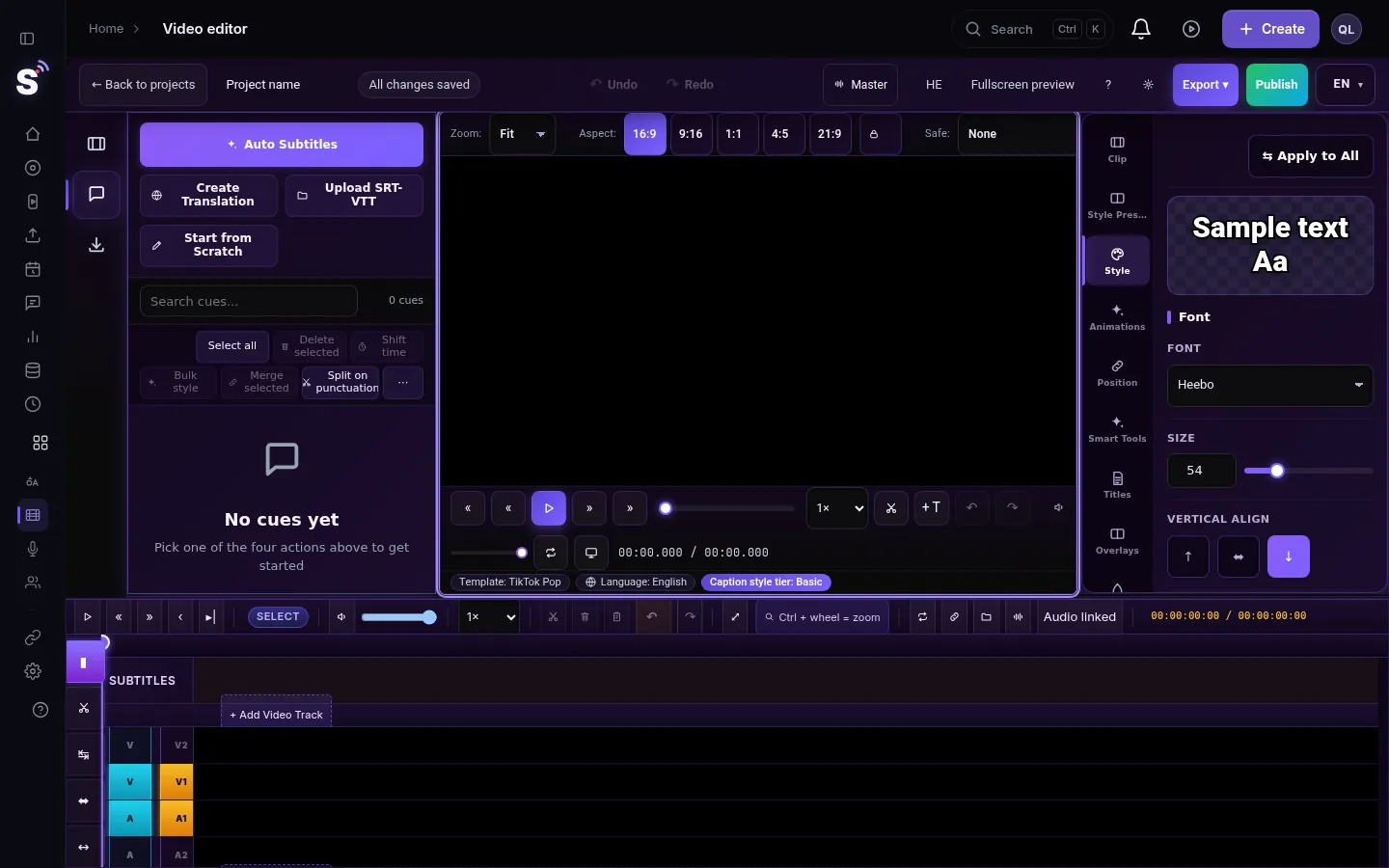
- Import it again. In the editor's Subtitles panel choose Upload SRT-VTT, or drag the file onto the panel.
- Check a few lines. Play the start and the end. If every caption is early or late by the same amount, see My captions are out of sync with the video.
Where you can import
The import is in the video editor, in the Subtitles panel of a project that already has its video. The simple subtitle studio has no import of its own; it points you to the advanced editor. There is no subtitle-only project: open the video first, then bring the file into it. If you are bringing back captions from a project whose video is gone, see The source video of my project is no longer stored.
When to contact support
Write to [email protected] if a file that opens in other players still gives the message. Attach the file (or its first 20 lines), say which program made it, and send a screenshot of the message.
Related: Export captions as SRT, VTT or ASS, and which one to use, Edit captions on the timeline, Upload SRT captions to YouTube, step by step.
Frequently asked questions
Which subtitle files can I import?
SRT, VTT and ASS (also SSA). A file with another name is tried as SRT, then VTT, then ASS.
Why does my Hebrew SRT import as gibberish?
The file was saved in an old Hebrew encoding instead of UTF-8. Open it in Notepad, save it again with UTF-8, and import it once more.
Will importing delete the captions I already have?
Yes, it replaces all of them. The editor asks you to confirm first when the project already has captions.
Can I import an SRT without a video?
No. Open or upload the video first; the captions are imported into its project.
Keep reading
Transcript in the wrong language? Auto-detect decides from the opening of the video and keeps that choice. Set the source language yourself and run it again.
Hebrew captions reversed or punctuation on the wrong sideHebrew captions reversed, or the question mark on the wrong side? Why right-to-left captions break between apps, and the checks that fix each case.
Automatic Hebrew subtitles — transcribe, edit, and burn them inHow to produce accurate Hebrew captions for a video, correct them, choose a style, and burn them in — including what really goes wrong with right-to-left text.
Open and closed captions: burned in or a separate fileOpen vs closed captions: burned into the picture or sent as a file the viewer can switch off. What each is good for, which networks take which, and how to make both.
Want to try it? 7-day trial, no credit card.
Start free