 StreamLive Pro
Record a podcast and go live at the same time
Record a podcast and go live at the same time from the browser studio: the order of the buttons, what is kept, where the file goes and how it becomes an episode.
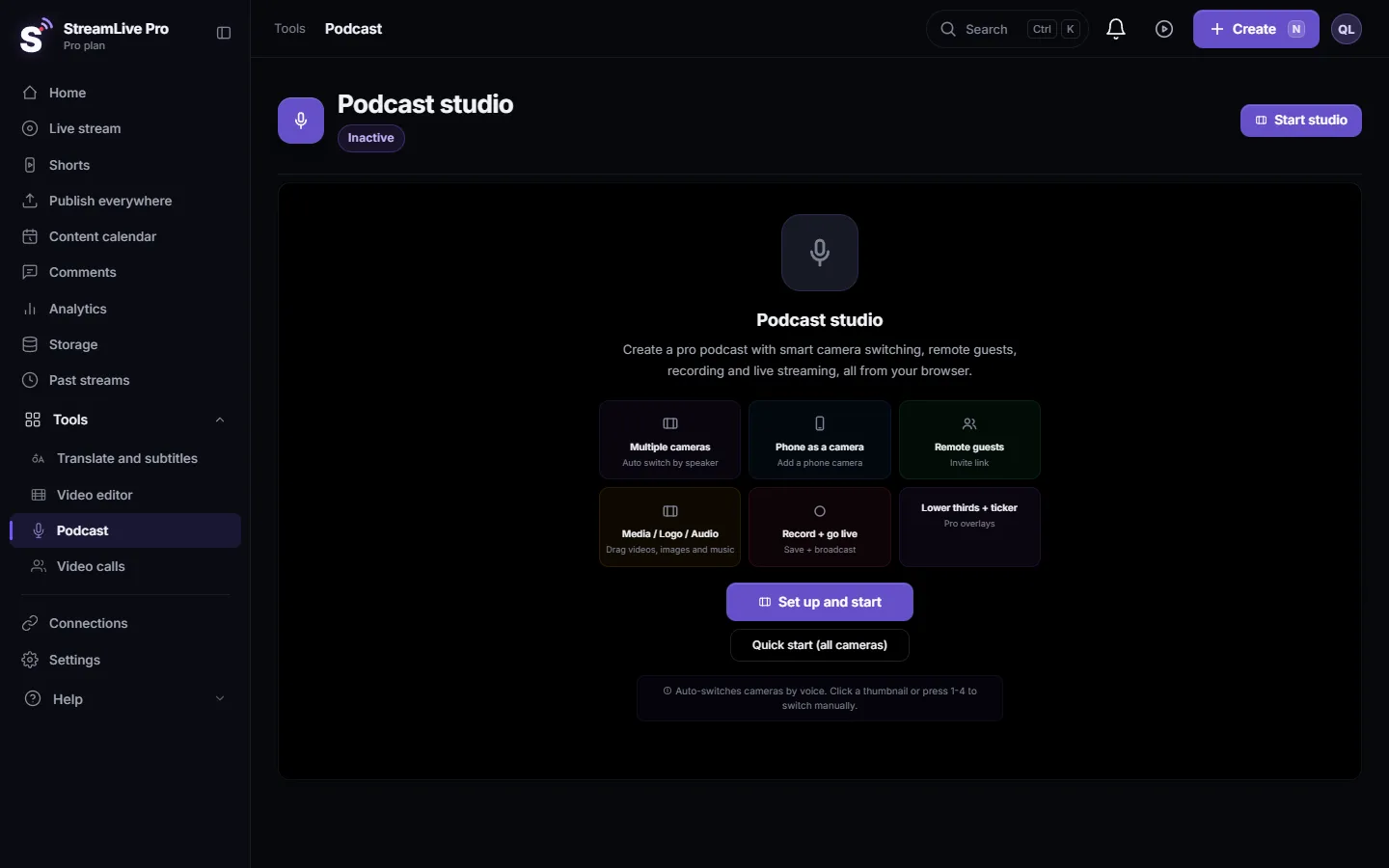
In the podcast studio, Record and Go Live are two separate buttons that run side by side. Press Record to save the program to a file in Storage, press Go Live to send the same picture and sound to your live channels, and both continue until you stop each one. Press Record first, so the file starts before the live and includes the opening.
Before you start
- Channels ready for a live. Go Live uses your live session and its channels, the same ones the browser studio uses. Connect them in Connections and check them in Live stream before the session. Instagram, TikTok and X stream keys change between sessions: paste a fresh key each time (Live on Instagram and TikTok with a stream key).
- Plan limits. Live hours, the number of channels at once and the people in the podcast room depend on the plan; see /pricing?lang=en. In the 7-day trial, lives are limited to 2 of up to 60 minutes and everything you make carries a small watermark.
- A wired connection if you can. Going live and uploading a recording at the same time both use your upload. One live stream goes out from your computer whatever the number of channels, because the copies to each network are made on our servers.
- Consent. Before the first recording the studio asks you to confirm that participants agreed to be recorded.
Steps
- Start the studio. Choose Podcast, click Start studio, pick cameras and microphones.
- Invite guests and check the sound. Click Invite and send the link (How to invite a guest to your podcast recording). Talk with everyone before you press anything.
- Run the readiness check. The check in the top bar tells you if something is missing before you go live.
- Press Record. The studio checks that at least one microphone is live. If none is, recording does not start and you see a message saying so. A red timer shows while it records.
- Press Go Live. The same program goes out to your channels. The header shows a LIVE pill next to Recording.
- Run the show. Switch cameras by hand or with Auto, add a name title, share a screen. Viewers and the file get the same stage and the same sound.
- Stop Live first, then Stop Rec. Stop Live asks you to confirm. Stopping the recording last keeps your closing words in the file.
- Find the file. The recording is converted to MP4 and saved to Storage. From there you can cut Shorts (Turn a podcast episode into Shorts with captions) or make a podcast episode (Add an episode to your podcast RSS feed).
What is kept and what is not
- Record is what keeps the episode. The Record file is saved to Storage and uploaded in pieces while you record, so a browser that closes does not lose what was already sent.
- A live without Record is not kept. The cloud copy of a broadcast exists for the preview and for Shorts, and is removed about two hours after the end unless you recorded. See Where is my live stream recording?.
- The file and the broadcast are the same program. Layout, mute decisions and switching are part of both. Guests are not separate files.
Turning every broadcast into an episode
If you publish the podcast to Spotify and Apple Podcasts, open the podcast card in Connections (Podcast hosting). Under Automation and privacy, "Every broadcast becomes an episode" has three settings: off, as a draft that waits for you to press Publish, or published automatically. Spotify and Apple Podcasts do not take a live stream, so the audio of the finished broadcast becomes the episode. It applies to broadcasts that start after you switch it on. On the trial it makes drafts only, and video episodes from broadcasts are on Pro and up.
What can go wrong
| Problem | Fix |
|---|---|
| Record does not start | No live microphone. Unmute one and check that its meter moves |
| Go Live says to start the studio first | Click Start studio, then Go Live |
| The tab reloaded during the live | Open the studio again and press Go Live. Within about 90 seconds you are offered to continue the same broadcast; later you are offered to end it and go live again |
| Instagram or TikTok did not start | The key from the last session expired. Paste a new one before you go live |
| The recording froze when you switched windows | Keep the studio tab visible. A hidden or minimised tab stops feeding the stage |
| The trial live stopped after an hour | Trial lives are up to 60 minutes. A paid plan removes that limit; see /pricing?lang=en |
Frequently asked questions
Do I have to press Record if I am live?
Yes, if you want to keep the episode. A live that was not recorded is removed about two hours after it ends.
Does going live and recording use double the upload?
The live sends one stream from your computer no matter how many channels you use. The recording is uploaded in pieces at the same time, so leave room in your upload and use a cable if you can.
Can the broadcast become a podcast episode by itself?
Yes. In the podcast card under Connections, set "Every broadcast becomes an episode" to draft or to publish. On the trial it makes drafts only.
Can I go live to Spotify?
No. Spotify and Apple Podcasts do not take live streams. After the broadcast, its audio can be published as an episode in your feed.
Can I record without going live?
Yes. Press only Record. Go Live is optional.
Keep reading
Echo cancellation removes your speakers from your microphone; noise suppression removes background sound. What each does, its limits, and the StreamLive Pro settings.
What is ISO recording? Each camera in its own fileISO recording saves every camera to its own file, next to the switched program. Why editors want it, what it costs in disk space, and where StreamLive Pro offers it.
Live streaming on a Mac without installing softwareGo live from a Mac with nothing to install: the browser studio in Safari or Chrome, the macOS permissions to allow, and when an app is still better.
Resolution and frame rate for live streamingResolution and frame rate for live streaming in plain words: 720p or 1080p, 30 or 60 fps, how both drive bitrate, and how to set them in StreamLive Pro and OBS.
Want to try it? 7-day trial, no credit card.
Start free