 StreamLive Pro
What happens to your files when your paid plan ends
When a paid StreamLive Pro plan ends, your files are kept for 30 days with reminder emails, then deleted. How to download them, or renew a plan to stop the deletion.
When a paid plan ends and is not renewed, your files stay for 30 days. During that time the Home page shows a banner, Your recordings will be deleted in N days, with Download all and Reactivate, and we email you 30 days, 7 days and 1 day before. On the date, the files (recordings, Shorts, uploads and render outputs) are deleted from our storage. The account itself stays: you can sign in and subscribe again. Renewing a plan at any point before the date stops the deletion at once.
Before you start
- This is about a paid plan that ended. When the 7-day trial ends without a plan, nothing is deleted: see My trial ended: what happens to my account and files. Deleting your account is a different process with its own 30 days: How to delete your StreamLive Pro account.
- Know when the clock starts. A cancellation runs to the end of the paid period. If a renewal is not paid, the plan keeps working until the date shown in the payment banner. The 30 days start when the plan has actually ended.
- Check the date. The Home banner counts the days left. The reminder emails give the date too.
- Leave time to download. A large library takes a while. Start well before the last day.
Steps
- Open Home and read the banner. It says how many days are left, and turns orange in the last week and red on the last day.
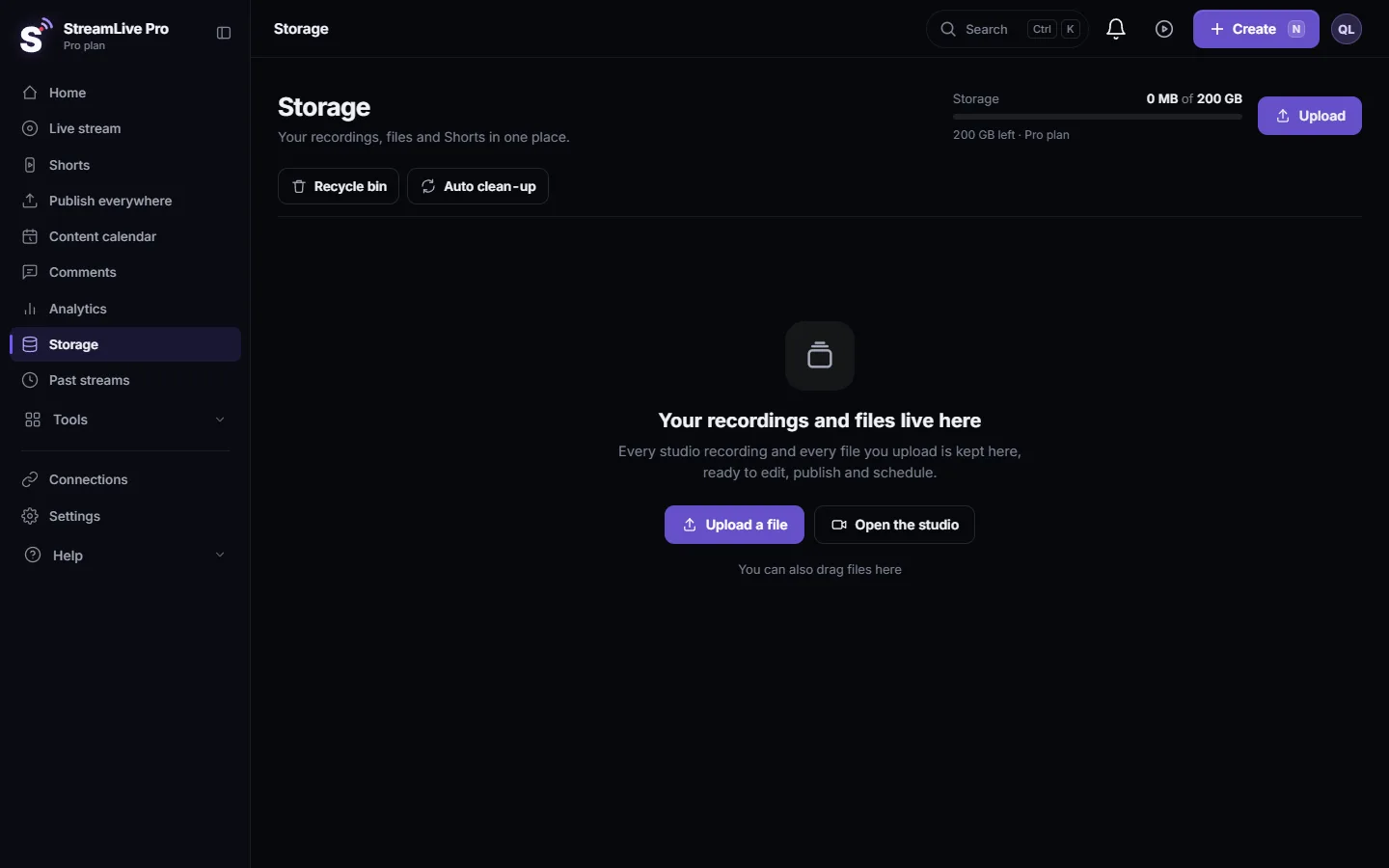
- Press Download all. It opens Storage, where your uploads, Shorts and exports are listed. Download what you want to keep.
- Download kept broadcast recordings. Open Past streams and use the download on each broadcast card that has a recording.
- Export your account data too. In Settings, Privacy and Data, press Download JSON or Download CSV for a record of your broadcasts, posts and payments. What we keep and where: Privacy and security: the short answers.
- Or keep everything by renewing. Press Reactivate on the banner, or open Billing, Choose plan, and pick a plan. Once the payment goes through, the deletion date is cleared and the banner disappears.
- Check the banner is gone. Reload Home. If it still shows after a renewal, write to support with the payment time.
The timeline
| When | What happens |
|---|---|
| The plan ends | Paid features stop; the account and files stay. The banner appears |
| 30 days before deletion | First reminder email |
| 7 days before | Second reminder email; the banner turns orange |
| 1 day before | Last reminder email; the banner turns red |
| The deletion date | Recordings, Shorts, uploads and render outputs are deleted. An email confirms it |
| After that | The account stays. You can sign in and subscribe again, starting with an empty library |
Renewing at any point before the deletion date clears the date, and the reminders stop. There is no button to postpone the date while the plan stays ended.
What is deleted and what stays
| Deleted on the date | Stays |
|---|---|
| Recordings you kept | Your account, email and password |
| Shorts and their rendered files | Your profile details |
| Uploaded videos and files in Storage | Your invoices and billing records |
| Exports and render outputs from the editor and translation | The ability to subscribe again |
Content you already published to YouTube, Facebook and the other networks is not affected: it lives on those networks.
What can go wrong
| What you see | Likely cause | Fix |
|---|---|---|
| The banner shows fewer days than you expected | The plan ended earlier than you thought, for example an unpaid renewal | Download now, or renew |
| A download is slow or stops | A very large file, or the connection | Download one file at a time; use a computer and a stable connection |
| You renewed and the banner is still there | The page has the old state | Reload; if it stays, write to support with the payment time |
| The reminder emails did not arrive | Spam or promotions folder | Mark them as not spam; the banner still shows the count |
| Your files were already deleted | The date passed | Deleted files cannot be restored, also not by support |
Questions about a specific date: write to [email protected] from the account address, or see When you are connected to a person.
Frequently asked questions
How long are my files kept after my StreamLive Pro plan ends?
30 days after the paid plan has ended. Reminder emails are sent 30 days, 7 days and 1 day before the deletion.
Can I stop the deletion?
Yes, by renewing a plan before the date. The deletion date is cleared as soon as the payment goes through.
Is my account deleted too?
No. Only the files are deleted. You can still sign in, see your invoices and subscribe again.
Are my videos on YouTube or Facebook deleted?
No. What you published lives on those networks. Only the copies in StreamLive Pro storage are deleted.
Does this happen when the free trial ends?
No. When the trial ends without a plan, nothing is deleted. This page is about a paid plan that ended.
Keep reading
StreamLive Pro says "Service unavailable in your region" or "Registration unavailable in your region" at sign-up? Which countries are affected and why.
Busy for a moment" or "under maintenance" messagesStreamLive Pro says "Busy for a moment", "The server is very busy right now" or "System under scheduled maintenance"? What each one means and what to do.
My podcast RSS feed is not publicPodcast RSS feed not public or shows Not found: the trial, an ended plan, Private or Unlisted visibility, a missing owner email or no episodes, and how to fix each one.
Sign-up is temporarily limited - try again laterLots of people are signing up from your network" or "Too many sign-up attempts for this e-mail address"? Why sign-up pauses for a while and how to finish it.
Want to try it? 7-day trial, no credit card.
Start free