 StreamLive Pro
How many posts per day can I publish to each network?
The daily and hourly posting limits StreamLive Pro uses for Instagram, Facebook, Threads and others, the networks' own limits, and what the warnings mean.
StreamLive Pro counts how many posts you send to each network and slows you down before the network does. Instagram, Facebook and Threads punish accounts that post too much too fast, sometimes by limiting the account for a while, so the publish page warns you as you get close and refuses a post that would cross the line. The numbers below are the ones the service uses as of November 2026. They are per network, for all your accounts on it together, and scheduled posts count at the time they go out.
The numbers StreamLive Pro uses
| Network | Burst (within 5 minutes) | Per hour (warning) | Per 24 hours (limit) |
|---|---|---|---|
| 5 | 5 | 25 | |
| 10 | 25 | 200 | |
| Threads | 8 | 10 | 50 |
| Every other network | 20 | 60 | 500 |
- Burst: more posts than this within 5 minutes looks like a bot. The post is refused with a message that starts "Posting too fast on" and the network name, and nothing is sent. Wait a few minutes and try again.
- Per hour: when you reach the hourly number you get a warning, and the post still goes out.
- Per 24 hours: at 80 % of the daily number you get a short warning with the network, the count and the number, for example "Instagram: 20/25 posts", asking you to slow down. A post that would pass the number is refused, for example: "Daily limit reached on instagram: 26/25. Try again tomorrow."
How the count works
- It is a moving window around the time of the post, not a calendar day: every post from 24 hours before it to 24 hours after it counts. The hourly and burst numbers work the same way, with 1 hour and 5 minutes on each side.
- Each account counts. A post to 3 Instagram accounts is 3 Instagram posts.
- Scheduled posts count at their scheduled time, together with other posts scheduled around it.
- Failed and cancelled posts do not count.
The networks' own limits
The networks have their own caps, separate from ours:
- Instagram: "Instagram accounts are limited to 100 API-published posts within a 24-hour moving period": Instagram content publishing (checked 5 November 2026).
- Facebook Reels: "30 API-published posts within a 24-hour moving period": Reels publishing (checked 5 November 2026).
- YouTube: automatic uploads have a daily number per plan; extra uploads wait for the next day: The daily limit on YouTube uploads.
- Post from groups: posts sent from a WhatsApp or Telegram group have their own daily and hourly numbers per plan: Post to every network from a WhatsApp or Telegram group.
- TikTok: posted by a person from the publish page only, never automatically.
Steps
What to do when a warning appears:
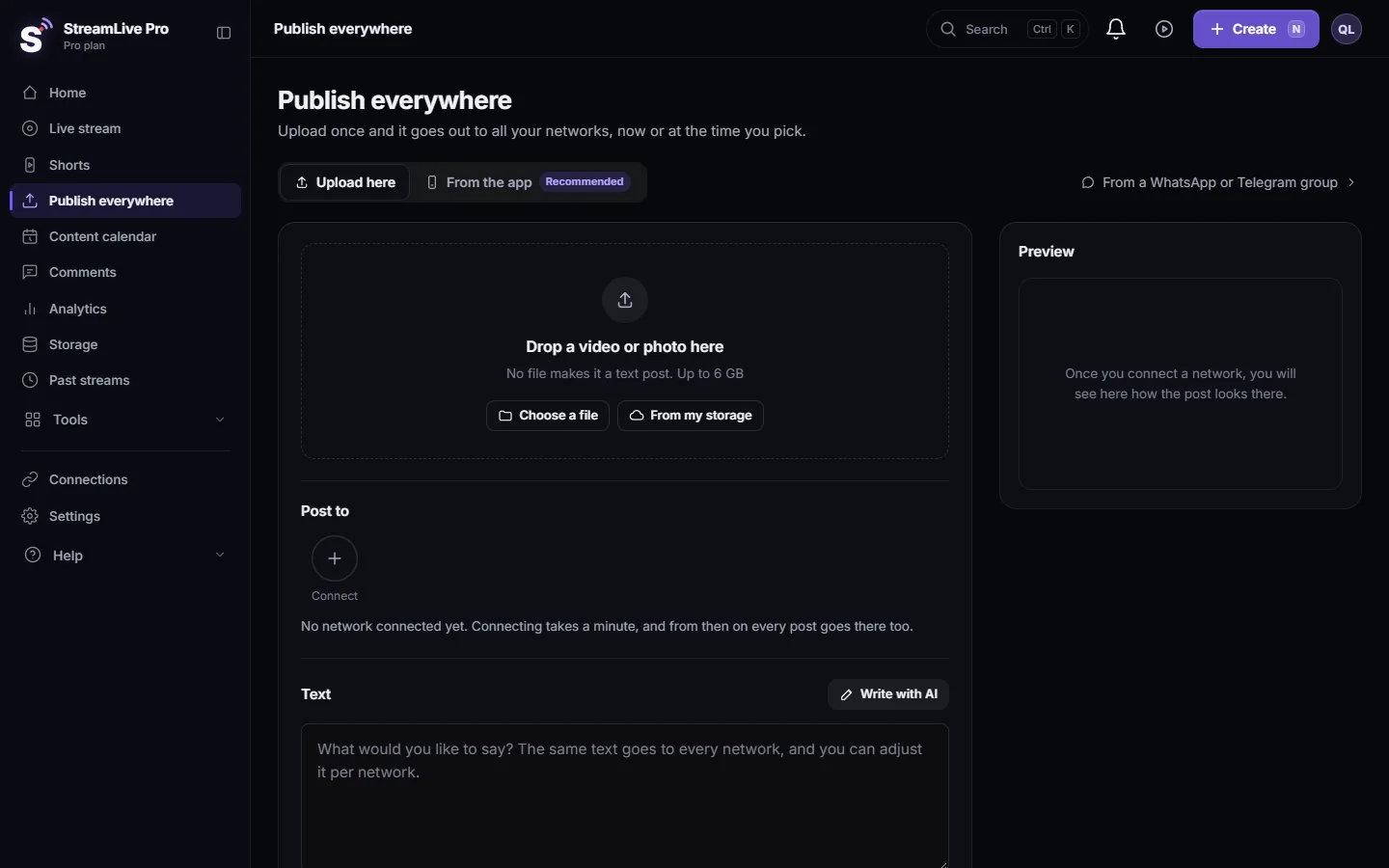
- Read which network it names. The warning appears after you press the publish button on Publish everywhere, one per network that is close to its number.
- Spread the rest. Choose Schedule for the next posts and set them a few hours apart. Use the Content calendar to see the week.
- Check what is already scheduled. Posts scheduled for the same day count too. Move some to the next day.
- After a burst refusal, wait. Wait a few minutes and press the button again; nothing was sent.
- After a daily refusal, schedule for later. Pick a time at least 24 hours after the last post of today's run, and check that the 24 hours after that time are not already full of scheduled posts to the same network.
What can go wrong
| Symptom | Likely cause | Fix |
|---|---|---|
| A warning, but the post went out | Hourly number reached or 80 % of the daily number | Slow down for the next posts |
| "Daily limit reached on instagram" | 25 Instagram posts within 24 hours, all accounts together | Schedule the rest for tomorrow |
| "Posting too fast on facebook" | More than 10 Facebook posts within 5 minutes | Wait a few minutes |
| The network itself limited the account | The network's own rules, outside StreamLive Pro | Post less for a few days; check the account's notices in the network's app |
Related: Schedule social media posts to several networks at once, Publish a finished video to social networks, Publish all your Shorts at once, My post failed on one network.
Frequently asked questions
How many Instagram posts can I publish per day from StreamLive Pro?
Up to 25 within 24 hours, for all your Instagram accounts together, and no more than 5 within 5 minutes. A warning appears from 20.
Does a post to two Instagram accounts count twice?
Yes. Each account that receives the post counts as one post.
Do scheduled posts count toward the daily limit?
Yes, at the time they are scheduled to go out, together with the other posts around that time.
Why does StreamLive Pro limit me below what Instagram allows?
Instagram's published cap is the ceiling for apps. StreamLive Pro keeps a wide safety margin below it, so a busy day does not put the account at risk.
Is the limit different on Pro or Studio?
No. These numbers are the same on every plan. What changes by plan is the number of accounts and the YouTube uploads per day.
Keep reading
A post went out on some networks and failed on one. How to read the reason, fix the usual causes, and send it again only to the network that failed.
Delete a published post from every networkRemove a post you published from YouTube, Facebook, LinkedIn and X in one step with Delete everywhere, and what to do on Instagram, TikTok and the others.
My Instagram account is not in the listYour Instagram account does not appear after connecting, or says it has no linked Page: professional accounts, the linked Facebook Page, ticking both, and the fix.
Short or regular video: how each network gets your videoHow StreamLive Pro decides if your video goes out as a YouTube Short, a Reel or a regular video: shape and length per network, and how to get the other one.
Want to try it? 7-day trial, no credit card.
Start free