 StreamLive Pro
Translate the captions of a Short
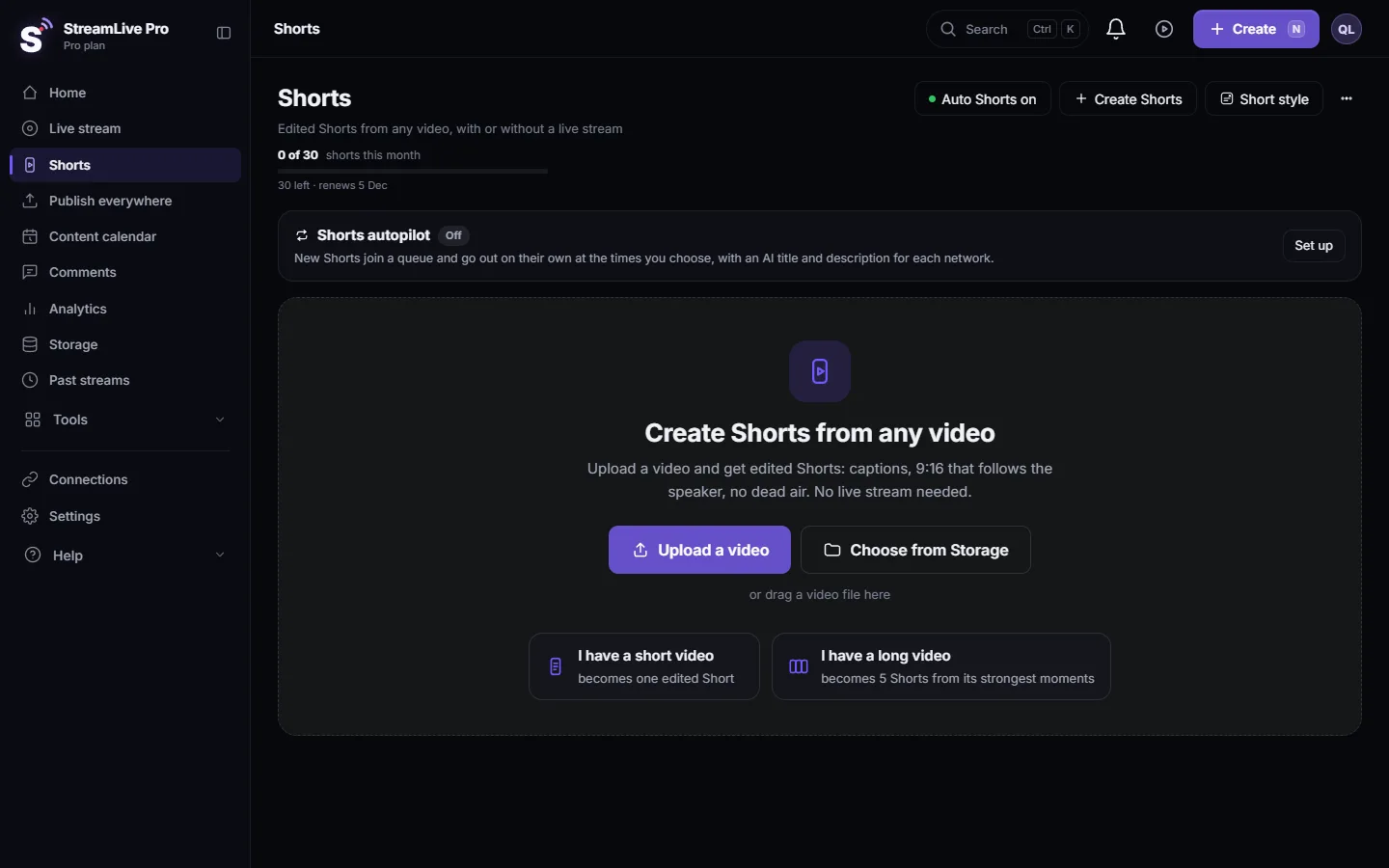
Translate the captions of your Shorts: set a caption language for new Shorts with the Short style button, or translate an existing Short in the editor and export it.
There are two ways. For Shorts that have not been made yet, open the Short style button at the top of the Shorts page and choose a caption language: the next Shorts come out with translated captions burned in, and the original-language version is kept beside each one. For a Short you already have, press Edit on its card, translate it in Translate and subtitles and export it again. Hebrew, Arabic and other right-to-left languages are laid out right to left.
Before you start
- Which way. New Shorts from now on: the Short style button. One existing Short: the editor.
- Plan. How many caption languages one job can burn depends on the plan, with more on Pro and Studio. On a plan without caption translation the Short style button says "Caption translation is available on paid plans." See the /pricing?lang=en.
- Translation in the editor uses translation minutes. Creator and the trial translate into 25 languages; Pro and Studio into all 143 the dashboard offers.
- Check the source captions first. A translation is made from the transcript. A wrong name in the original becomes a wrong name in every language. Fix it first: Edit a Short before you publish it.
Steps
- Open the Shorts page. Choose Shorts in the menu.
- Press Short style. The sheet shows a live 9:16 preview with your logo and a caption line in the chosen look.
- Choose the caption language. "Automatic - the spoken language (recommended)" keeps captions in the language spoken. "Translate to" a language burns the translation instead.
- Check the text direction. Auto follows the language, which is right for most videos. You can force right to left or left to right if a mixed line looks wrong in the preview.
- Press Done. The choice is saved at once and applies to the next Shorts, after a live or from Create Shorts. Shorts that already exist are not changed.
- Review both versions. When translating, the translated Short is the main one and the original is kept beside it. Watch the translated one for names and terms before you publish.
Translate one existing Short
- Press Edit on the Short's card. The Short opens in Translate and subtitles from a clean copy, with its captions already loaded.
- Translate the captions. Choose the target language. Translation is done sentence by sentence, not word by word, so the result reads as text, not as a word list.
- Read the translated lines. Fix any term the translation got wrong; numbers, names and religious or technical terms are the usual ones.
- Export. Burn the translation into the video, or export a caption file (SRT or VTT) if the network takes one. See Export captions as SRT, VTT or ASS.
- Publish or download the export. The export is a new file; the card's original Short is unchanged.
There is also a setting in Settings
The automatic Shorts card in Settings has "Auto translation": "Source language only (default)", "Custom languages per project" or "Account defaults". With custom languages you type the language names, separated by commas. As the hint there says, the change applies to the next Shorts that are processed. If you use the Short style sheet, you do not need to change this too.
Which way to use
| Need | Use | Result |
|---|---|---|
| Every future Short in English, from a Hebrew channel | Short style, Translate to English | Translated Short plus the original beside it |
| One Short for a foreign audience | Edit, translate, export | A new export; the original stays |
| A caption file for YouTube | Editor export as SRT | A caption track you upload to YouTube yourself |
| Several languages at once | Settings, Custom languages | As many languages as the plan allows per job |
What can go wrong
- My old Shorts did not change. The Short style choice applies to new Shorts. Translate old ones with Edit.
- The language is greyed out. Your plan does not include caption translation on Shorts. The sheet says so in one line.
- Punctuation sits on the wrong side. Set the text direction to right to left in the sheet, or check the line in the editor.
- The translation used a wrong term. Fix the source caption first, then translate again, or correct the translated line in the editor.
- The editor stopped with a minutes message. The translation minutes for the month are used up. See /pricing?lang=en.
Related: Automatic Hebrew captions on Shorts, How to translate video subtitles into other languages, How to create Shorts from any video, no live stream needed.
Frequently asked questions
Can a Hebrew Short have English captions?
Yes. Choose Translate to English in the Short style sheet for new Shorts, or open an existing Short with Edit and translate it in the editor.
Is the original-language Short lost when I translate?
No. With the Short style setting, the translated Short is the main one and the original is kept beside it. In the editor the translation is a new export.
Does translating a Short use translation minutes?
Translating in the editor uses translation minutes from your plan, which are counted per month like the Shorts.
How many languages can I translate a Short into?
The editor offers 143 target languages; Creator and the trial use 25 of them, Pro and Studio all. How many languages one automatic Shorts job can burn at once depends on the plan.
Are the captions translated live during the broadcast?
No. Live captions and live translation are not available to viewers during a broadcast. Translation happens on the Shorts and videos after the live.
Keep reading
Open vs closed captions: burned into the picture or sent as a file the viewer can switch off. What each is good for, which networks take which, and how to make both.
A weekly Torah class online: live, Shorts and a podcastHow to run a weekly Torah class online: a weekday live, scheduling ahead, Shorts with Hebrew captions, translation for students abroad and a podcast episode.
How to translate video subtitles into other languagesTranscription vs translation vs dubbing, SRT vs VTT vs burned-in, a workflow that stops errors multiplying, Netflix line-length rules and Hebrew RTL.
Burn captions into a video (hardcoded subtitles)Burn captions into a video in StreamLive Pro: correct the text, pick one of more than 80 designs, and render an MP4 with the captions drawn into the picture.
Want to try it? 7-day trial, no credit card.
Start free