 StreamLive Pro
AI suggestions are paused" or "AI editing is paused
AI help paused or used up for today? What each AI message means in StreamLive Pro, when it comes back, and how to keep working without waiting.
AI help in StreamLive Pro has limits: a daily number of AI suggestions for each plan, a monthly number of AI editing actions in the caption editor, and short pauses that protect the service when AI use is very high. When one of them is reached, the button answers with a message instead of text. Your work is not affected: the text box, the editor and every broadcast keep working, and you can always write or fix the text yourself. Most of these limits come back the next day, some within the hour.
Message, cause and fix
| Message | Cause | When it comes back / what to do |
|---|---|---|
| "You have used today's AI suggestions for your plan. Try again tomorrow or upgrade your plan." | Write with AI on the publish page reached your plan's daily number | Within a day. Write the text yourself meanwhile |
| "You have used today's AI help for this on your plan (...). It resets tomorrow (UTC)." | A daily number for one feature (comment reply suggestions, comment translation, podcast AI help) | Midnight UTC, which is 02:00 or 03:00 in Israel |
| "Free AI help has reached today's limit for free accounts. It is back tomorrow, or right away with a paid plan." | The shared daily AI budget for trial accounts and accounts without an active plan is used | Midnight UTC, or at once on a paid plan |
| "AI suggestions are paused for today. You can still write the text yourself." | The service-wide daily AI budget is reached | Tomorrow |
| "AI help is very busy right now. Try again in a few minutes - you can also write it yourself." | Very high AI use across the service | A few minutes |
| "This feature is paused for a while. Your broadcast continues normally." | A short pause on an AI provider | About 15 minutes; the live is not affected |
| "AI editing is paused for a short while" | The same kind of pause, in the caption editor | About an hour. Manual editing keeps working |
| "Many AI edits in the last hour" | Many AI actions in the editor within one hour | About an hour |
| "This month's AI edits are used up" | The monthly AI editing actions of your plan are used | On your renewal date, shown in the message |
| "The AI could not write right now. Try again in a minute." | A one-off failure | A minute. It does not count toward any limit |
Steps
- Read the exact message. The table above tells you whether it is a daily number, a monthly number or a short pause.
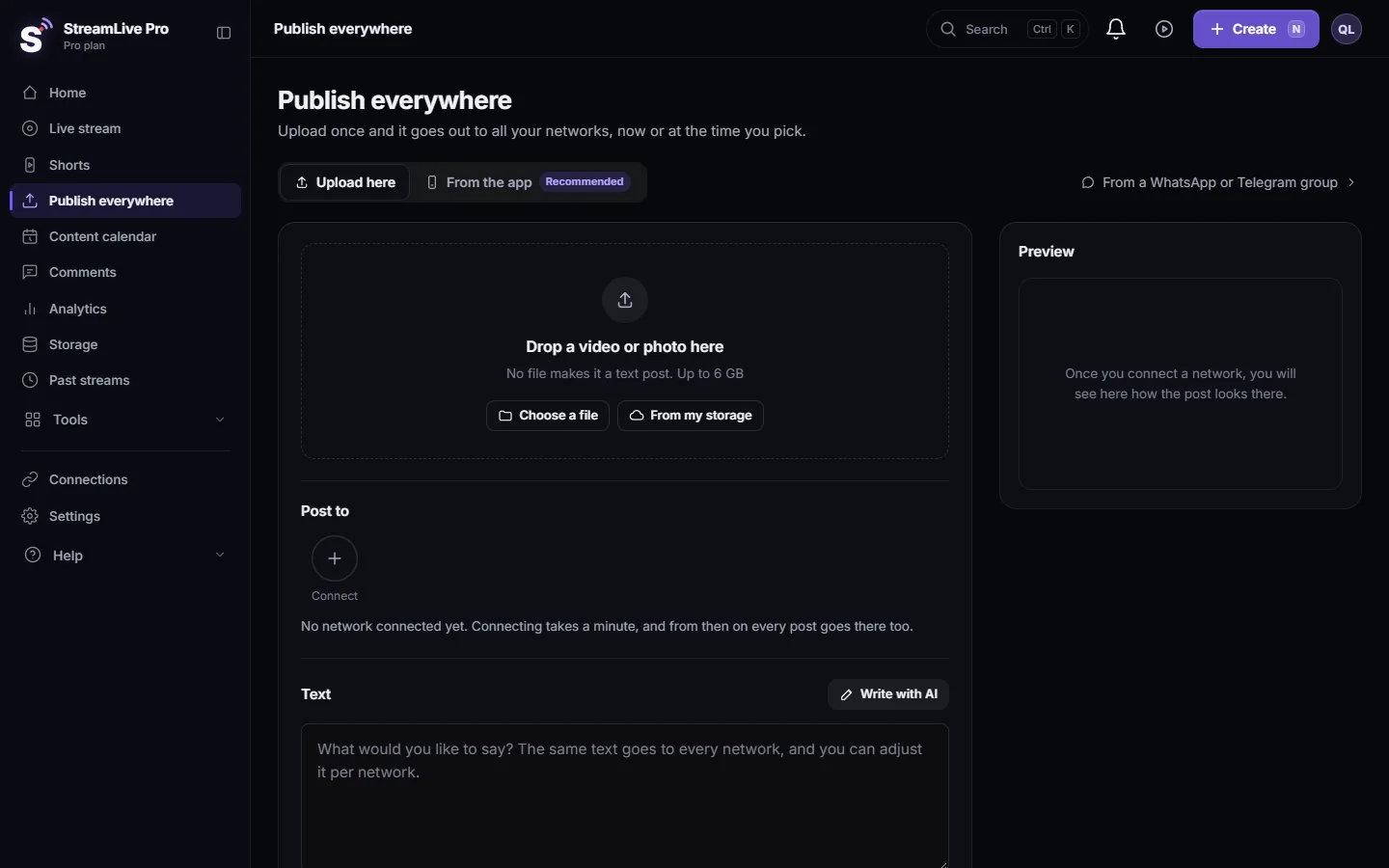
- Keep working by hand. On the Publish everywhere page, type the text yourself; the per-network character counter still works. In the caption editor of Translate and subtitles, edit lines directly; everything you did is saved.
- For a pause, wait and retry once. A few minutes for "very busy", about 15 minutes for "paused for a while", about an hour in the editor. Pressing many times does not help.
- For a daily number, plan around it. Use Write with AI for the posts that need it most, and reuse a good text: duplicate a post from the Content calendar and change it.
- For the trial or a monthly number, check the plan. Pro and Studio have higher daily and monthly numbers than Creator, and the trial has the lowest. See /pricing?lang=en.
- Check it is not a connection problem. If every AI button fails at once and other pages are slow too, reload the dashboard and try again.
What a pause does not affect
- Live broadcasts, recordings and multistreaming keep running.
- Publishing and scheduled posts go out on time.
- Automatic Shorts keep their own allowance. When AI use is very high they can wait in the queue a little longer, but they are not cancelled.
- Manual editing of captions and post text keeps working, and nothing you typed is lost.
When to contact support
Write to [email protected] if the same message stays for more than a day, or you see a daily-limit message the first time you press the button that day. Send the exact message, the page you were on, the time, and your plan.
Related: Write the post text and hashtags with AI, When you reach a limit: what the message means, What the StreamLive Pro 7-day trial includes.
Frequently asked questions
Why are AI suggestions not available?
A limit was reached: your plan's daily number, a monthly number in the editor, or a short pause when AI use is very high. The message says which one.
When do AI suggestions come back?
Daily numbers reset within a day, most at midnight UTC. Short pauses end within minutes to an hour. A monthly number renews on your billing date.
Does a pause stop my live broadcast?
No. The pauses only affect AI text and editing help. Broadcasts and publishing continue.
Do failed AI attempts count toward my limit?
No. Only suggestions that came back count.
Does a higher plan get more AI help?
Yes. Pro and Studio have higher daily and monthly numbers than Creator, and paying accounts are paused less often than trial accounts.
Keep reading
Video upload failed in StreamLive Pro? The file may be over 6 GB, bigger than your free storage, or the upload was cut off. What each message means and the fix.
Another translation is already runningAnother translation is already running? Your plan's limit on parallel translations is reached. How long to wait, what counts as running, and stuck jobs.
My video export failed (Render failed)Render failed when exporting from the StreamLive Pro editor? What each export message means, from the hourly limit to a missing source video, and how to get the file.
This project is open in another tab: which copy winsProject open in another tab, or "This project changed somewhere else"? Why StreamLive Pro warns you, and when to choose Reload latest or Overwrite with mine.
Want to try it? 7-day trial, no credit card.
Start free