 StreamLive Pro
My video export failed (Render failed)
Render failed when exporting from the StreamLive Pro editor? What each export message means, from the hourly limit to a missing source video, and how to get the file.
An export that fails before it starts usually tells you why: too many exports in the last hour, a project that is still processing, a format your plan does not include, or a source video that is no longer stored. An export that starts and then shows "Render failed" stopped on the server; trying again usually works. Exports run on the server, so closing the export window or keeping on editing does not stop them.
Symptom, cause, fix
| What you see | Likely cause | Fix |
|---|---|---|
| "Render rate limit — too many renders this hour. Try again later." | 20 video exports in the last hour | Wait, then export again. Subtitle files (SRT, VTT, TXT) have their own, larger budget |
| "Project not ready", or "The project is still processing. Try again when it is ready." | Transcription or translation has not finished | Wait until the project is ready |
| "This format is not included in your plan" or "Upgrade required" | The format is locked on your plan | Choose MP4 or an included format; see /pricing?lang=en |
| "The original video is no longer stored." | The source file is gone | The source video of my project is no longer stored |
| "Your timeline edits are NOT in this export — it fell back to the original source." | Combining the timeline failed, so the original video was used | Export again; if it repeats, contact support |
| "N timeline item(s) could not be exported and are missing from the file." | Some clips or items on the timeline could not be read | Find the missing items in the file, replace or remove them, export again |
| "Render failed" after the progress bar moved | The render stopped on the server | Export again |
| "The burn failed. Try again, and if it happens again, write to support." | The same, from the subtitle studio | Burn again |
| "The server is busy. Try again in a moment." | Many renders at once | Wait a minute |
| "Render cancelled" | Cancelled in this tab or another one | Export again |
Steps
- Read the message, not only the red bar. The table above tells you which case it is. A message about the plan or the hour will not fix itself on a retry.
- Wait for autosave. Check that the status next to the project name reads All changes saved. An export started a second after a change includes it, but a project that cannot save cannot export its latest state.
- Export again once. Press Export and start the render again. A render that stopped on the server usually succeeds the second time.
- Make the job lighter if it fails again. Export at 1080p instead of 4K, or export a shorter part first to find the clip that breaks it.
- Look for a problem clip. A clip whose file was deleted from Storage, or a nested sequence, cannot be rendered. Remove or replace it.
- Check the result. Play the start, a few cuts and the end of the downloaded file. If items are missing, the warning will have named how many.
What a render does, and why it can stop
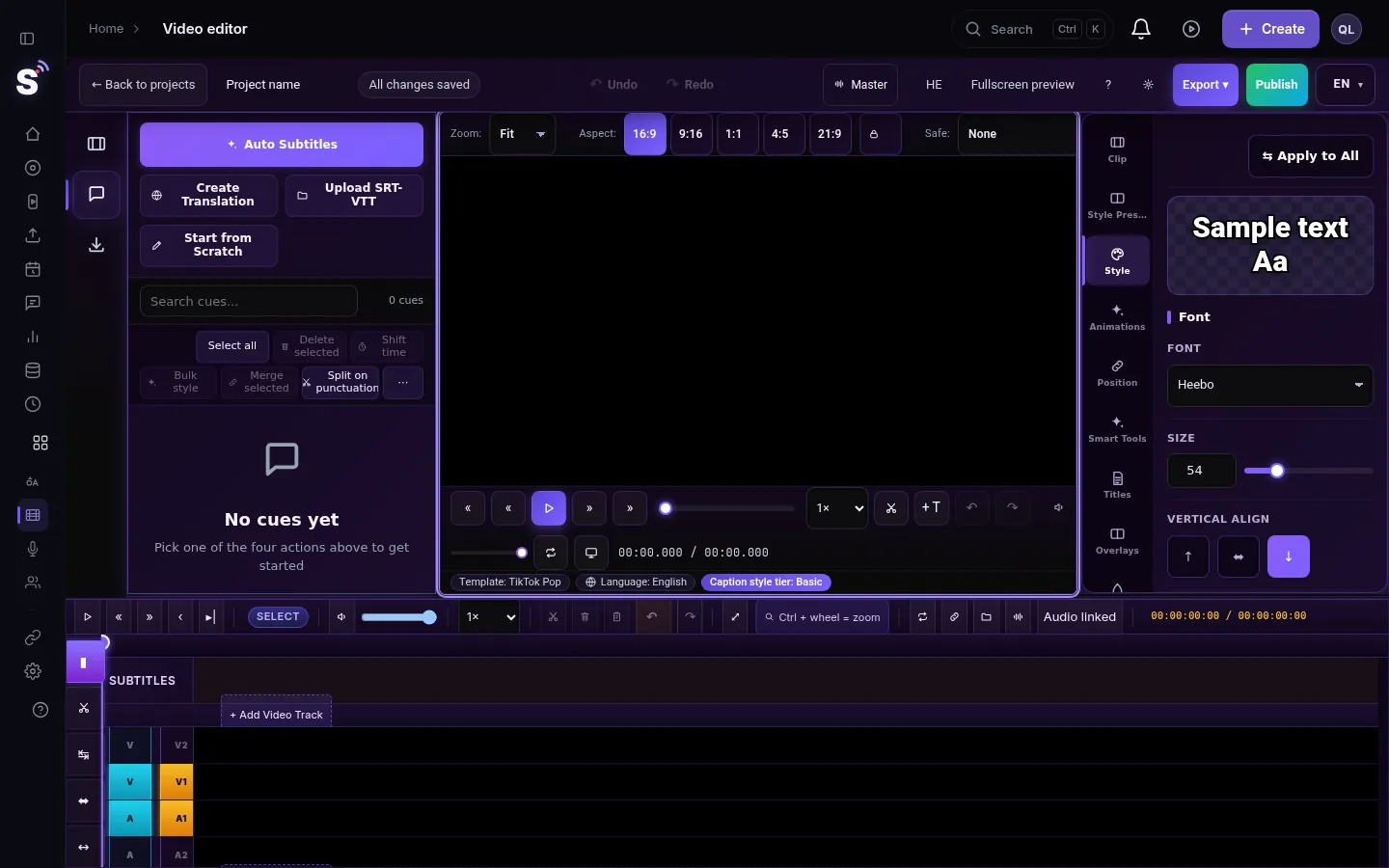
The export is built on the server in several passes: the clips and their speed, the overlays and titles, the captions, and a final encode. Your browser only sends the settings and waits. That is why you can keep editing while it runs, and why a render can stop for reasons that have nothing to do with your computer: a server restart, a source file that cannot be read, or too many renders at the same moment. The export window shows the stage, for example waiting in line or laying out the subtitles.
Limits worth knowing
- MP4 only today. MOV, WebM and GIF appear in the list locked.
- Never above the source. Choosing 4K for a 1080p video gives 1080p. See Export a video in 4K from the editor.
- An hourly budget. 20 video exports an hour per account. Downloading caption files does not use it.
- Trial watermark. Exports made during the 7-day trial carry a small StreamLive Pro watermark.
When to contact support
Write to [email protected] if the same project fails three times in a row with "Render failed", or if the warning says your timeline edits are not in the export. Send the project name, the time of the last attempt, the resolution and format you chose, and a screenshot of the export window.
Related: Exporting from the editor — formats and render settings, Burn captions into a video (hardcoded subtitles), Download a past export again, or export it once more.
Frequently asked questions
Can I close the window while the video exports?
Yes. The render runs on the server. You can close the export window and keep editing.
How many times can I export in an hour?
20 video exports per hour. Subtitle files such as SRT and VTT are counted separately and have a much larger budget.
Why does my export not include my edits?
If the warning says the timeline edits are not in the export, combining the timeline failed and the original video was used. Export again, and contact support if it repeats.
Does a failed export count against anything?
A render that fails does not use translation minutes. It does count toward the hourly export budget when it starts.
Keep reading
Another translation is already running? Your plan's limit on parallel translations is reached. How long to wait, what counts as running, and stuck jobs.
This project is open in another tab: which copy winsProject open in another tab, or "This project changed somewhere else"? Why StreamLive Pro warns you, and when to choose Reload latest or Overwrite with mine.
The source video of my project is no longer storedSource video no longer stored in a subtitle project? What you can still open and download, why it happens, and how to get the captions back onto the video.
Could not parse the subtitle file: fixing an SRT importCould not parse the subtitle file? The editor found no timed lines in your SRT, VTT or ASS. The usual causes, how to check the file in a text editor, and the fix.
Want to try it? 7-day trial, no credit card.
Start free