 StreamLive Pro
Buffer alternative for video posting: Buffer vs StreamLive Pro
Buffer alternative for video posting: networks, scheduling, TikTok, comments, analytics, plus live streaming and Shorts, from Buffer's own pages checked November 2026.
Buffer is a social media scheduler: you connect channels, fill a queue of posts, reply to comments and read insights. It covers text, image and video posts across many networks, with a Free plan for up to 3 channels. StreamLive Pro is built around video: it goes live to several networks, cuts Shorts with captions from the broadcast or from any video, and then posts and schedules them. If you post every kind of content and need a calendar for a team, Buffer is the focused tool. If most of what you post is video that you also make, StreamLive Pro does the making and the posting in one account.
Every fact about Buffer below comes from buffer.com, checked on 5 November 2026 (links in Sources). We did not test Buffer.
The facts side by side
| Feature | Buffer | StreamLive Pro |
|---|---|---|
| What it is | Social media scheduling, engagement and analytics | Live streaming, Shorts, captions, translation and video publishing |
| Plans | Free, Essentials, Team | Creator, Pro, Studio; no free plan; 7-day trial with no credit card |
| Free use | Free plan: 3 channels, 10 scheduled posts per channel at a time, 1 user | 7-day trial, 2 publishing accounts |
| Networks for posting | Instagram, Facebook, TikTok, LinkedIn, X, YouTube (Shorts), Threads, Pinterest, Google Business Profile, Bluesky, Mastodon, Substack | YouTube, Facebook Pages, Instagram, TikTok, LinkedIn, Threads, Bluesky, Mastodon, Telegram, WhatsApp groups, Discord, Slack and more |
| TikTok | Scheduling to TikTok listed; reminder notifications for Instagram, TikTok and YouTube | Posted by a person from the Publish screen; no scheduled or automatic TikTok posts |
| Comments | Community inbox, replies, AI reply suggestions (5 a week on Free) | Comments on posts you published through StreamLive Pro, on networks that allow it; live chat from YouTube and Facebook (with replies), Twitch and Kick (read only) |
| Analytics | Insights (30-day history on Free), reports from Essentials, branded reports on Team | Account analytics for Facebook Pages, Instagram, YouTube, Threads and Twitch; period comparison; best time to post |
| Team | 1 user on Free and Essentials; members without a stated cap, approvals and access levels on Team | Team seats by plan; see the pricing page |
| Making the video | Custom video covers (Essentials and Team) | Browser live studio, automatic Shorts with captions, video editor, translation |
| Live streaming | Not mentioned on the pages we checked | One live to several networks at once |
| Posting from a chat | Not mentioned on the pages we checked | Post from a WhatsApp or Telegram group (Pro, Studio and the trial) |
Where Buffer is the better choice
- All kinds of posts, not only video. Text, images, links and threads from one queue, across many networks, including Pinterest, Google Business Profile and Substack.
- Scheduling to TikTok. Buffer lists TikTok among its scheduling destinations. StreamLive Pro does not schedule TikTok: you post there by hand.
- A free start. Up to 3 channels on the Free plan, with posts that refill as they publish.
- Teams with approvals. The Team plan has approval workflows, access levels and branded reports.
- Engagement tools. A community inbox with AI reply suggestions and saved replies on every plan. StreamLive Pro's comment tools are narrower, and its smart replies are not switched on for customers.
Where StreamLive Pro is the better choice
- The video is made here too. Go live once to YouTube, Facebook Pages, Instagram, TikTok, X, LinkedIn, Twitch and Kick, and when the broadcast ends up to 5 vertical Shorts are cut with captions. Upload any long video and get Shorts from it as well: How to turn a live stream into Shorts.
- One step from Short to calendar. The Shorts page can schedule all Shorts of a video, one a day by default, with Undo: Publish all your Shorts at once. Each scheduled item appears in the Content calendar: Use the Content calendar for posts and lives.
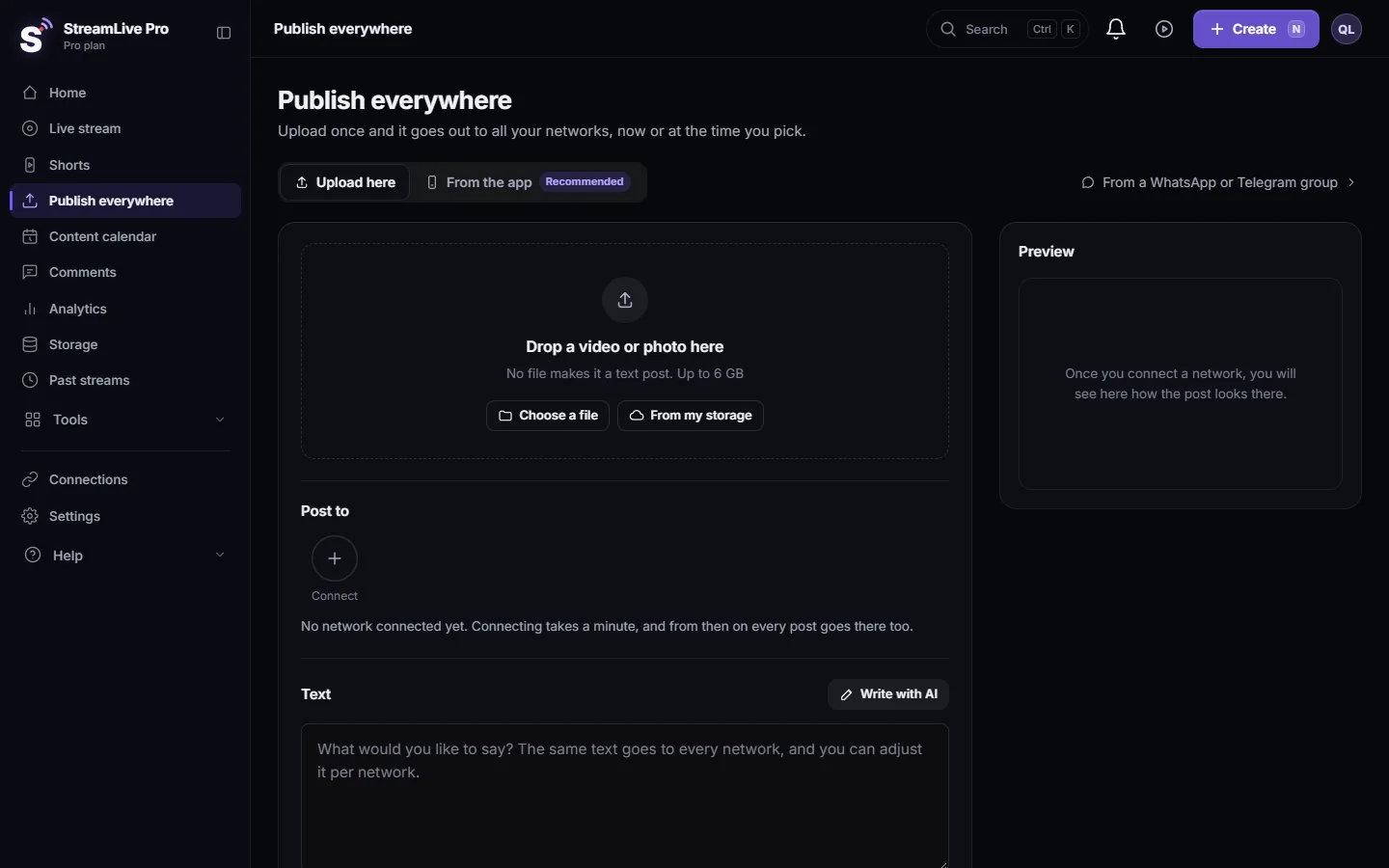
- Text adapted per network from one upload: Adjust the post for each network.
- Captions in Hebrew and translation. Hebrew captions are written right to left; captions can be translated into 143 languages on Pro and Studio, 25 on Creator.
- Posting from WhatsApp or Telegram. Send a video to your own group and it goes to the networks you chose for that group: Post to every network from a WhatsApp or Telegram group.
Honest limits: no free plan; TikTok by hand only; the comments inbox covers fewer networks than a dedicated tool; no posting to Google Business Profile or Substack.
Using both together
Some teams split the work: StreamLive Pro makes the live, the Shorts and the captions, and posts video to the networks it covers; Buffer keeps the text and image calendar and the networks StreamLive Pro does not post to. A Short downloaded as MP4 can be uploaded to any scheduler: Download a Short as an MP4 file.
How to choose
- You post every kind of content, often as a team, and want TikTok on a schedule: Buffer.
- Most of what you post is video you make yourselves, from lives or recordings: StreamLive Pro, starting with the 7-day trial.
Plans and prices: pricing. Related: Hootsuite alternative for creators: vs StreamLive Pro, Schedule social media posts to several networks at once, Find your best time to post from your own results.
How we checked
On 5 November 2026 we read Buffer's pricing page and its home page, and copied the facts as they appeared. The networks list comes from Buffer's home page. Where a capability was not on those pages we wrote "not mentioned on the pages we checked", which does not mean Buffer lacks it. We did not test Buffer. StreamLive Pro facts come from our own product.
Sources
- Buffer pricing, checked 5 November 2026: buffer.com/pricing
- Buffer home page (scheduling networks), checked 5 November 2026: buffer.com
Frequently asked questions
Is StreamLive Pro a Buffer alternative?
For video you make yourselves, from lives and recordings, yes: it makes the Shorts and posts them. For a calendar of every kind of post, or TikTok on a schedule, Buffer covers more.
Can StreamLive Pro schedule TikTok posts?
No. TikTok posts are made by a person from the Publish screen. Scheduled and automatic TikTok posts are refused.
Does Buffer live stream?
We did not find live streaming on the Buffer pages we checked. StreamLive Pro goes live to several networks at once.
Does Buffer have a free plan?
Yes, according to its pricing page: 3 channels and 10 scheduled posts per channel at a time. StreamLive Pro has a 7-day trial and no free plan.
Can I post Shorts from StreamLive Pro to YouTube, Instagram and Facebook on a schedule?
Yes. Schedule them from the Publish screen or from the Shorts page. Only TikTok is left out of schedules.
Keep reading
How to live stream a product launch: announce it ahead, live demo or a pre-recorded video at a set time, questions from the chat, and Shorts that keep selling after.
Hootsuite alternative for creators: vs StreamLive ProHootsuite alternative for video creators: plans, trial, networks, inbox, analytics and AI, vs live streaming and Shorts, from Hootsuite's pages checked November 2026.
StreamLive Pro dashboard tour: where everything isA tour of the StreamLive Pro dashboard: what each menu item does, where Billing, Settings and the tools live, and the fastest way to find a screen.
Live streaming for small business: a practical guideLive streaming for a small business: which live formats sell, which networks to pick, a weekly routine, and turning each live into a week of Shorts and posts.
Want to try it? 7-day trial, no credit card.
Start free