 StreamLive Pro
Live streaming software: how to choose
A browser studio, an installed app or an encoder box: a table to help you pick, and what StreamLive Pro does today compared with what its desktop app, not yet released, will add.
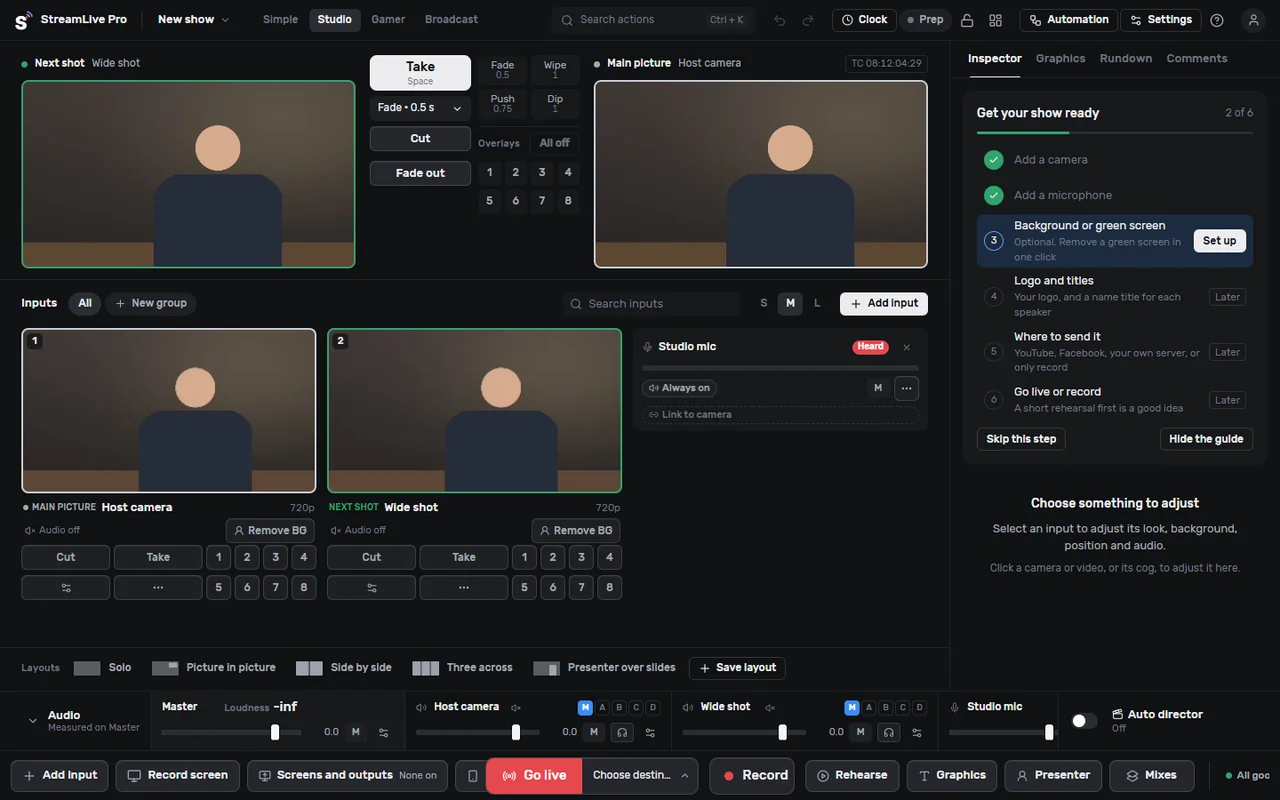
"Live streaming software" covers three different kinds of tool, and the right one depends less on features than on your computer, your upload speed and how many cameras you have.
Three kinds of live streaming software
1. A studio that runs in the browser. You open a web page, allow the camera and microphone, and go live. Nothing to install or update. Guests join from a link. The production happens in the tab; the delivery to networks happens on the service's servers. StreamLive Pro's browser studio is this kind, as are StreamYard and Restream's studio.
2. Installed software on your computer. OBS Studio, vMix and Streamlabs are the familiar names. They give you deep control of scenes and sources, work with capture cards and many cameras, and record locally. They use your computer's processor and graphics card for the mixing and encoding, and you maintain them yourself: updates, plugins, settings.
3. A hardware encoder. A box that takes a camera's HDMI or SDI signal and sends a stream over the network. No computer needed at the venue. Many are limited to one job: little or no graphics, no remote guests, no switching between cameras.
These kinds combine. For example: installed software or a hardware encoder for the picture, sending one stream to a cloud service that delivers it to every network.
Which kind fits you
| Your situation | Usually the best fit |
|---|---|
| One or two cameras, guests joining remotely, no technical staff | Browser studio |
| You already have OBS or vMix scenes you like | Keep them, send one stream to a cloud service for the networks |
| Several wired cameras, a capture card, PTZ cameras | Installed software (today: OBS or vMix) |
| A fixed camera in a hall that streams every week with nobody operating it | Hardware encoder or a scheduled stream |
| A weak laptop | Browser studio with one camera, or a hardware encoder |
| A Mac and you wanted vMix | vMix is Windows only; see the options below |
What StreamLive Pro is today
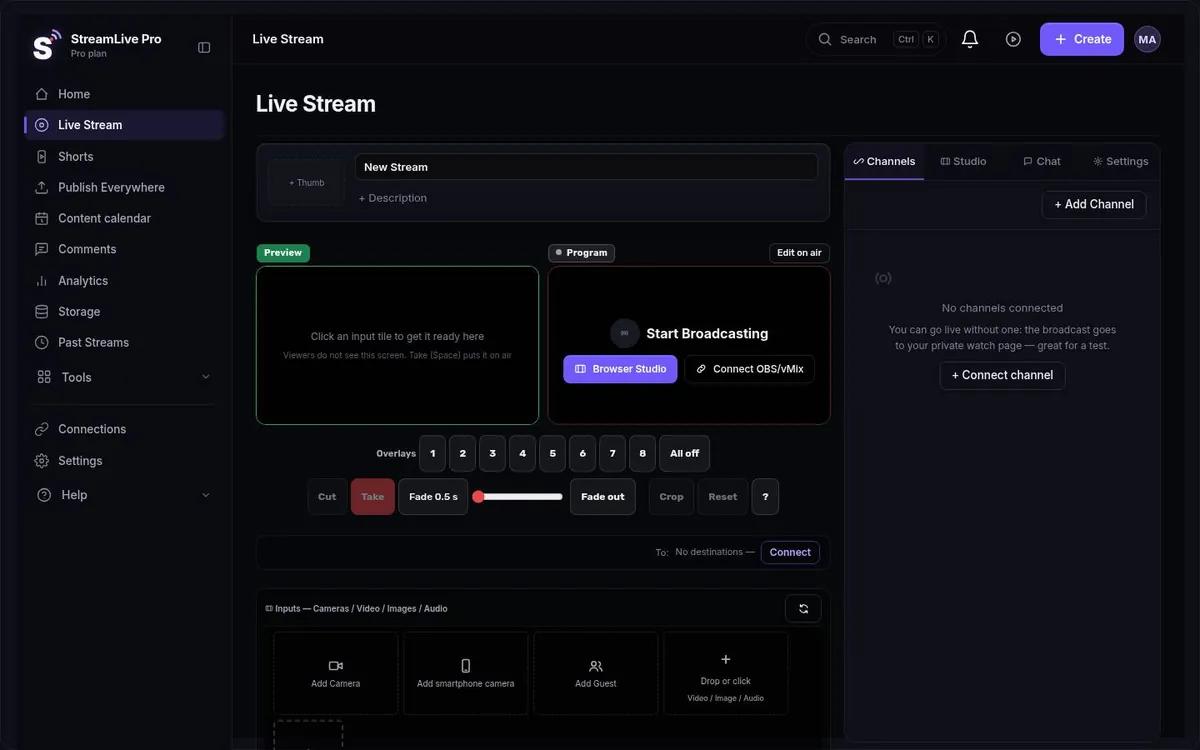
StreamLive Pro is a web system. Today you can go live in three ways:
- The browser studio. Several cameras with Preview and Take, a phone as an extra camera, screen share, green screen, virtual background, logo and 8 overlay channels, lower thirds, a news ticker, remote guests by link, and safe-frame guides for 16:9, 9:16 and 1:1.
- Your phone. Through the phone's browser today; iPhone and Android apps are coming to the App Store and Google Play.
- Your own software. OBS, vMix, Streamlabs, or a hardware encoder that can send to a custom address, pointed at your StreamLive Pro RTMP, RTMPS or SRT address and key. This opens on a paid plan, not in the trial. Setup: use OBS or vMix with RTMP.
Whichever way you send it, your machine uploads one stream and our servers deliver it to YouTube, Facebook, Instagram, TikTok, X, LinkedIn, Twitch, Kick and any RTMP or SRT server. That part is described on the multistream page.
Live streaming software for YouTube and Facebook
If what you need is to reach YouTube and Facebook together, the software choice matters less than the delivery. OBS alone sends to one service; reaching two means a plugin that uploads twice, or a relay. With StreamLive Pro you connect both channels once, and any of the three ways above reaches both. YouTube and Facebook comments come into one panel, and you can reply to both from there.
The desktop app: StreamLive Pro Studio (coming soon)
We are building an installed app for Windows and Mac, StreamLive Pro Studio. Version 0.5.0 exists and is being tested, but it is not downloadable yet: we are waiting for signed installers, and the Mac build of 0.5.0 is still in testing. It will be free with a free account; the cloud features (multistream, Shorts) come with a paid plan.
What 0.5.0 contains:
- Preview and Program with Take, Cut, transitions and a T-bar
- 8 overlay channels; titles in Hebrew, English and Arabic
- Green screen on any input; an audio mixer with loudness meters
- Separate local recording of the program and of each camera (MP4 or MKV)
- GPU encoding on NVIDIA, AMD, Intel and Apple
- PTZ camera control (VISCA over IP, Panasonic, ONVIF), NDI and IP cameras found on the network
- Each input of a multi-channel sound card as its own source; RNNoise noise suppression (about 10 ms delay)
- Simple, Studio and Broadcast modes
Not in 0.5.0: remote guests are built but switched off, and live caption translation is planned, not released. Requirements: Windows 10 or 11, 64-bit, with a DirectX 12 graphics card; macOS 13 or later, tested on Apple silicon, not tested on Intel Macs. In an October 2026 test it recorded 30 minutes of program plus separate camera files with 0 dropped frames. Status and updates: /desktop.
Until it ships, if you need an installed switcher, use OBS or vMix and send their output to us. The comparison guides StreamLive Pro Studio vs OBS and StreamLive Pro Studio vs vMix compare the coming app with each of them.
Questions to ask before you choose
- What is your upload speed? Measure it at the place you will stream from. If you want several networks, a cloud fan-out keeps the need to one stream.
- How many cameras, and how are they connected? Webcams and phones suit a browser studio. Several HDMI or SDI cameras need a capture card and installed software.
- Do guests join from home? A browser studio with invite links is the simplest route.
- Who operates it? A volunteer at a community hall needs fewer buttons than a producer.
- Windows or Mac? vMix runs only on Windows. OBS runs on both.
- What happens after the broadcast? With StreamLive Pro Shorts are cut automatically, and the full recording stays in the cloud if you pressed Record (otherwise it is removed about two hours after the broadcast) (AI Shorts); captions and translation are applied to the recording (auto captions). Installed software leaves you with a file on your disk.
What StreamLive Pro does not do today
- No downloadable desktop app yet (above).
- No captions or translation visible to viewers during the live broadcast; this is in development.
- Your own encoder (OBS, vMix) is not part of the trial; the trial is the browser studio only.
- No free plan.
- OBS is free and open source, with a large plugin ecosystem. If you need a specific plugin or complete local control, OBS stays the better production tool, and you can still send its output to us. See StreamLive Pro vs OBS.
Pricing
Plans differ in destinations at once (3, 6 or 20), live hours a month (30, 100 or 300) and Shorts a month (10, 30 or 300). The Creator plan is $29 a month, Pro $85, Studio $199. 7-day trial, no credit card. The trial never turns into a paid plan by itself. Details: pricing.
No credit card. The trial never turns into a paid plan by itself.
Start a 7-day trialFrequently asked questions
Does StreamLive Pro have downloadable software?
Not yet. The desktop app, StreamLive Pro Studio 0.5.0, is in testing and waiting for signed installers. Today you go live from the browser studio, your phone, or OBS and vMix sending to us.
What live streaming software works for YouTube and Facebook together?
Any software that sends one stream to a service that delivers it to both. With StreamLive Pro you connect both channels once and go live from the browser, your phone or OBS.
Is a browser studio better than OBS?
A browser studio is easier when nobody technical is around and guests join remotely. OBS is better with capture cards, many cameras or plugins. You can combine them: OBS makes the picture and sends it to us.
Will the desktop app run on a Mac?
The Mac build is still in testing. It needs macOS 13 or later and has been tested on Apple silicon, not on Intel Macs. The browser studio already works on a Mac today.
How much will the desktop app cost?
It will be free with a free account. Multistreaming and Shorts come with a paid plan, as they do on the website.