 StreamLive Pro
Live streaming for newsrooms, from the field to the Shorts
A reporter with a phone, one stream that reaches every network, and captioned Shorts when it ends. Here is how it works, and what to know before you rely on it on a big story.
A small newsroom has the same problem every day. Something happens, a reporter is there with a phone, and the story needs to be live on YouTube, Facebook and the site's other channels within minutes, then cut into short vertical clips while people are still searching for it. StreamLive Pro is built for that sequence. Below are the steps, including the parts that need a human and the limits to know in advance.
Breaking news live from a phone
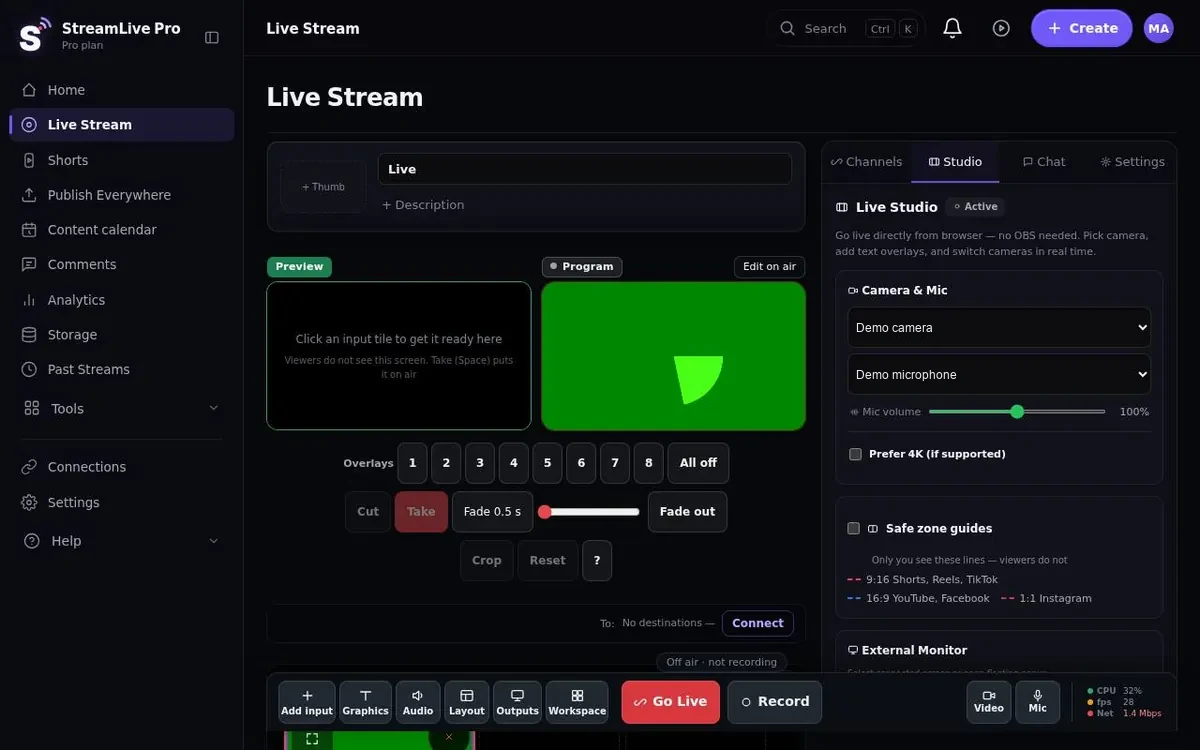
The reporter opens StreamLive Pro in the phone's browser, signs in, and goes live. Our iPhone and Android apps are coming to the App Store and Google Play; today you work from the phone browser. Before going on air, the 10-second camera check shows that picture and sound are arriving, which saves the classic first minute of a live report with no audio. See going live from your phone.
If the desk wants to produce the report rather than pass it straight through, the reporter's phone can join the browser studio as a camera instead, through a link that opens in its browser. The producer puts the shot on air with Preview and Take alongside the studio camera, a screen share of a map, or a second reporter. See phone as a camera.
One stream, every network
The live report goes to all your destinations at once: YouTube, Facebook, Instagram, TikTok, X, LinkedIn, Twitch, Kick, and any RTMP or SRT server, such as a partner site's player. How many at once depends on the plan: 3, 6 or 20. The reporter's phone uploads one stream; the copies are made on our servers, so a weak mobile connection is not asked to carry five streams. More on multistreaming, and on the numbers in upload speed and bitrate for multistreaming.
Instagram and TikTok LIVE go through the stream key those networks give your account. TikTok and Instagram decide who gets one; we cannot issue it. The key changes for every live, and Instagram's is copied on a computer, so in a breaking story these networks do not come up with one tap. X keys also change between sessions, and LinkedIn needs its approval first. On Facebook you stream to a Page you manage, not a personal profile, and on YouTube the first activation of live streaming can take up to 24 hours. Check all of this before the day you need it: Instagram and TikTok stream keys.
Studios with a hardware switcher, OBS or vMix can send their program to a StreamLive Pro address and key over RTMP, RTMPS or SRT on a paid plan, and get the same distribution, recording and Shorts.
The look of a news broadcast
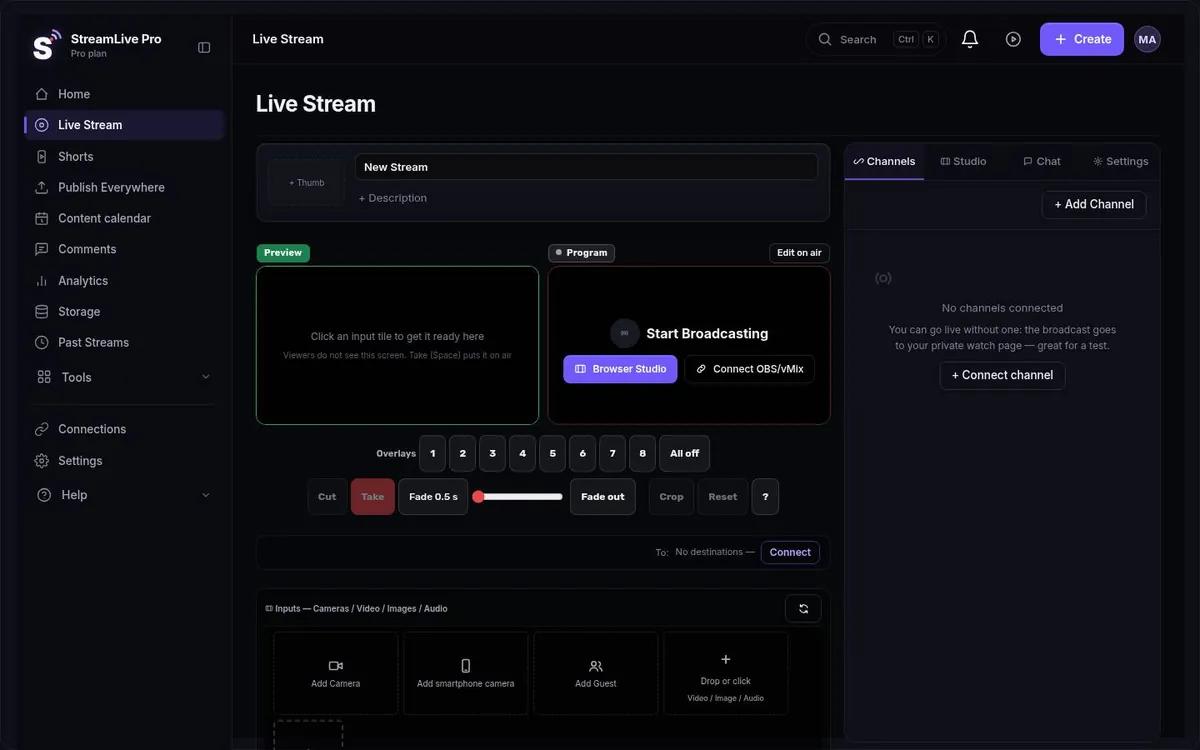
The browser studio has what a news desk uses on screen: lower thirds with the reporter's name and location, a news ticker, a logo, and 8 overlay channels you can switch on and off during the broadcast. Safe-frame guides for 16:9, 9:16 and 1:1 show what will survive when the same broadcast is watched on a phone. Save the whole studio setup once (cameras, graphics, destinations) and restore it in one click when the next story breaks. See lower thirds for live streams.
Shorts while the story is still moving
When the broadcast ends, vertical 9:16 Shorts are cut automatically, reframed to follow whoever is speaking, with captions and a thumbnail. A 20-minute live report becomes several clips without an editor finding the moments first. One Short usually takes a few minutes, and a set of five from a long video can take about 20 minutes. You can also upload footage that was never live, from a reporter's phone or a press conference recording, and get Shorts from it. Shorts per month by plan: 10, 30 or 300.
Two cautions that matter more in news than anywhere else. The AI chooses the moments, and it does not know what is newsworthy or what is legally sensitive; an editor should look at every clip before it goes out. And automatic captions can mishear names of people and places, which in a news clip means publishing a correction. Read the captions before publishing.
Hebrew captions run right to left with punctuation and numbers on the correct side, and captions can be translated into 120+ languages (120, 500 or 1,500 minutes a month by plan) for audiences in other languages. Translation is not available during the live broadcast itself; live captions and translation are in development, and there is no dubbing.

Publishing on a schedule, and from the field
After the broadcast, a finished video or Short is uploaded once, the text is adjusted per network, and it is published now or at a scheduled time to the accounts you connected on YouTube, Facebook Pages, Instagram, TikTok, Telegram and WhatsApp (publishing to social networks). Comments from connected networks arrive in one inbox, and analytics show results across networks in one place.
On Pro and Studio, a field reporter who only has WhatsApp open can send a video into a connected WhatsApp or Telegram group, and it can be published from there to your connected accounts.
During the live broadcast, YouTube and Facebook comments arrive in one panel and you can reply to both. Comments from other networks do not appear there, so if your audience is mostly on X or TikTok, its comments will not show in that panel.
A desk, not one person
News is team work. Invite editors and producers to the account as team members, so one person runs the live, another reviews Shorts, and a third schedules posts. The number of team seats comes with the plan; see the pricing page. You can also schedule a planned broadcast in advance, such as a weekly briefing, and on Pro and Studio broadcast a pre-recorded video as live.
To keep a broadcast for the archive, press Record. A broadcast without a recording is removed about two hours after it ends, once its Shorts are cut. On Pro and Studio recording can be in 4K.
If your team already works in ChatGPT or Claude, StreamLive Pro connects to both through an MCP server on every plan: you can schedule a live and fetch Shorts and results from the chat.
What to know before you rely on it
- No SLA on standard plans. Creator, Pro and Studio do not come with a service-level agreement. A newsroom that needs contractual uptime should talk to us about Enterprise, which is arranged individually.
- It depends on the internet. A cloud service cannot help when the reporter has no signal. Plan a fallback: record locally on the phone and upload later.
- Chat is two networks. The unified chat covers YouTube and Facebook only.
Pricing and the trial
There is no free plan. The 7-day trial needs no credit card and does not turn into a paid plan by itself. It covers the browser studio (not external encoders), up to 2 destinations, 2 lives of up to 60 minutes, and 10 Shorts with a small watermark. Plans start at $29 a month; for a desk with several people, compare Pro and Studio on the pricing page.
No credit card. The trial never turns into a paid plan by itself.
Start a 7-day trialMore: the browser studio, AI Shorts, and the live stream checklist.
Frequently asked questions
Can a reporter go live with just a phone?
Yes. Open StreamLive Pro in the phone's browser and go live to every network you connected. The phone uploads one stream and the copies are made on our servers.
Are there lower thirds and a news ticker?
Yes, in the browser studio, along with a logo and 8 overlay channels you switch on and off during the broadcast.
Is there an uptime SLA?
Not on the standard plans. If you need a contractual commitment, talk to us about Enterprise.
Can Shorts go out without review?
Technically yes, but do not do it. The choice of moments is automatic and captions can get names wrong, so an editor should check every clip.
How many editors can work on the account?
The number of team seats comes with the plan and is listed on the pricing page.