 StreamLive Pro
Keyboard shortcuts in the video editor
Every keyboard shortcut of the StreamLive Pro video editor that works today: play, split, delete, nudge, markers, speed, captions, zoom, and the keys that do not.
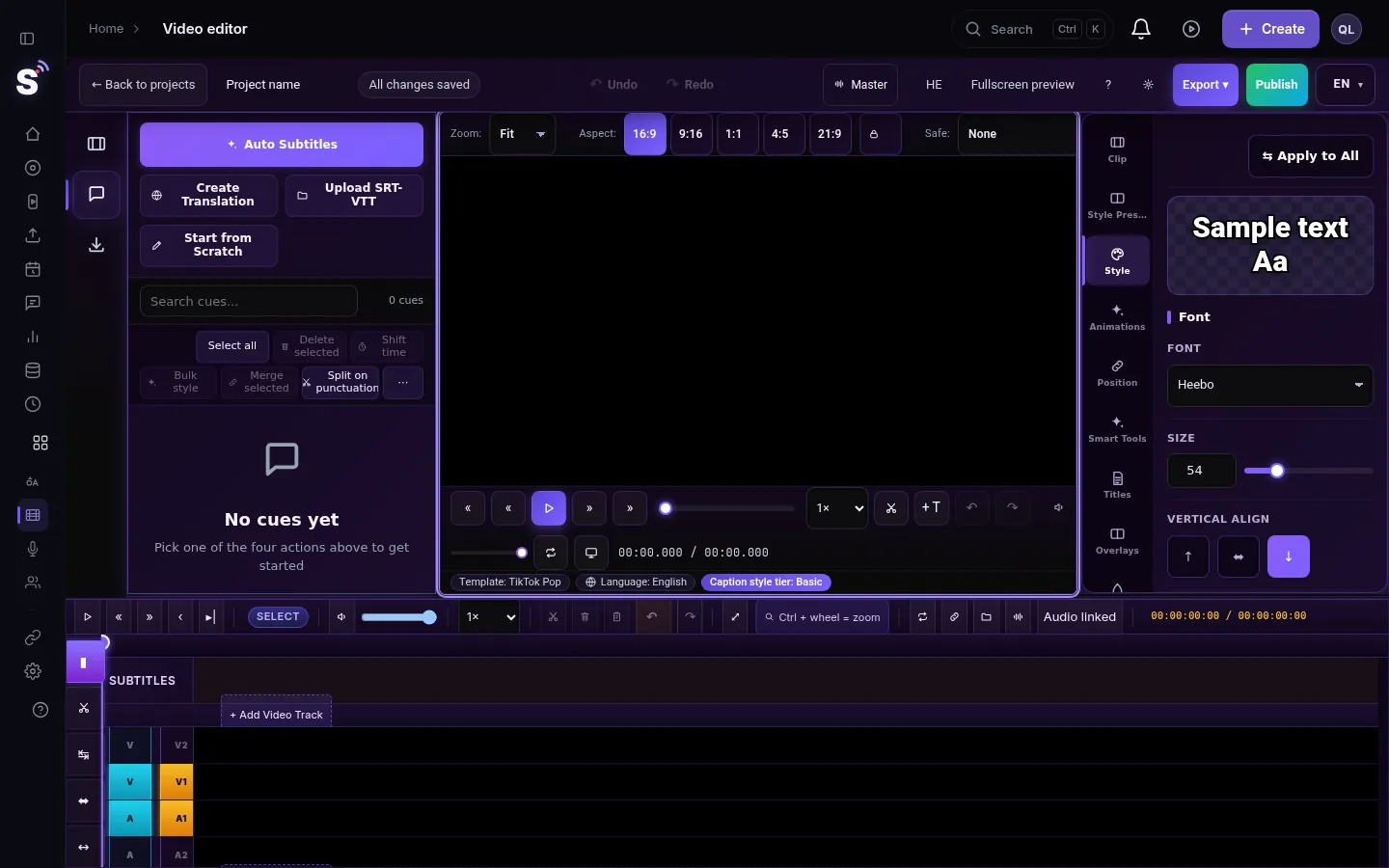
The StreamLive Pro video editor follows the keys editors know from Premiere: Space to play, J and L to move back and forward, S to split, Delete to remove. This page lists the shortcuts that work in the editor today, grouped by task. Press ? in the editor to see the list on screen. On a Mac, Cmd works wherever Ctrl is listed, and letter keys work on a Hebrew keyboard layout too, because the editor reads the physical key.
Before you start
- Click the timeline or the preview first. Shortcuts do not fire while you are typing in a text box, such as a caption or a title. Ctrl+S, Ctrl+Z and Ctrl+Y work there too.
- A selected clip changes some keys. With a clip selected on the timeline, S, Delete, Ctrl+D and the arrows act on the clip. With nothing selected, they act on the playhead or on the active caption.
- Open the editor. In the menu choose Video editor.
Playback
| Key | What it does |
|---|---|
| Space | Play or pause |
| K | Pause |
| J | Jump 2 seconds back; tap again quickly to go further back |
| L | Jump 2 seconds forward; tap again quickly to go further |
| Left / Right arrow | One frame back or forward (with no clip selected) |
| Shift+Left / Shift+Right | One second back or forward |
| Home / End | Go to the start or the end |
| Shift+Up / Shift+Down | Preview volume up or down |
Editing clips
| Key | What it does |
|---|---|
| S | Split the selected clip at the playhead |
| Shift+S | Split every track at the playhead |
| Delete or Backspace | Remove the selected clips and leave a gap |
| Shift+Delete | Remove the selected clip and close the gap |
| Left / Right arrow | Nudge the selected clip one frame; with Shift, five frames |
| Ctrl+C / Ctrl+X / Ctrl+V | Copy, cut and paste the selected clips |
| Ctrl+D | Duplicate the selected clip |
| Ctrl+G / Ctrl+Shift+G | Group or ungroup the selected clips |
| Ctrl+R | Open Speed / Duration for the selected clip |
| V | Selection tool |
| C | Razor tool: click a clip to cut it there |
| I / O | Set the In point and the Out point |
Undo and saving
| Key | What it does |
|---|---|
| Ctrl+Z | Undo |
| Ctrl+Y or Ctrl+Shift+Z | Redo |
| Ctrl+S | Save now (the editor also saves by itself) |
Captions
| Key | What it does |
|---|---|
| Up / Down arrow | Previous or next caption |
| F2 | Edit the text of the active caption |
| Ctrl+F | Find in the captions |
| Ctrl+G | Go to a caption by its number (with no clip selected) |
| Ctrl+Home / Ctrl+End | First or last caption |
| PageUp / PageDown | Ten captions up or down the list |
| [ / ] | Move the captions 50 milliseconds earlier or later |
| Shift+[ / Shift+] | Move the captions 200 milliseconds earlier or later |
| S | Split the caption at the playhead (with no clip selected) |
| Delete | Delete the active caption (with no clip selected) |
| Ctrl+D | Duplicate the active caption (with no clip selected) |
Timeline and markers
| Key | What it does |
|---|---|
| M | Add a marker at the playhead |
| Shift+M | Go to the next marker |
| Ctrl+Shift+M | Go to the previous marker |
| Shift+N | Snap on or off |
| + / - | Zoom the timeline in or out |
| F | Fit the whole timeline in the window |
| ? | Show the shortcuts list |
| Esc | Close a window, the search or full screen |
Keys that look like they should work but do not
- Ctrl+K to split. In Chrome, Ctrl+K is taken by the browser and never reaches the page. Use S. Some older lists inside the editor still show Ctrl+K; S is the key that works.
- Ctrl+D for a transition. Ctrl+D duplicates. Transitions are added from the right-click menu of a clip; see Fade in, fade out and dissolves in the video editor.
- Ctrl+B, Ctrl+I, Ctrl+U for bold, italic or underline in captions, Ctrl+T, Ctrl+P. These have no action in the editor and are left to the browser.
Related pages
- How splitting and trimming work: Cut and split clips in the editor
- Markers, snapping and looping: Markers, snapping and looping on the editor timeline
- Undo history and autosave: Undo, history and autosave in the video editor
- Shortcuts of the live studio: Keyboard shortcuts in the browser studio
Frequently asked questions
What is the shortcut to split a clip in the editor?
S splits the selected clip at the playhead. Shift+S splits every track at once. Ctrl+K does not work in Chrome, because the browser takes it.
Do the shortcuts work on a Mac?
Yes. Use Cmd where the list says Ctrl. Single keys such as S, M and J are the same.
Why do my shortcuts not work?
Most likely the cursor is in a text box, such as a caption or a title. Click an empty part of the timeline and try again.
How do I see the shortcuts inside the editor?
Press ? while the editor is open. A window lists the keys in Hebrew and English.
Keep reading
Open vs closed captions: burned into the picture or sent as a file the viewer can switch off. What each is good for, which networks take which, and how to make both.
What is B-roll? Cutaway footage explainedWhat is B-roll: cutaway footage laid over a speaker to show what they talk about. A-roll vs B-roll, when it helps a Short, and how StreamLive Pro adds it.
Live streaming glossary: the terms you will meetA live streaming glossary in plain words: stream key, RTMP, SRT, bitrate, multistream, Preview and Program, ISO, captions, reframe. Where each shows up in StreamLive Pro.
Turn a podcast episode into Shorts with captionsTurn a podcast episode into vertical Shorts: pick the recording in Shorts, get up to 5 captioned clips that follow the speaker, check them and publish to every network.
Want to try it? 7-day trial, no credit card.
Start free