 StreamLive Pro
My scheduled live did not start
Your scheduled live did not start, or started without some channels? Read the notice you got, match it in the table, and fix the cause before the next slot.
The most likely reason a scheduled live did not start is the source. A broadcast from a pre-recorded video starts by itself, but a broadcast from OBS or another encoder needs the encoder to be streaming, and a broadcast from the browser studio or the phone waits until the camera is actually sending. Nothing is broken in those cases: StreamLive Pro is waiting for your picture. The next most likely reasons are a channel whose connection died before the slot, and a plan that was not active at the time.
When a scheduled broadcast fails, StreamLive Pro tells you why in the bell. The notice is titled "Scheduled broadcast did not start", and its message names the cause. In the Content calendar the broadcast is marked Failed or Did not air.
Symptom table
| What you see | Likely cause | Fix |
|---|---|---|
| Nothing happened at the time, no notice | An OBS or encoder broadcast and the encoder was not started, or a camera broadcast waiting for the camera | Start the encoder with this broadcast's key, or open the camera from the reminder |
| "...did not start because your plan is not active" | The trial or the paid plan had ended at the time | Renew the plan under Billing, then schedule again |
| "Broadcasting a pre-recorded video is not included in your plan" | A pre-recorded broadcast on Creator | Pre-recorded broadcasts are on the trial, Pro and Studio; see the pricing page |
| "The video file for this broadcast was not found (it may have been deleted)" | The video was deleted from Storage after scheduling | Pick another video and schedule again |
| "The selected video cannot be broadcast" | The source is not a video from your library | Choose a video from your library and schedule again |
| "The broadcast did not go live because this channel is not connected" | Every chosen channel failed, usually an expired connection | Reconnect the named channel, then schedule again |
| "Some channels did not go live" | The broadcast is on air, but the named channels failed | Reconnect them; the rest of the broadcast carries on |
| Live on everything except Instagram or TikTok | Their key works for one session and was old | Paste a fresh key before the slot |
| It went live at the wrong hour | The time was set in another time zone | The time is in the browser's time zone shown next to the field |
Steps
- Read the notice in the bell. A failed scheduled broadcast sends one that names the cause and, for channels, which one and why. Match it in the table above.
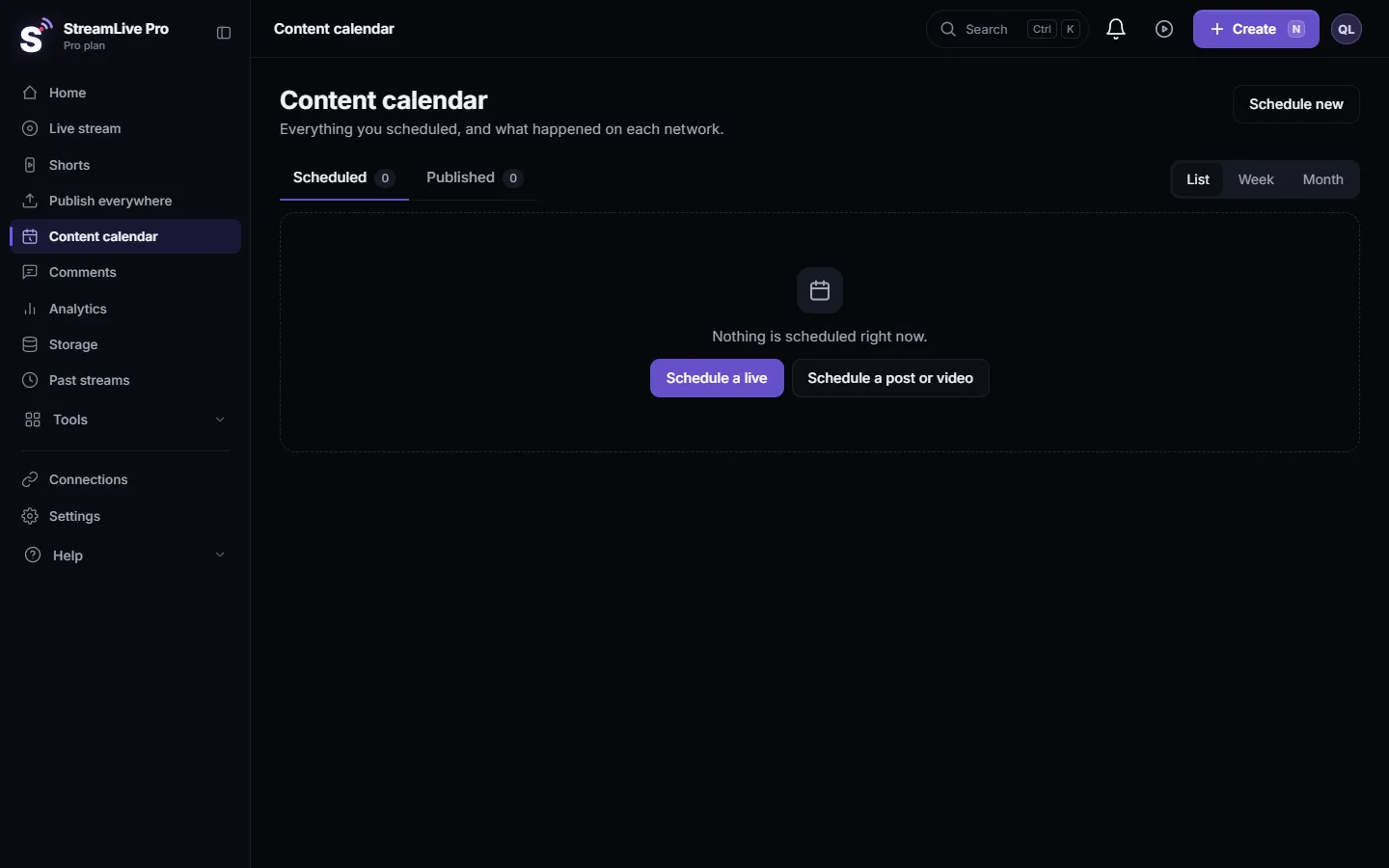
- Open the broadcast in the Content calendar. Its status shows Scheduled, Live now, Aired, Failed or Did not air, and its detail lists each network with its own status and error.
- Check the source. The detail tells you how the broadcast goes live: from the phone or the browser ("A reminder comes 10 minutes before"), from OBS or other broadcasting software ("Start it on time"), or by itself from a video. For an encoder, see Schedule a broadcast you will stream from OBS.
- Reconnect broken channels. About thirty minutes before every scheduled broadcast StreamLive Pro checks its channels and sends "A channel is not connected for your scheduled broadcast" if one is broken. If you missed that alert, reconnect now under Connections (Reconnect a channel whose connection expired).
- Check the plan for the date. A plan that ends before the slot means the broadcast will not start. Renewing before the slot avoids it.
- For a pre-recorded broadcast, check the video. It must still be in Storage, and the plan must include pre-recorded broadcasts.
- Start it now if the slot has just passed. An encoder broadcast that missed its slot by more than about a quarter of an hour keeps waiting for the encoder, and goes live as soon as it connects. A camera broadcast goes live as soon as you open the camera with it.
What a scheduled broadcast does on its own
- It starts about a minute and a quarter before the set time, so it is on air at the time on the invitation.
- If a channel does not come up, it retries before reporting a failure.
- When it is on air, you get "Your scheduled broadcast is live".
- Cancelling the schedule keeps an event already created on YouTube or Facebook; deleting the broadcast removes an event that never aired (Schedule a live broadcast in advance).
When to contact support
If the notice says the failure was on our side, or the broadcast stayed Scheduled long after its time with no notice at all, write to [email protected]. Send the broadcast title, the scheduled date and time with your time zone, the source (OBS, browser, phone or video), the text of any notice you received, and the networks you chose.
Frequently asked questions
Why did my scheduled live not start on time?
Most often the source: an OBS broadcast needs OBS to be started, and a browser or phone broadcast waits for the camera. Otherwise the bell notice names the cause, such as a disconnected channel or an inactive plan.
Does a scheduled broadcast start if I am not at the computer?
Only a pre-recorded broadcast from an uploaded video. Broadcasts from OBS, the browser studio or the phone need someone to start the encoder or the camera.
I got "Some channels did not go live". Is the broadcast still on?
Yes. The broadcast is on air on the other channels. Reconnect the channels named in the notice for the next broadcast.
Will I be warned before the slot if YouTube is disconnected?
Yes. About thirty minutes before, StreamLive Pro checks every channel of the broadcast and sends an alert naming any broken one, with a link to reconnect it.
I cancelled the schedule, but the event is still on YouTube. Why?
Cancelling keeps an event already created on the network on purpose. Deleting the broadcast removes an event that never aired.
Keep reading
Live reached only some networks? Why one destination stays empty while the others work: expired connection, old stream key, plan limit or the network's own rules.
My analytics are empty or numbers are missingAnalytics shows no data, no views or old numbers: accounts not switched on, missing permissions, Waiting for Meta approval, networks that give nothing, and the fix.
Reconnect a channel whose connection expiredA channel shows Token expired or Authorization expired? Reconnect YouTube, Facebook or another network in one click, and fix the causes that make it expire again.
My post failed on one networkA post went out on some networks and failed on one. How to read the reason, fix the usual causes, and send it again only to the network that failed.
Want to try it? 7-day trial, no credit card.
Start free