 StreamLive Pro
Schedule a live stream from ChatGPT or Claude
Schedule a live on YouTube, Facebook and your other channels by asking ChatGPT or Claude in plain words: what to say, what it sets up, and what you still do at air time.
Once StreamLive Pro is connected to ChatGPT or Claude, you can schedule a live by asking in plain words, for example "Schedule a live for Tuesday at 8 pm on YouTube and Facebook, title Weekly Q&A". The assistant reads your connected channels, creates the scheduled live in your account with the title, time and channels, and tells you what comes next. You get a reminder 10 minutes before. At air time you still start the broadcast yourself, from the browser studio, the phone or your streaming software.
Before you start
- The assistant is connected. Connect StreamLive Pro once in ChatGPT or Claude; the steps are in Use StreamLive Pro from ChatGPT and Claude. It is included in every plan and in the trial.
- The channels are connected in StreamLive Pro. The assistant cannot connect a network for you. Connect YouTube, a Facebook Page and the rest in Connections; see Connecting your channels — YouTube, Facebook and the rest.
- Your plan's limits apply. The number of channels in one live, the streaming hours and the trial rules are the same as on the website. In the trial you go live from the browser studio, so a live from streaming software is refused.
Steps
- Ask for the live. Say what, when and where. For example: "Schedule a live called Weekly Q&A for next Tuesday at 20:00 Israel time on my YouTube channel and my Facebook Page." Add a description if you want one.
- Say who can watch on YouTube. Public, unlisted or private. If you do not say, the assistant may ask, or the live uses its default.
- Say how you will go live. "From the studio" (the browser studio or the phone) or "from OBS" (streaming software). This tells StreamLive Pro which source to expect.
- Check what the assistant set up. It answers with the live's title, time and channels. The time must be at least a minute ahead and no more than a year ahead; the assistant gets an error otherwise and should tell you.
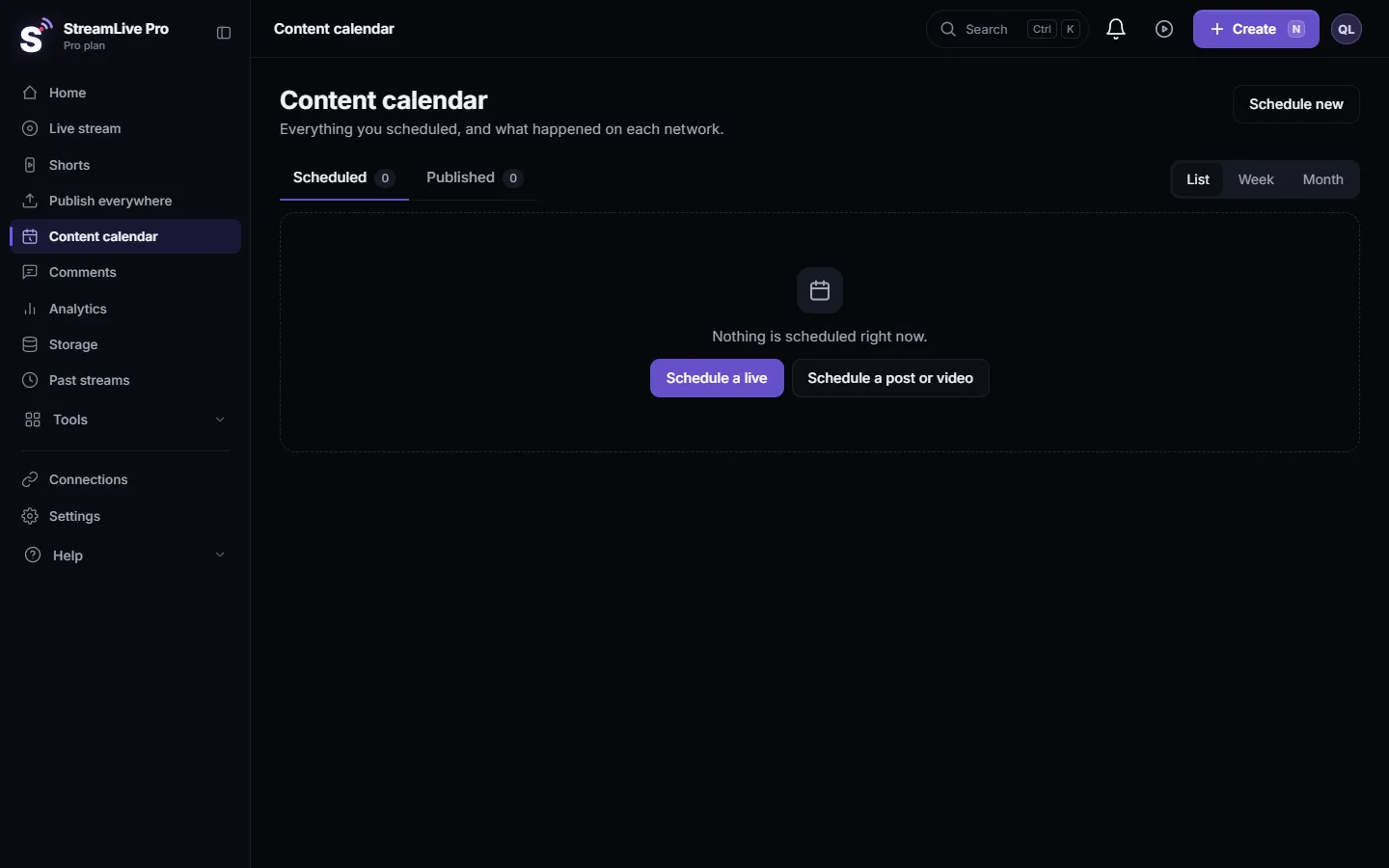
- Look at it in StreamLive Pro. The live appears in the content calendar and on the Live stream page, like a live you scheduled by hand.
- Change it if needed. Ask "Move the Tuesday live to 21:00" or "Add LinkedIn". The assistant can change the title, description, time, channels and YouTube privacy of a live that has not started.
- Go live at the time. The reminder comes 10 minutes before. Open the browser studio or the phone and start, or start sending from your streaming software. A live from software goes on air when the software actually sends video.
Cancelling
Ask "Cancel the Tuesday live". The assistant shows which live it means and asks you to confirm. Only after you say yes does it cancel, and the live is removed. This is a rule of the StreamLive Pro tools: cancelling and ending a live always need your approval in the chat.
What the assistant cannot do here
- Pre-announce on YouTube or Facebook. Creating a public YouTube event with a link in advance, or a Facebook event, is done in the dashboard with Schedule broadcast. See Schedule a live broadcast in advance.
- Start a camera for you. A scheduled live from the studio needs you at the camera at the time.
- Schedule a pre-recorded video as a live. Use Pre-recorded broadcast on the Live stream page: Broadcast a pre-recorded video as a live stream.
- Go past your plan. More channels than the plan allows, or a live after the trial ended, is refused the same way the website refuses it.
What can go wrong
| What happens | Likely cause | Fix |
|---|---|---|
| The assistant says a network is not ready for live | The channel needs a reconnect, or live is not switched on for it | Fix it in Connections; see Reconnect a channel whose connection expired |
| The live is at the wrong hour | The time zone was not clear | Say the time zone ("Israel time", "New York time"), or ask the assistant to read the time back |
| Streaming software is not included | The account is on the trial | Go live from the browser studio, or choose a plan |
| Instagram or TikTok is missing from the choices | Their live needs a fresh stream key for each session | Save the key in Connections before the live; see Live on Instagram and TikTok with a stream key |
| The live did not start at the time | Nobody started the studio or the software | A scheduled live waits for your video. Start the studio or the encoder |
The full list of tools the assistant uses is in StreamLive Pro MCP tools: full list for ChatGPT and Claude.
Frequently asked questions
Can ChatGPT start my live stream automatically?
No. It schedules the live and can change or cancel it, but the broadcast starts when you open the studio or your streaming software sends video.
Does it work the same in Claude?
Yes. Claude and ChatGPT use the same StreamLive Pro tools, so the requests and the results are the same.
How far ahead can I schedule?
From at least a minute ahead up to a year ahead.
Will I get a reminder?
Yes. StreamLive Pro reminds you 10 minutes before a scheduled live.
Can the assistant cancel a live without asking me?
No. It shows which live it means and cancels only after you confirm in the chat.
Keep reading
Ask ChatGPT or Claude to read the chat of your live from YouTube, Facebook, Twitch and Kick: summarize questions, find a viewer's message, or list what to answer next.
Change or cancel a scheduled live with ChatGPT or ClaudeMove a scheduled live to a new time, rename it, change its channels or YouTube privacy, or cancel it, by asking ChatGPT or Claude. What can change and when.
Schedule live streams and posts: the complete guideSchedule live streams and posts on YouTube, Facebook and more: lives, posts, Shorts, groups and AI, the Content calendar, what runs by itself, and the limits.
What is OAuth? Connecting an account without a passwordWhat OAuth is: how one app gets limited access to your account on another service without your password. Tokens, scopes, why connections expire, how to revoke.
Want to try it? 7-day trial, no credit card.
Start free