 StreamLive Pro
How many Shorts can I make?
How many Shorts you can make in StreamLive Pro: up to 5 from one video, a monthly number by plan, 10 in the trial, and how to choose fewer per live so they last.
Two numbers decide it. From one video or broadcast you get at most 5 Shorts. Across the month, your plan has a number of Shorts; Creator, Pro and Studio each have more than the one before, and the current numbers are on the /pricing?lang=en. The 7-day trial has 10 Shorts in total, at most 5 from one video, with a small watermark. Every Short counts once, whether it was made automatically after a live or by hand.
The numbers that apply
| Limit | Creator | Pro | Studio | Trial |
|---|---|---|---|---|
| Shorts from one video | Up to 5 | Up to 5 | Up to 5 | Up to 5 |
| Shorts per period | Monthly number on the pricing page | Higher | Highest | 10 for the whole trial |
| How moments are chosen | Smart cuts at pauses | AI mode | AI mode | Smart cuts at pauses |
| Watermark | No | No | No | Yes |
The month follows your billing period, not the calendar month. When the Shorts run out, the Shorts page says when they renew.
Where you see what is left
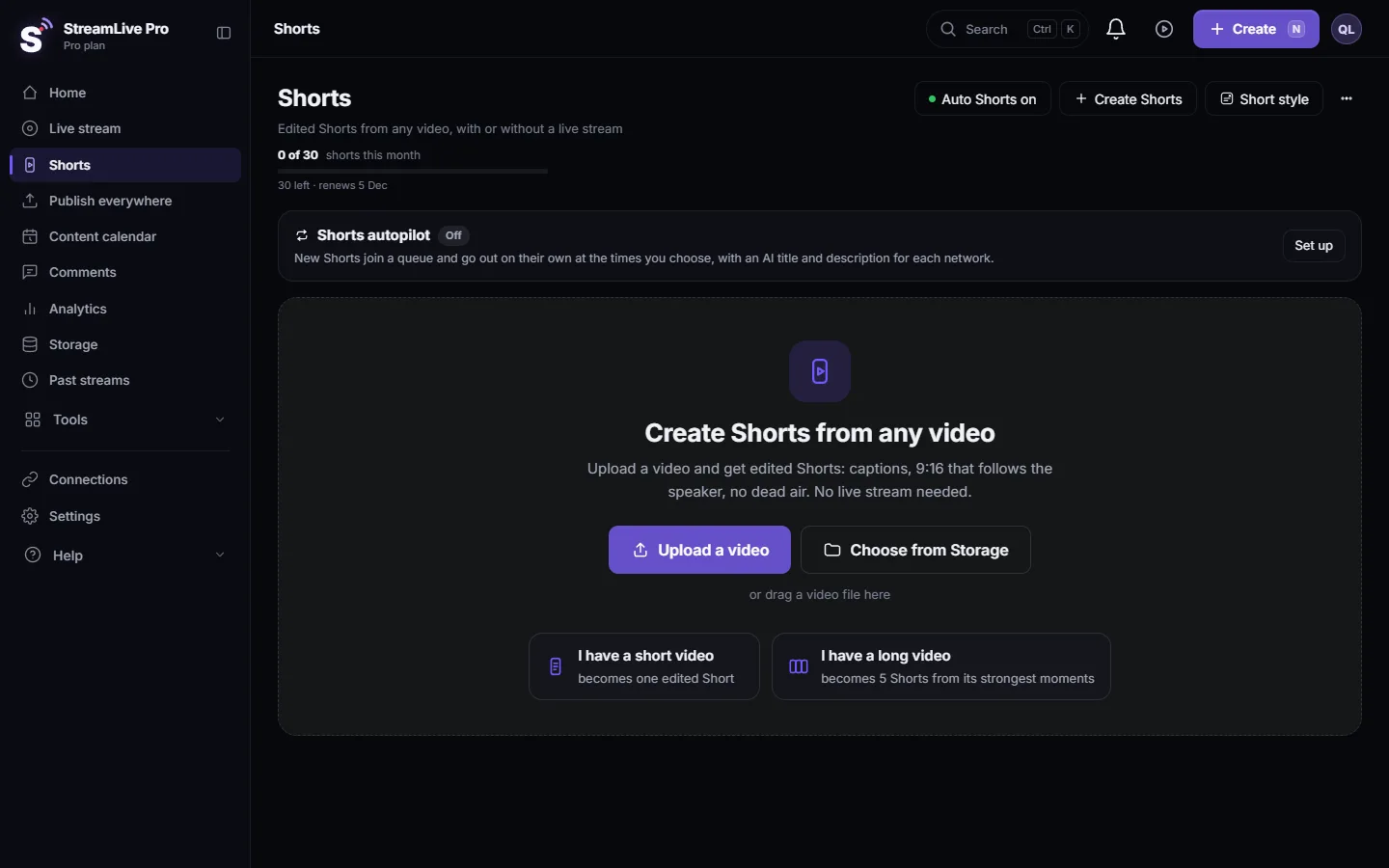
- Shorts page and the create window. Both show how many Shorts are left this month.
- Settings. Under "Shorts from every live" a line says, for example, "You have 12 Shorts left this month." When none are left it says "This month's Shorts are used up. They renew on" and the date. In the trial: "The Shorts of the trial are used up."
- The live page. Under "Shorts from this live" the same line appears, so you see it before you go live.
Steps
These steps make a small monthly allowance last, for example on Creator or in the trial.
- Set a default per live. Open Settings, the card "Auto-generate Shorts after every stream / recording", and choose "Shorts from every live": 1 to 5. With 2 or 3, only the top-ranked moments of each broadcast are kept.
- Change it for one live. On the Live stream page, "Shorts from this live" picks a different number for that broadcast only. Use 5 for the broadcast that matters and 1 for a routine one.
- Switch off for tests. A test broadcast still makes Shorts. Turn automatic Shorts off first: Turn automatic Shorts on or off.
- Ask by hand when you know it is worth it. With automatic Shorts off, make Shorts only from the broadcasts you choose, from Past streams or Create Shorts on the Shorts page.
- Plan the count before the job. The number is decided when the job starts, so choose it before the broadcast ends or before you press Create.
How the count is taken
- The Shorts a job will make are reserved from your allowance when the job starts. If the job makes fewer, for example because the video had fewer good moments, the unused ones go back.
- If fewer Shorts are left than the number you chose, you get as many as are left. The Settings line warns you: "If fewer are left than you chose, you get as many as are left."
- Pressing Create again on the same video gives Shorts from other parts of it and counts again.
- In the trial, the 5-per-video rule counts Shorts already made from that video, so pressing again on it after 5 gives nothing.
A worked example
For example, a weekly class streamed four times a month, on a plan with a small monthly number. With 5 Shorts per live, four broadcasts can use 20 Shorts. With "Shorts from every live" set to 2, the same month uses 8, and the two top-ranked moments of each class still go out. When one broadcast is special, raise that live to 5 on the live page. To post the Shorts of one video over several days instead of all at once, use Publish all your Shorts at once.
Related: How to create Shorts from any video, no live stream needed, Plans, billing and limits.
Monthly Shorts are not the same as YouTube uploads
Making a Short and posting it to YouTube are counted separately. Automatic uploads to YouTube have their own daily number per plan, and uploads over it wait in a queue for the next day. See The daily limit on YouTube uploads.
Frequently asked questions
How many Shorts do I get from one live stream?
Up to 5. You can choose fewer for every live in Settings, or for a single live on the live page.
How many Shorts are in the free trial?
10 in total for the 7 days, at most 5 from one video, with a small watermark. The trial is free and needs no card; there is no free plan after it.
What happens when the month's Shorts are used up?
No more Shorts are made, automatically or by hand, until they renew. Settings shows the renewal date. A higher plan has more; see the pricing page.
Do unused Shorts carry over to the next month?
No. The number renews with each billing period.
Can I choose fewer than 5 Shorts from a video?
Yes. Choose 1 to 5 in Settings for every live, or pick a number for one live on the live page. With fewer, only the top-ranked moments are kept.
Keep reading
What VOD means: video on demand, the recording people watch after a live ends. Where replays live on each network and in StreamLive Pro, and how to keep yours.
Live streaming glossary: the terms you will meetA live streaming glossary in plain words: stream key, RTMP, SRT, bitrate, multistream, Preview and Program, ISO, captions, reframe. Where each shows up in StreamLive Pro.
My storage is fullStorage full in StreamLive Pro? What uses the space, what stops working, which files to delete first, and how to keep a recording from being cut short.
Shorts were not created after my live streamShorts were not created after your live? Check the automatic Shorts setting, your monthly Shorts, the length of the live and how to make them by hand.
Want to try it? 7-day trial, no credit card.
Start free