 StreamLive Pro
Kapwing alternative: Kapwing vs StreamLive Pro compared
Kapwing alternative for subtitles, translation and short clips: plan limits, languages, Hebrew, exports and live streaming, from Kapwing's pages checked November 2026.
Kapwing is a browser video editor for creative teams: a timeline, auto subtitles, translation, a Clip Maker and Repurpose Studio for short clips, and AI video generation from a prompt. StreamLive Pro is a browser live studio that sends one broadcast to several networks, then cuts captioned vertical Shorts from it, translates captions and posts them to your accounts. Both make subtitles and short clips from a long video. Kapwing is the stronger editor for videos you upload. StreamLive Pro adds the live broadcast before the edit and the posting after it.
Every fact about Kapwing below comes from kapwing.com, checked on 5 November 2026 (links in Sources). We did not sign up for Kapwing or test it.
The facts side by side
| Feature | Kapwing | StreamLive Pro |
|---|---|---|
| What it is | Online editor with subtitles, translation, clip tools and AI video generation | Browser live studio, multistreaming, automatic Shorts, captions, translation, editor and publishing |
| Plans | Free, Pro, Business, Enterprise | Creator, Pro, Studio; no free plan; 7-day trial with no credit card |
| Auto subtitles | Up to 10 minutes (Free), 1,000 minutes a month (Pro), 4,000 (Business) | Automatic captions from speech in about 100 languages; monthly minutes by plan |
| Subtitle translation | Up to 5 minutes (Free), 500 a month (Pro), 2,000 (Business) | Translation minutes per month by plan |
| Languages | "Over 60 languages" for translation on the pricing page; the Hebrew page says "100+ languages" | Translation into 143 languages (Creator and the trial: 25) |
| Hebrew | A Hebrew subtitles page; right to left is not mentioned | Hebrew interface; captions written right to left with punctuation and numbers in place |
| Subtitle files | SRT, VTT and TXT, upload or download | SRT, VTT and other formats on paid plans, or burned in |
| Export | 720p on Free with a watermark; 4K without a watermark on paid plans | MP4 from the editor, never above the source; watermark on Shorts in the trial |
| Storage | 5 GB kept 3 days (Free), 200 GB (Pro), 800 GB (Business) | Storage by plan; see the pricing page |
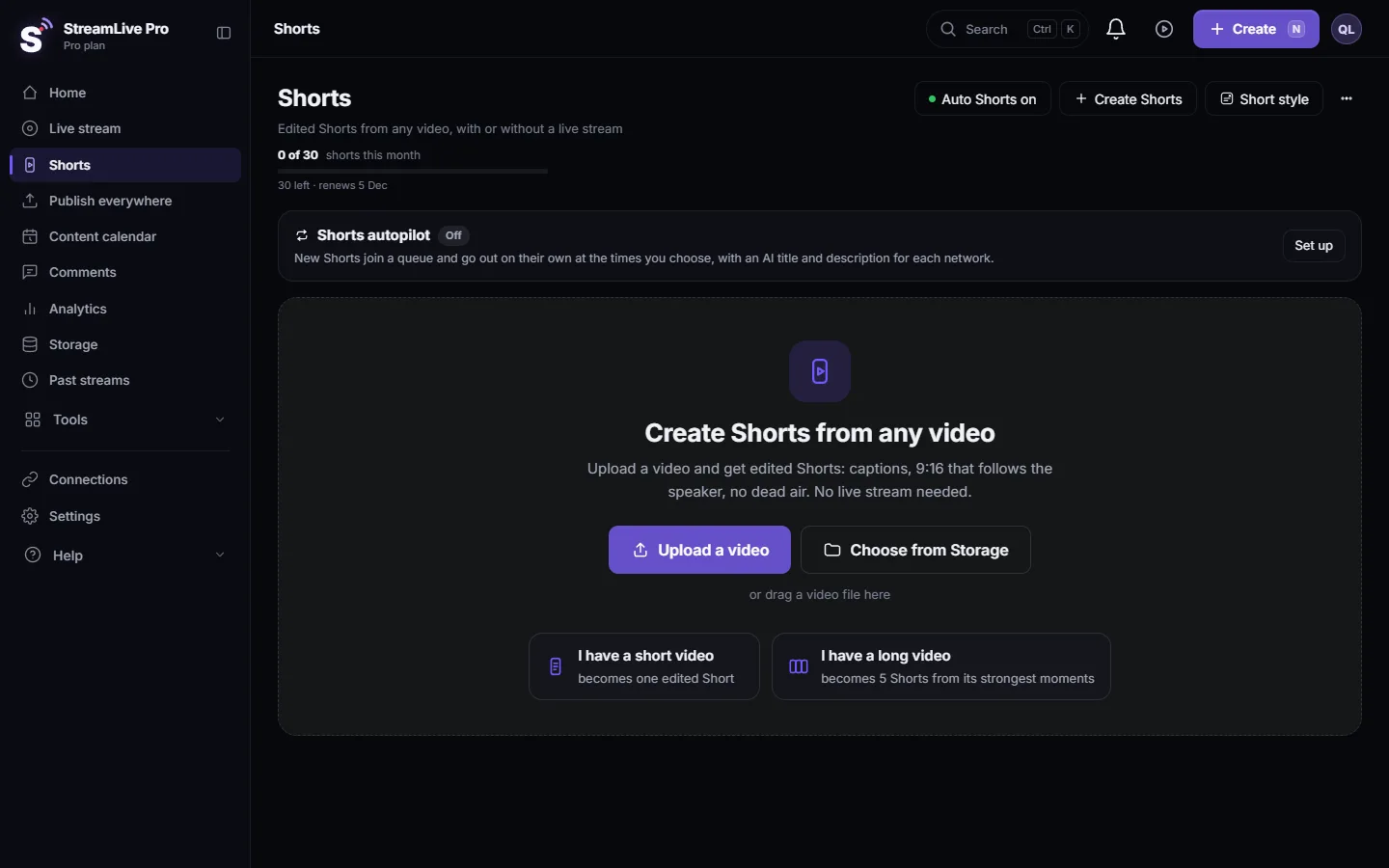
| Short clips | Clip Maker and Repurpose Studio | Up to 5 vertical Shorts per video, cut automatically with captions and a speaker-following crop |
| Live streaming | Not mentioned on the pages we checked | One live to YouTube, Facebook Pages, Instagram, TikTok, X, LinkedIn, Twitch, Kick and RTMP/SRT servers |
| Posting to networks | Not mentioned on the pages we checked | YouTube, Facebook Pages, Instagram, LinkedIn, Threads, Telegram and more, now or scheduled; TikTok by hand |
Where Kapwing is the better choice
- A full editor for uploaded video. Timeline editing, subtitles, translation and clip tools in one browser editor, with a collaborative interface for a team, according to Kapwing's home page. StreamLive Pro's editor exports MP4 only today and is meant for finishing broadcasts and Shorts.
- A free plan. Kapwing's Free plan lets you try subtitles and translation with a few minutes and a watermark. StreamLive Pro has a 7-day trial, then paid plans.
- Generating video from a prompt. Kapwing's Video Generator makes videos with voiceover, visuals and subtitles from text. StreamLive Pro does not generate video.
- Large monthly subtitle allowances on its paid plans, stated in minutes on the pricing page.
Where StreamLive Pro is the better choice
- Video that starts as a live. Go live from the browser to several networks, press Record to keep the broadcast, and Shorts are cut automatically when it ends: How to create Shorts from any video, no live stream needed. Kapwing starts from a file you upload.
- Hebrew right to left. Hebrew captions keep punctuation and numbers on the correct side, also with the highlighted-word animation, in more than 80 caption designs: Caption templates and styles in depth.
- Vertical Shorts that follow the speaker. Each Short is cropped to 9:16 following the person who speaks, with captions burned in. The AI chooses the moments and can be wrong, so watch them before publishing: How the moments for your Shorts are chosen.
- Posting from the same account. Publish everything from Publish everywhere, or let the Shorts bar spread them one a day. TikTok is posted by hand, not on a schedule: Publish all your Shorts at once.
Honest limits: no free plan; no video generation; no dubbing; captions and translation are made after the broadcast, not live; the phone app is not in the App Store or Google Play (Android has a direct download, iPhone uses the phone browser).
Using both together
They meet through files. StreamLive Pro exports captions as SRT or VTT, and Kapwing's Hebrew page says it can upload SRT, VTT and TXT. So you can, for example, broadcast and get Shorts in StreamLive Pro, then download a kept recording and its SRT file for a longer cut in Kapwing. How to export: Export captions as SRT, VTT or ASS, and which one to use. Download a Short as a file: Download a Short as an MP4 file.
How to choose
- You edit uploaded videos with a team, generate video from text, or want a free plan to start: Kapwing.
- You go live, work in Hebrew, and want Shorts and posts without moving files around: StreamLive Pro, starting with the 7-day trial.
- You do both: broadcast and Shorts in StreamLive Pro, longer cuts in Kapwing.
Plans and prices: pricing. Related: An OpusClip alternative for Hebrew and for live, A Submagic alternative for people who also make the video, VEED alternative for subtitles: VEED vs StreamLive Pro.
How we checked
On 5 November 2026 we read Kapwing's pricing page, its home page and its Hebrew subtitles page, and copied the facts as they appeared. The pricing page says translation covers over 60 languages and the Hebrew page says 100+; we show both. Where a capability was not on those pages we wrote "not mentioned on the pages we checked", which does not mean Kapwing lacks it. We did not test Kapwing. StreamLive Pro facts come from our own product.
Sources
- Kapwing pricing, checked 5 November 2026: kapwing.com/pricing
- Kapwing home page, checked 5 November 2026: kapwing.com
- Kapwing Hebrew subtitles, checked 5 November 2026: kapwing.com/subtitles/video/Hebrew
Frequently asked questions
Is StreamLive Pro a Kapwing alternative?
For subtitles, translation and short clips from live broadcasts, with posting to your networks, yes. For a full editor for uploaded videos or video generated from text, Kapwing does more.
Does Kapwing support Hebrew subtitles?
Kapwing has a Hebrew subtitles page and lists Hebrew among its translation languages. The page does not mention right-to-left layout. StreamLive Pro writes Hebrew captions right to left with punctuation in place.
Can Kapwing post to social networks or live stream?
We did not find either on the Kapwing pages we checked. StreamLive Pro does both.
Does StreamLive Pro have a free plan like Kapwing?
No. StreamLive Pro has a 7-day trial with no credit card, and after it paid plans only.
Can I use Kapwing captions in StreamLive Pro or the other way round?
Yes, as SRT or VTT files. Export from one and upload to the other.
Keep reading
How to run a weekly Torah class online: a weekday live, scheduling ahead, Shorts with Hebrew captions, translation for students abroad and a podcast episode.
Descript alternative: Descript vs StreamLive ProDescript alternative for transcription in Hebrew and more: languages, exports, remote recording, clips and live, from Descript's pages checked November 2026.
VEED alternative for subtitles: VEED vs StreamLive ProVEED alternative for subtitles and Hebrew captions: plans, subtitle limits, translation, export formats and live streaming, from VEED's own pages checked November 2026.
Open and closed captions: burned in or a separate fileOpen vs closed captions: burned into the picture or sent as a file the viewer can switch off. What each is good for, which networks take which, and how to make both.
Want to try it? 7-day trial, no credit card.
Start free